

Meta Muse Video API
muse-videoMuse Video is Meta's video model: a prompt, one first frame or up to four reference images of the same person become a 4–20 s 720p clip with sound generated alongside the picture. It is 720p only, 16:9 or 9:16 only, with no last frame and no reference video or audio. Call muse-video at $0.037/s; failed tasks are not charged.
Generate Video
The API also takes any other whole number from 4 to 20; it rounds up to the next length here (7 s comes out as 8 s) and is billed on the seconds you request.
Result
Generated video will appear here
Provide URLs and click Generate
Text, First Frame or 4 Reference Images
One model id: a prompt alone, one first frame to start the clip from your picture, or up to four reference images to keep the same person across clips
4 to 20 Seconds
Whole seconds; 5, 6, 8, 10, 15 and 20 s come out exact, other lengths round up, so a clip is never shorter than what you pay for
720p, Landscape or Portrait Only
1280×720 (16:9, default) or 720×1280 (9:16), H.264 MP4 at 24 fps; no 1080p, no square or other ratios
Sound with the Picture
Meta describes Muse Video as generating audio together with the video
Not 100%, but Failures Are Free
Not every request succeeds, and a failed task is not charged; unsupported lengths, sizes or inputs are rejected with a 400 before a task is created
$0.037 per Second
Billed on the requested seconds: 5 s $0.185, 10 s $0.37, 20 s $0.74
Muse Video API: Meta's Muse AI video model, 720p from text, a first frame or reference images
The Muse Video API is how you call Muse Video, the AI video model in Meta's Muse AI family, through APIMODELS: one model id, muse-video, that turns text, one first frame or up to four reference images into a 720p clip of 4 to 20 seconds, 16:9 or 9:16, at $0.037 per requested second.
Send the request to POST /v1/video/generations. A first-frame image makes the clip start from that picture; reference images keep the same person or subject without starting from them. Check the limits below before you build on it: 720p only, landscape or portrait only, a first frame or reference images but not both, and not every request succeeds.
- Model ID
muse-video- Inputs
- Prompt + 1 first frame or up to 4 reference images
- Resolution
- 720p only
- Aspect ratio
- 16:9 or 9:16 only
- Length
- 4–20 s
- Billing
- $0.037 per requested second
Muse Video example: a 10-second handheld selfie clip from one prompt
Text-to-video, no first frame, 9:16, 10 seconds. One generation, shown as it came back.
One request with the prompt below, duration 10 and aspect_ratio 9:16. Muse Video returned a 10.0-second 720×1280 clip with a music track in about 75 seconds, and it played the action list in order in one continuous take: eyes closed on the pillow, eyes opening to the lens, a shy smile, the blanket pulled up over half the face, a V sign close to the lens, a hand over the mouth while she laughs into the pillow, and the phone tipping toward the ceiling.
This is the kind of clip Muse Video handles well: one person, a handheld vertical selfie frame, a short chain of small gestures, and a mood carried by warm low light and music. Another run of the same prompt will look different. Text-to-video cannot keep the same face from clip to clip, so for a recurring character, pass up to four reference images of them (images); the model keeps the face without starting from the picture.
- Duration
- 10s
- Resolution
- 720×1280 · 720p
- Aspect
- 9:16
- Billed seconds
- 10s
- Cost here
- $0.370
主体:人物是明月(我的固定角色),穿奶白低领细肩吊带;头发被枕头压乱,多缕发丝横过脸部。从闭眼侧躺开始,再睁眼互动。全程同一张脸、同一套衣服。

场景:夜间卧室床上,白被子白枕头,暖色床头灯。她自己拿手机前置超近距自拍,头到上胸几乎占满竖屏,腰腹和下半身不入画。手腕轻轻晃,构图略歪;一镜到底,不切镜。

音乐:轻甜 bedroom pop 器乐,约 90 BPM。无台词、无说话口型。配乐里不要人声和笑声。

动作:侧脸贴枕闭眼浅笑 → 慢慢睁眼锁定镜头 → 下巴抵肩害羞抿嘴笑 → 拉起白被子挡住半张脸再拉开 → 空着手从上胸前伸向镜头,V 手势几乎贴住镜头再收成夹捏/小爱心 → 握拳挡嘴害羞偷笑,把脸埋进枕头 → 手机一歪甩向天花板。实时速度。

画质:故意拍糊,手持动态模糊和局部失焦,暖色低照度,10 秒竖屏。
More Muse Video examples: date-style clips with the same character every time
18 clips, each one 10-second request with two reference images. Shown as they came back; open any card for the exact prompt.
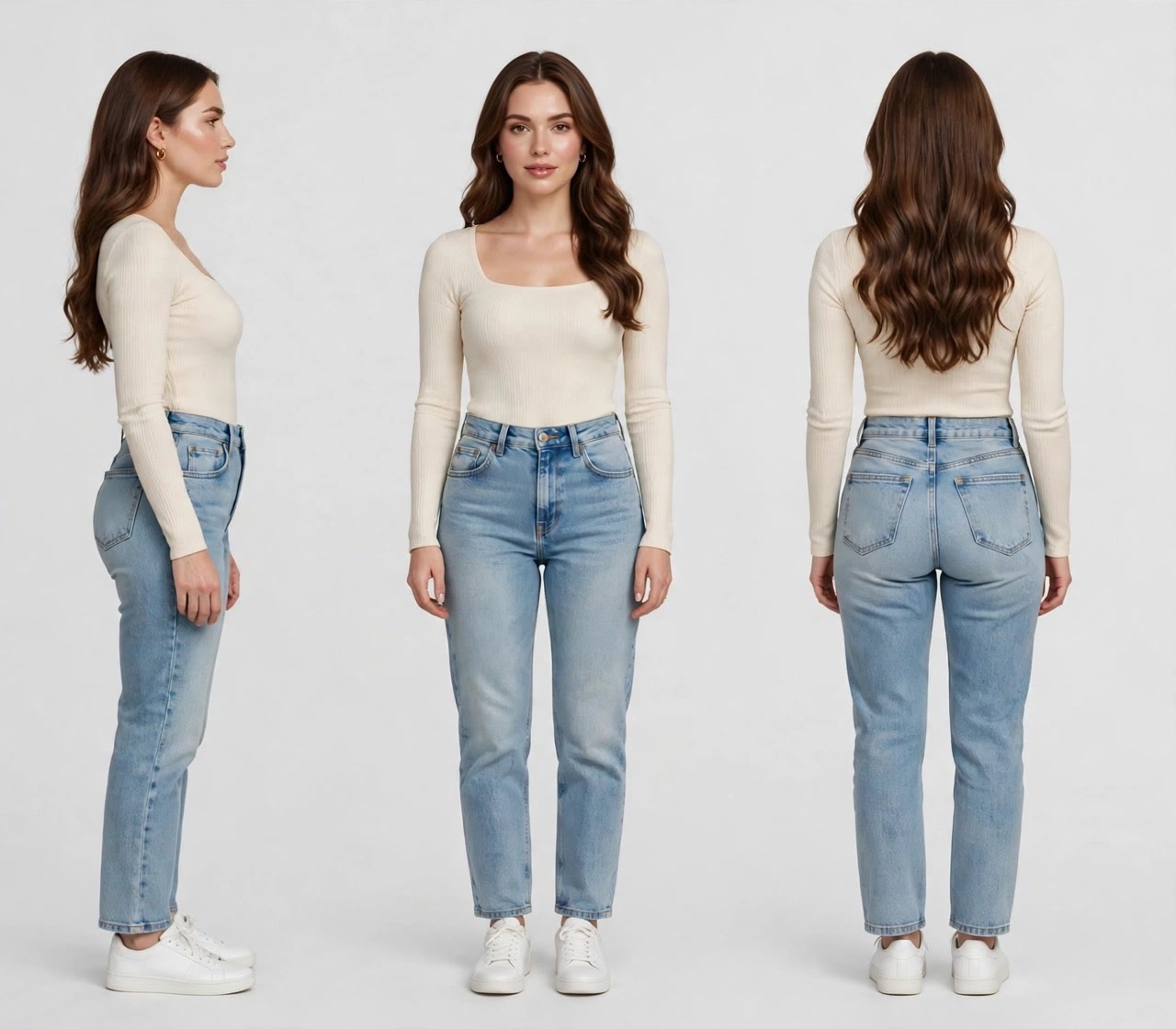
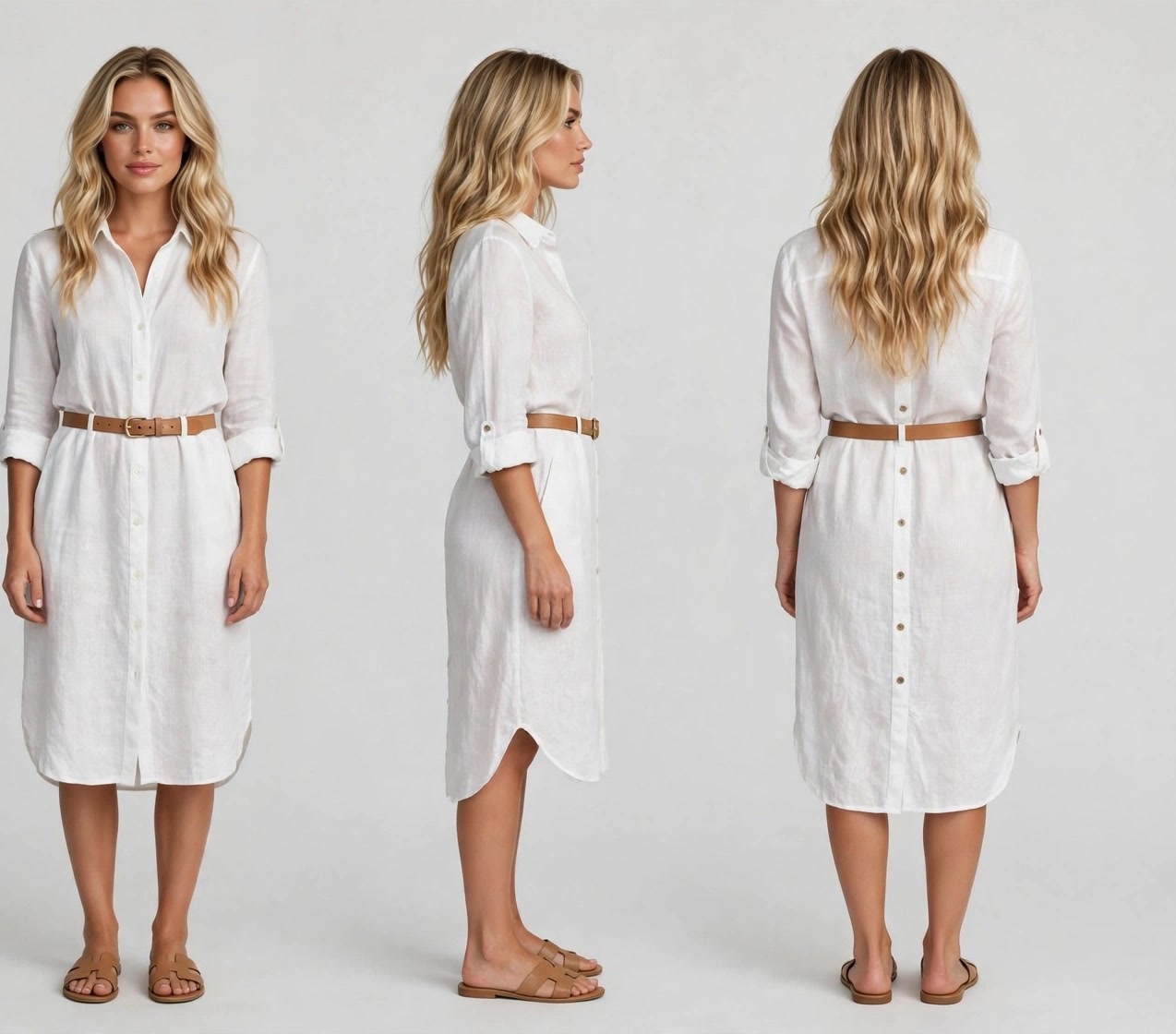
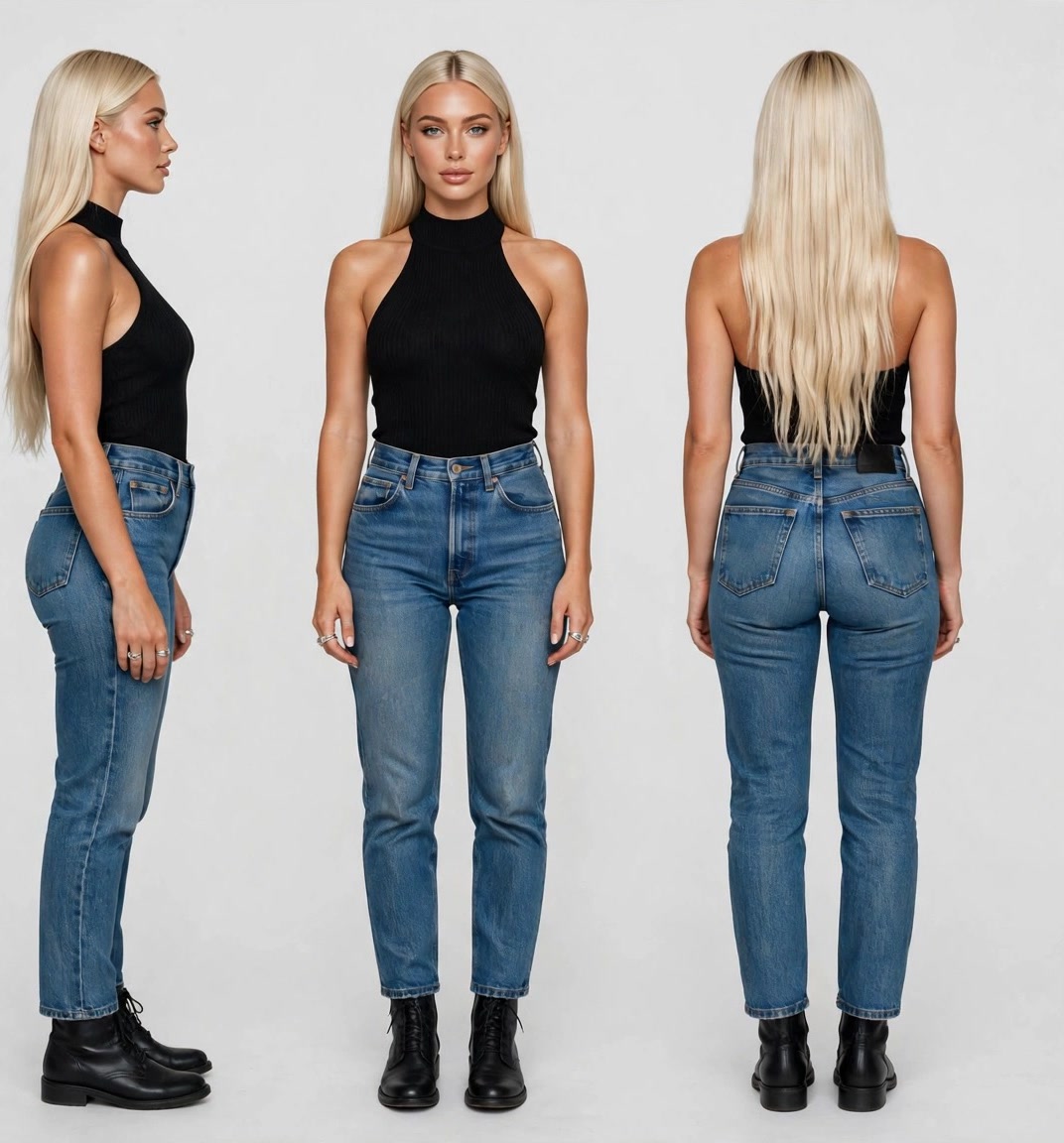
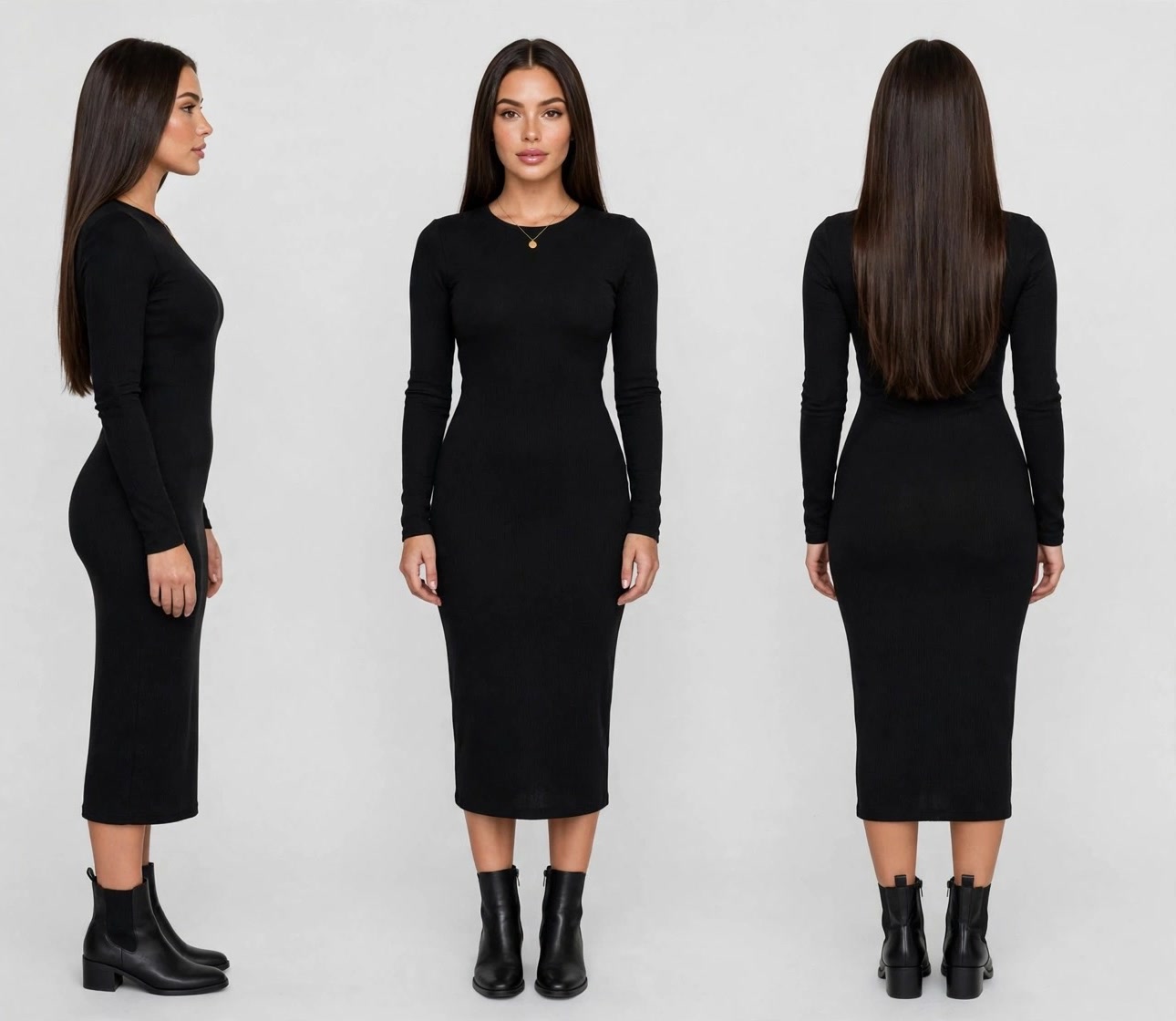
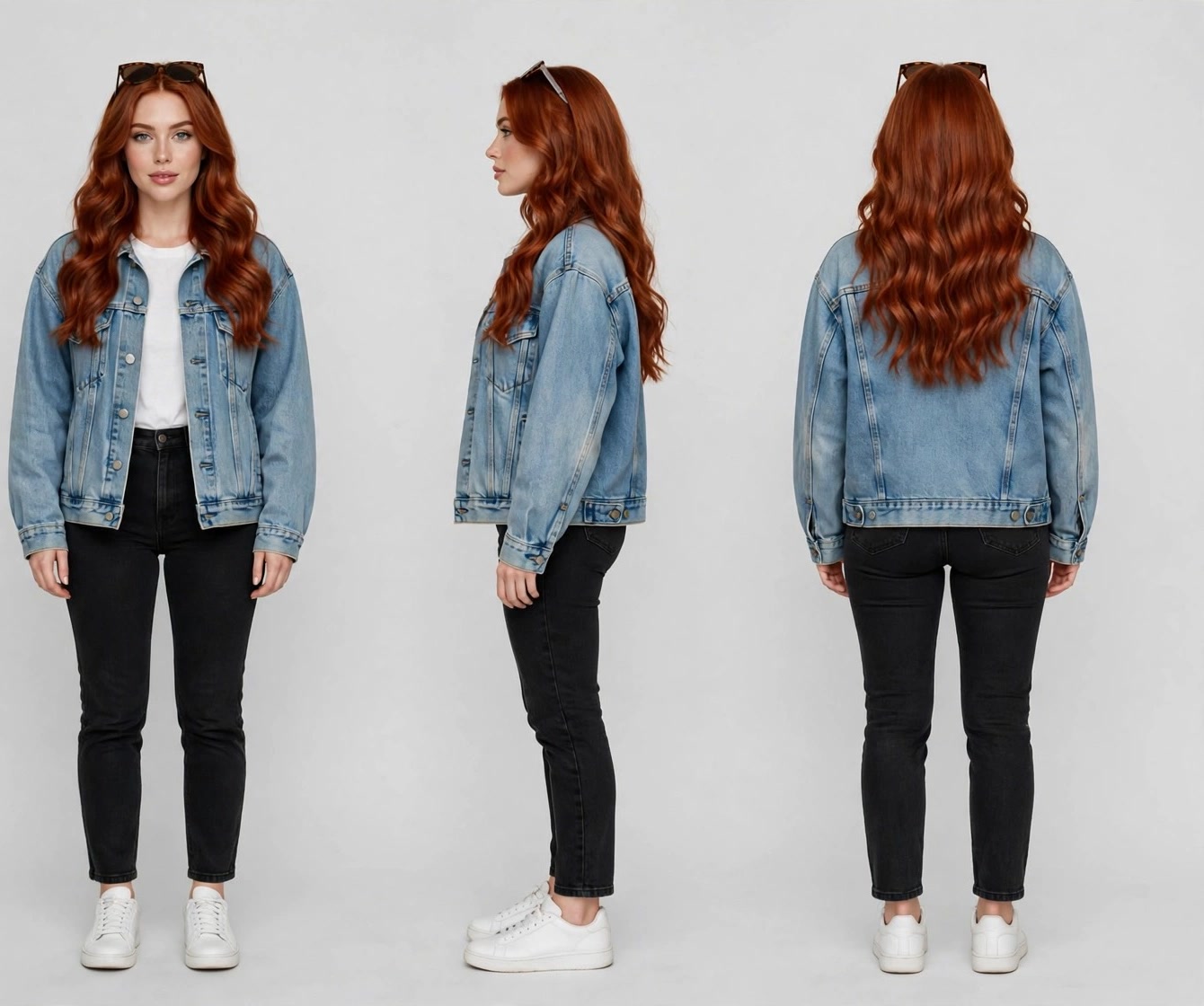
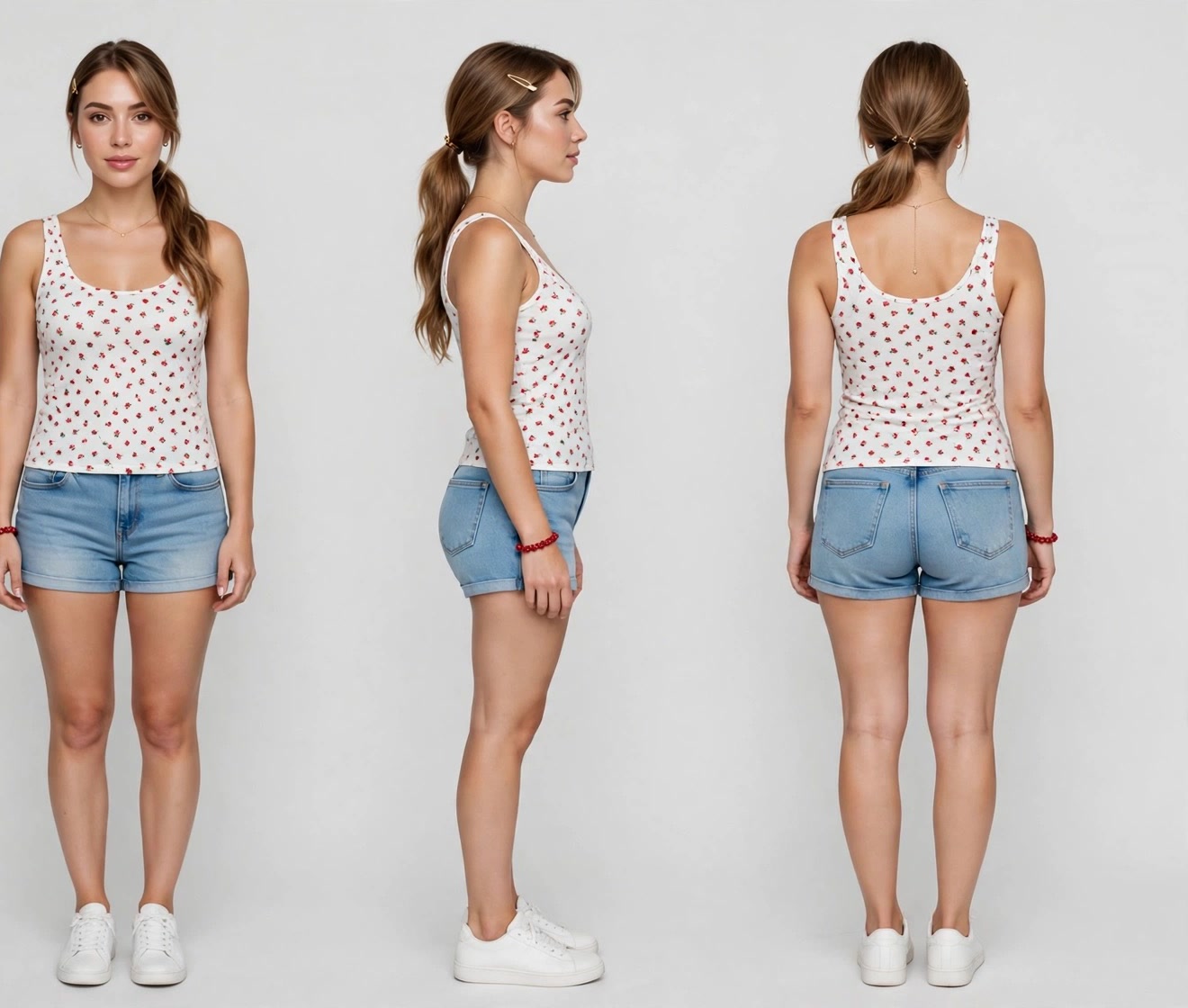
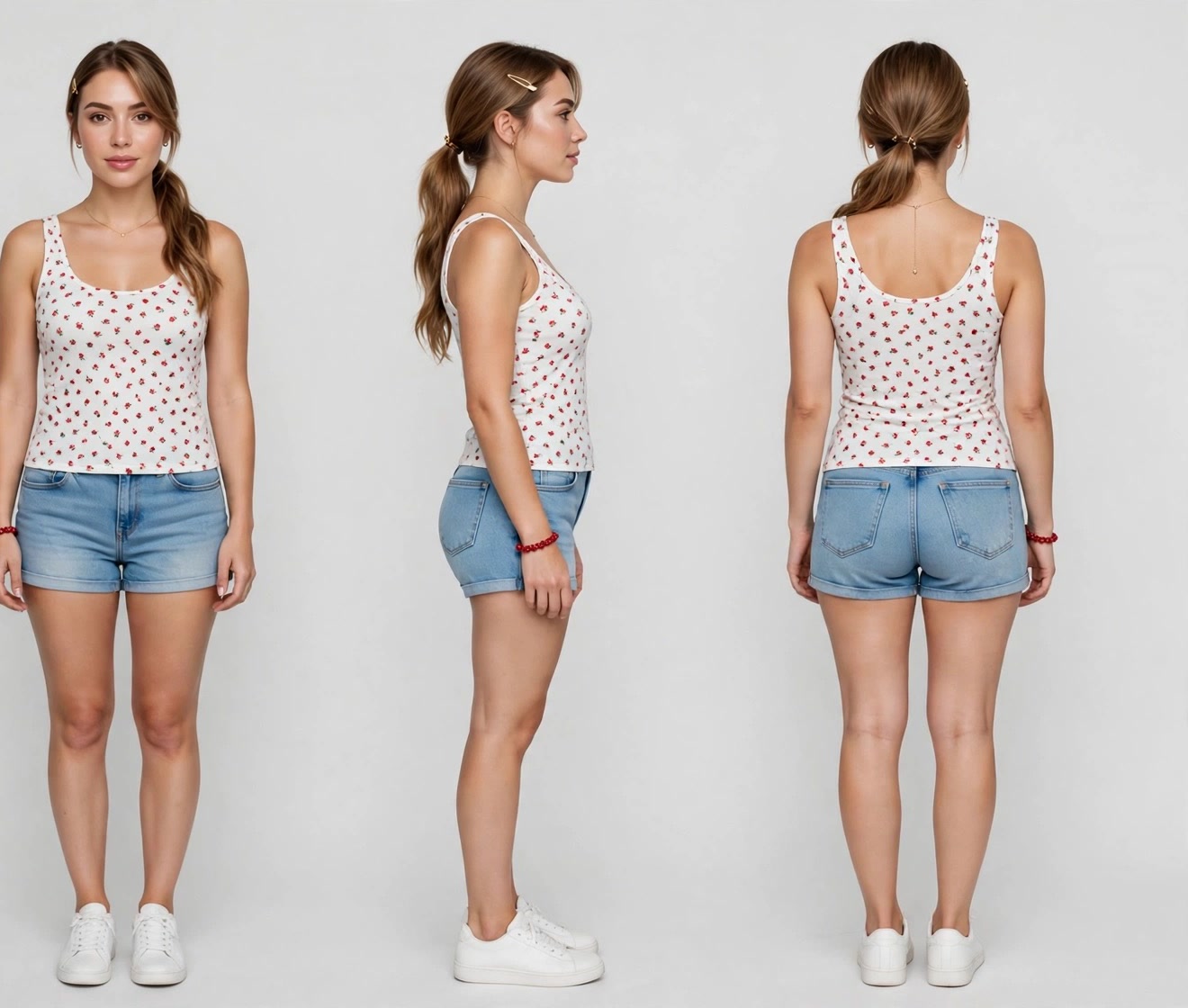
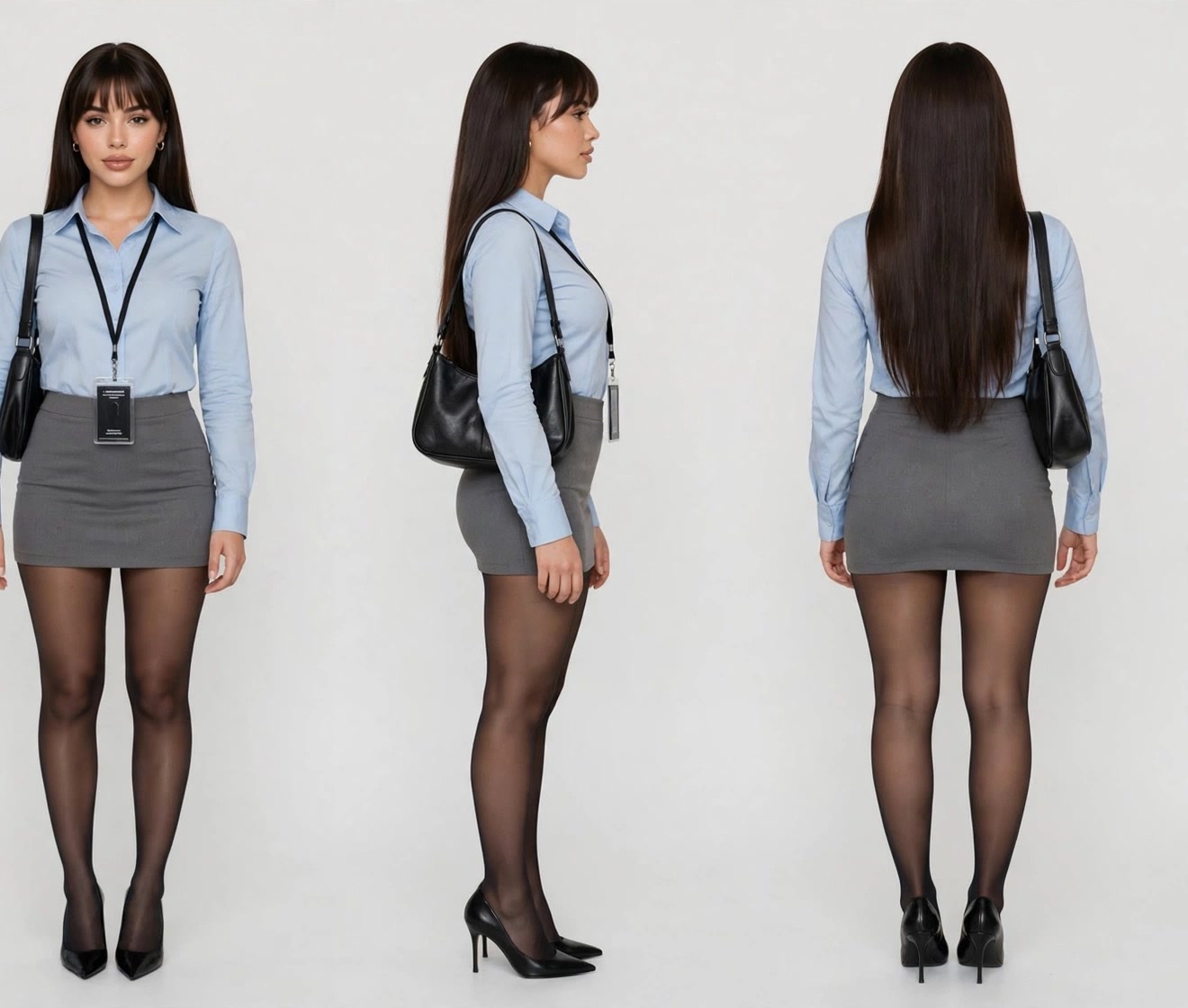
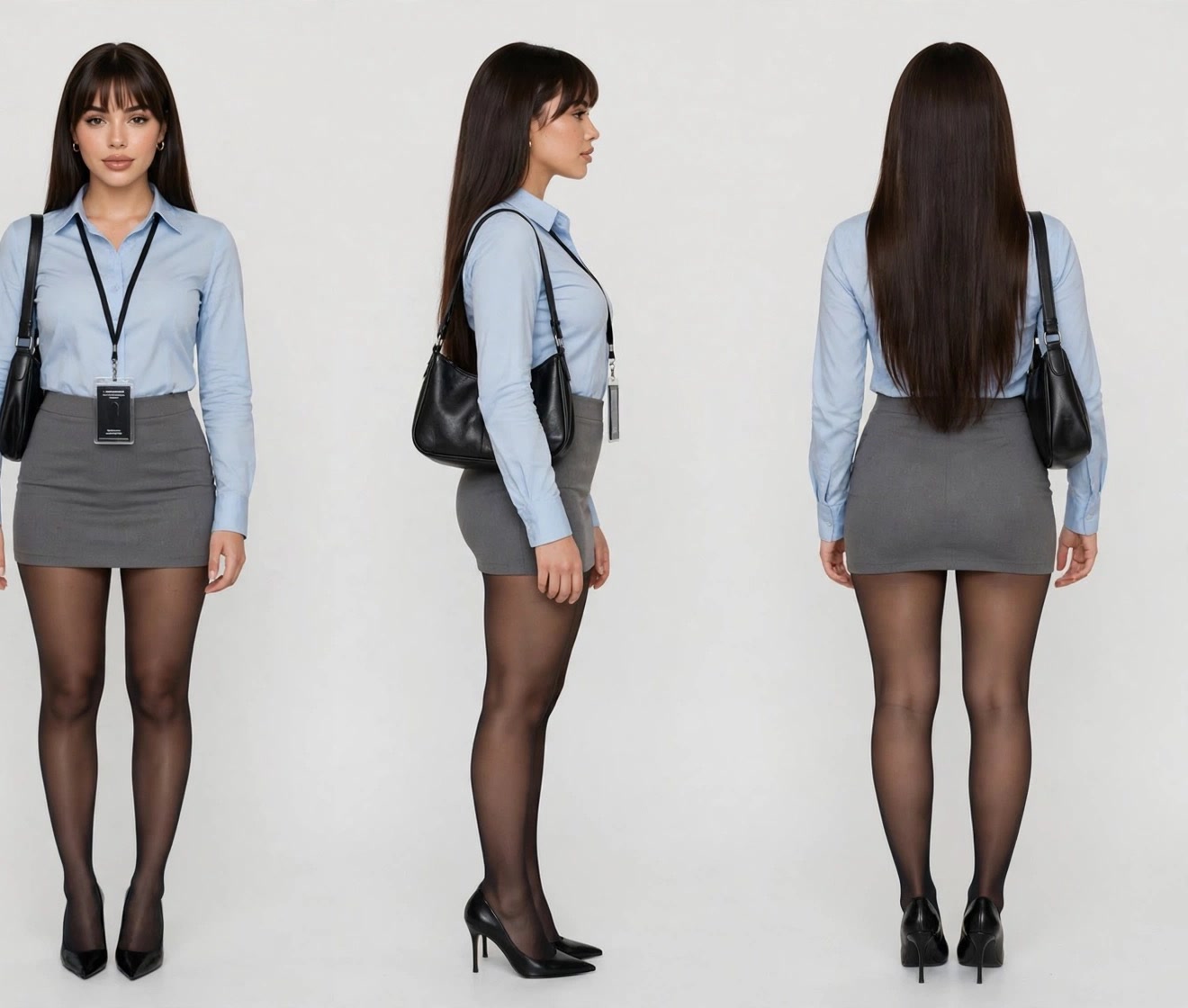
How they were made: for each character we generated one Muse Image character sheet (a headshot next to a front, side and back turnaround), cropped it into two images and sent both as reference images (images) with a 10-second, 9:16 prompt; the kitchen vlog is 16:9. The prompts write the action second by second, keep the outfit covered, and give her one short line in English. The face and outfit stay the same from shot to shot, and a second take of the same prompt (the A / B pairs) shows how much each run varies. Three of the prompts are adapted from prompts shared on X, credited on the card.
Took you long enough. I already ordered yours.Reference images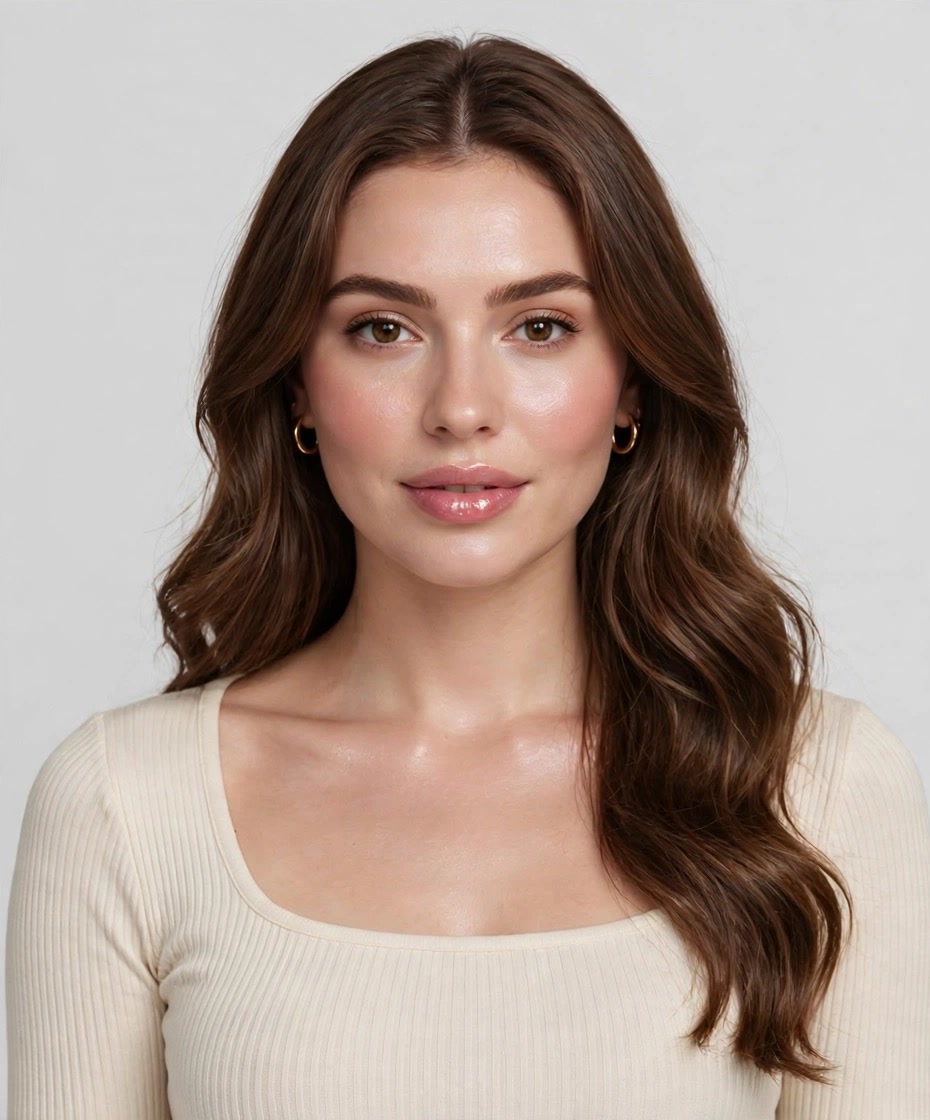
Prompt (exact text sent)
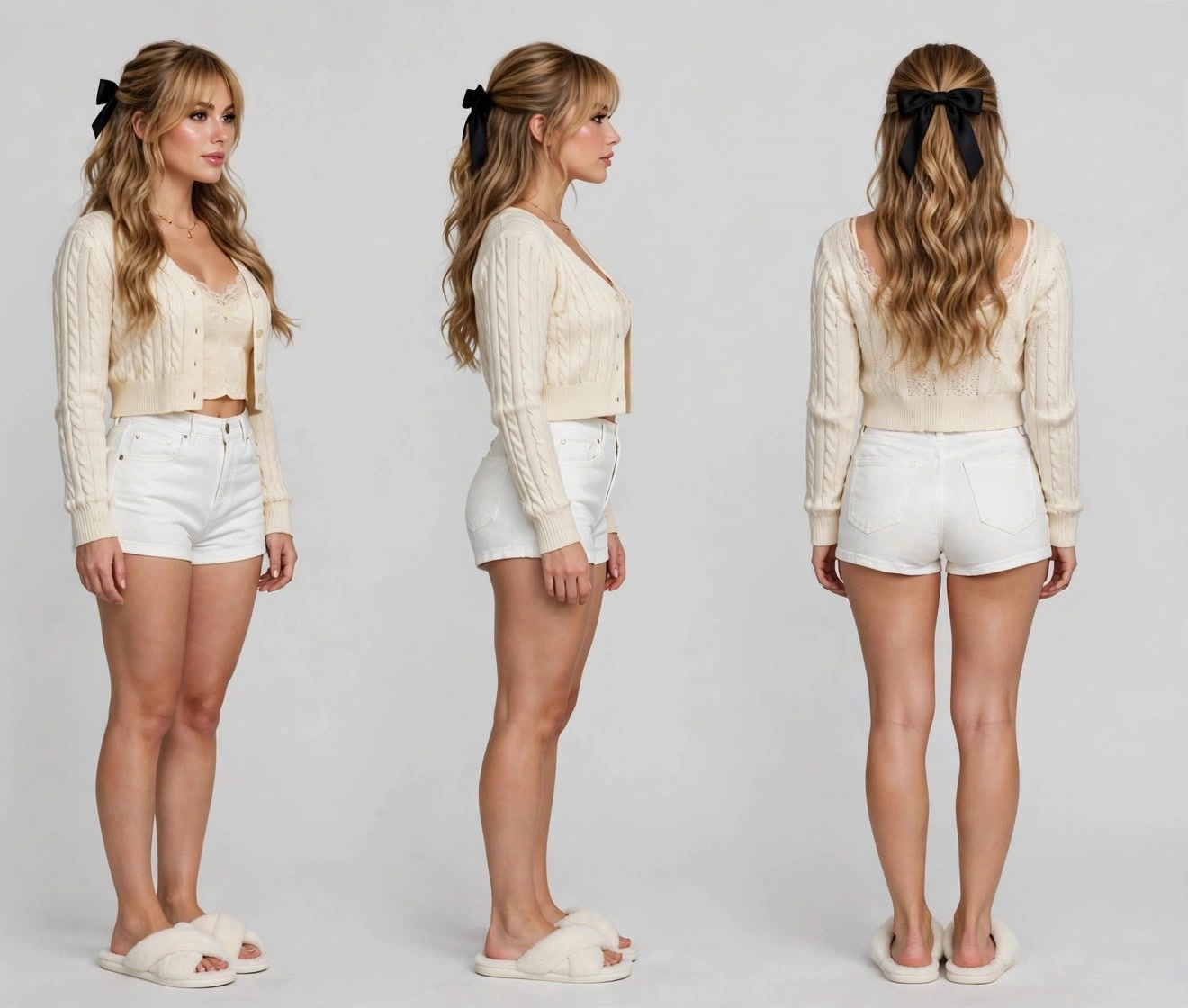
Reference images: image 1 is her headshot (face, features, hair, makeup); image 2 is a front / side / back three-view of the same woman (outfit, accessories, shoes, body). Keep exactly this face, hair and outfit in every frame. She is a 25-year-old woman with a polished Instagram look.

Coffee date. Scene: a sunny corner café, window seat, a small wooden table with two iced oat lattes, soft morning light through the window, the street blurred outside, a few customers far in the background.
Camera: the viewer's point of view, sitting across the table from her, eye level, one continuous take, no cuts.
0.0–1.5 s: she rests her chin on one hand and stirs her latte with the straw, looking down with a small smile.
1.5–3.0 s: she looks up into the lens, raises one eyebrow and her smile widens.
3.0–5.0 s: she says, warm and teasing: "Took you long enough. I already ordered yours." and slides the second latte toward the camera with two fingers.
5.0–7.0 s: she tucks a strand of hair behind her ear and leans forward a little on her elbows, holding eye contact, with a soft laugh.
7.0–8.5 s: she taps the table twice and tilts her head toward the empty chair, inviting the viewer to sit.
8.5–10.0 s: she sips her latte and keeps looking into the lens over the straw, eyes smiling, until the end.
Mood: warm, playful, confident, friendly; natural eye contact, nothing exaggerated.
Lighting: soft warm daylight, gentle highlights in her hair, realistic skin texture.

Audio: soft acoustic café music and light café ambience; her line is clear, natural American English; no other voices, no laugh track.
Style: realistic Instagram Reel shot on an iPhone, vertical 9:16, natural colors, crisp focus on her face, gentle handheld motion.
Avoid: changing her face or outfit, revealing or low-cut clothing, see-through fabric, extra fingers, warped hands, strangers staring at the camera, on-screen text, subtitles, watermark.Come on, the sun's going down!Reference images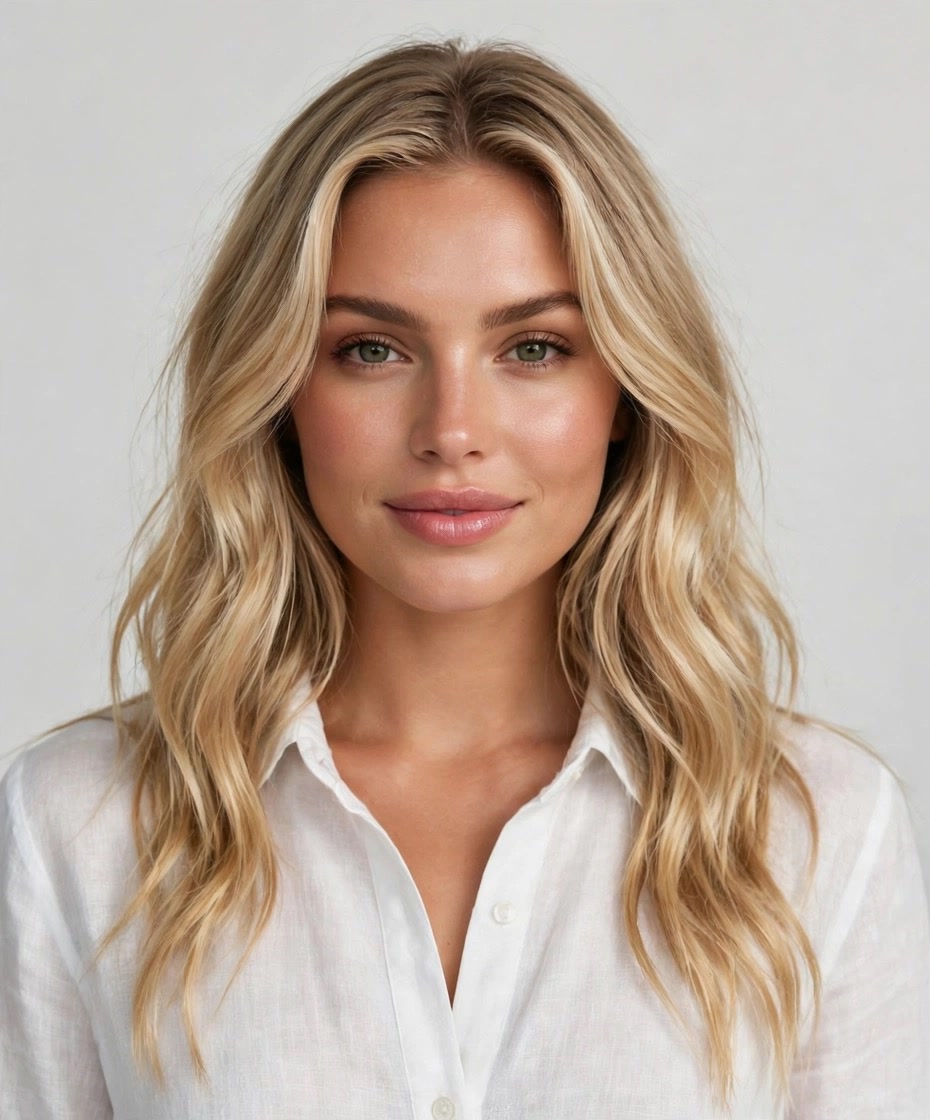
Prompt (exact text sent)
Reference images: image 1 is her headshot (face, features, hair, makeup); image 2 is a front / side / back three-view of the same woman (outfit, accessories, shoes, body). Keep exactly this face, hair and outfit in every frame. She is a 25-year-old woman with a polished Instagram look.

Golden hour beach. Scene: a wide sandy beach at sunset, gentle waves, the sun low over the ocean, footprints in wet sand, a light sea breeze.
Camera: the viewer walking a few steps behind her, one continuous take, smooth natural movement.
0.0–2.0 s: she walks barefoot along the waterline away from the camera, sandals hanging from one hand, the breeze moving her hair and the hem of her shirt dress.
2.0–3.5 s: she slows down and looks back over her shoulder at the lens with a bright smile.
3.5–5.5 s: she turns around, walks backwards for a few steps and reaches one hand toward the camera, palm up, saying: "Come on, the sun's going down!"
5.5–7.5 s: the camera moves closer; she laughs and pushes her windblown hair off her face, eyes on the lens.
7.5–9.0 s: she takes a little splash step in the shallow water and glances back with a playful grin.
9.0–10.0 s: she stops and faces the camera with the sunset behind her, tilts her head and smiles softly, holding eye contact.
Mood: carefree, warm, inviting, romantic but natural.
Lighting: golden backlight, soft lens flare, warm skin tones, rim light on her hair.

Audio: dreamy indie pop music with soft waves and wind; her line is clear, natural American English; no other voices, no laugh track.
Style: realistic Instagram Reel shot on an iPhone, vertical 9:16, natural colors, crisp focus on her face, gentle handheld motion.
Avoid: changing her face or outfit, revealing or low-cut clothing, see-through fabric, extra fingers, warped hands, strangers staring at the camera, on-screen text, subtitles, watermark.Have you read this one?Reference images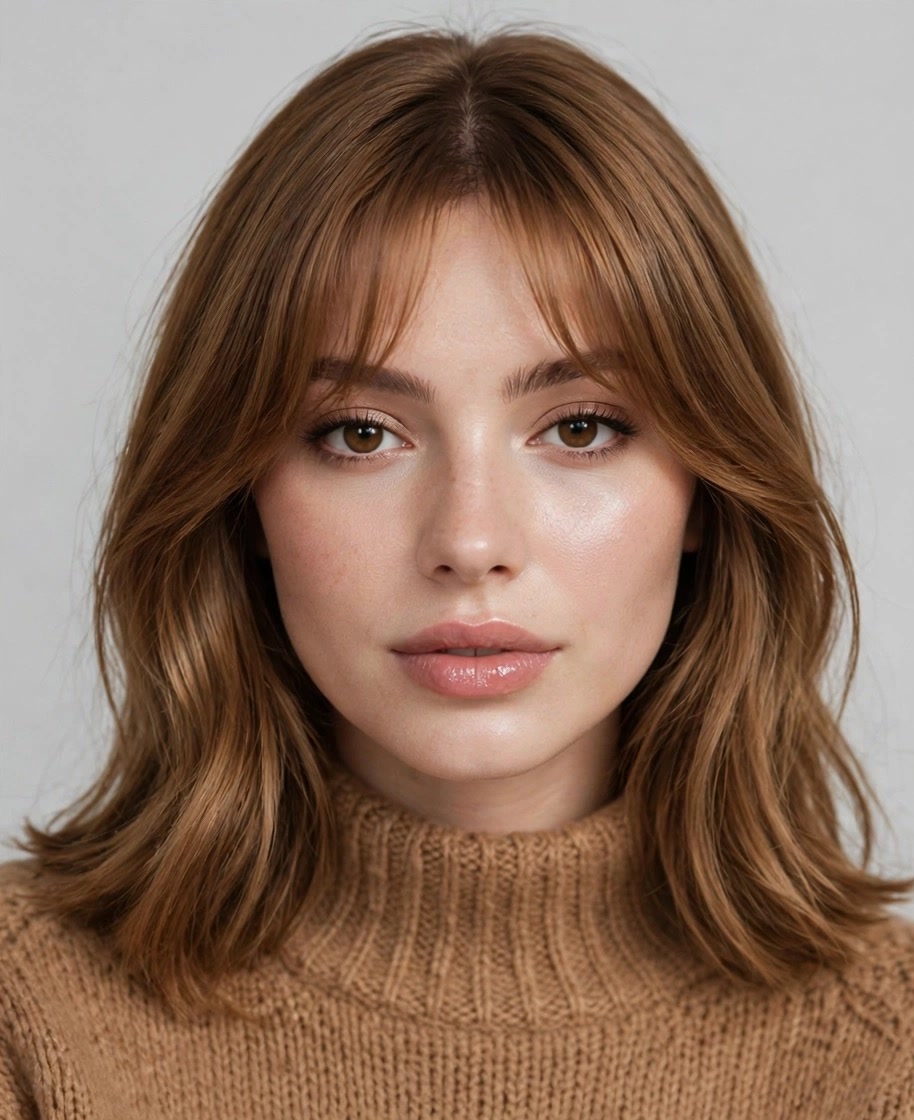
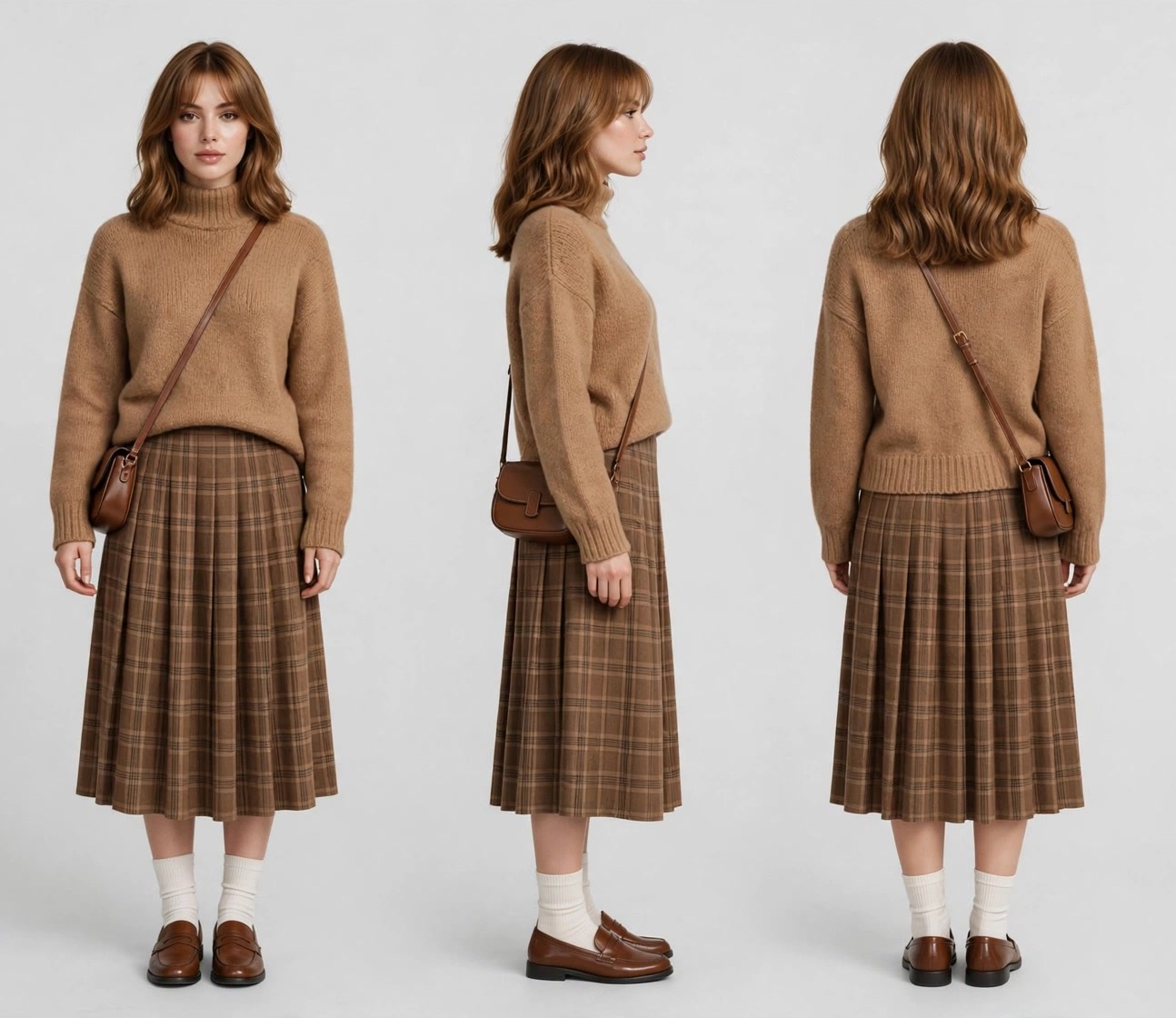
Prompt (exact text sent)
Reference images: image 1 is her headshot (face, features, hair, makeup); image 2 is a front / side / back three-view of the same woman (outfit, accessories, shoes, body). Keep exactly this face, hair and outfit in every frame. She is a 25-year-old woman with a polished Instagram look.

Bookstore. Scene: a cozy independent bookstore, tall wooden shelves, warm reading lamps, a rolling ladder, soft afternoon light, a few customers far in the background.
Camera: the viewer standing in the aisle facing her, one continuous take, a slow push-in.
0.0–1.5 s: she peeks out from behind the end of a bookshelf, only half her face visible, eyes on the lens.
1.5–3.0 s: she steps out holding a book up so it covers her nose and mouth, her eyes smiling above it.
3.0–4.5 s: she slowly lowers the book to reveal a playful smile.
4.5–6.5 s: she taps the cover and whispers: "Have you read this one?"
6.5–8.0 s: she leans her shoulder against the shelf, hugging the book to her chest, and tilts her head.
8.0–10.0 s: she bites back a smile, glances down, then looks up again through her lashes and holds eye contact.
Mood: sweet, curious, playful, intimate but wholesome.
Lighting: warm tungsten lamps, soft window light, cozy amber tones.
Book covers stay plain, with no readable text.

Audio: soft piano and acoustic guitar music with a quiet bookstore ambience; her line is clear, natural American English; no other voices, no laugh track.
Style: realistic Instagram Reel shot on an iPhone, vertical 9:16, natural colors, crisp focus on her face, gentle handheld motion.
Avoid: changing her face or outfit, revealing or low-cut clothing, see-through fabric, extra fingers, warped hands, strangers staring at the camera, on-screen text, subtitles, watermark.Mine's better.Reference images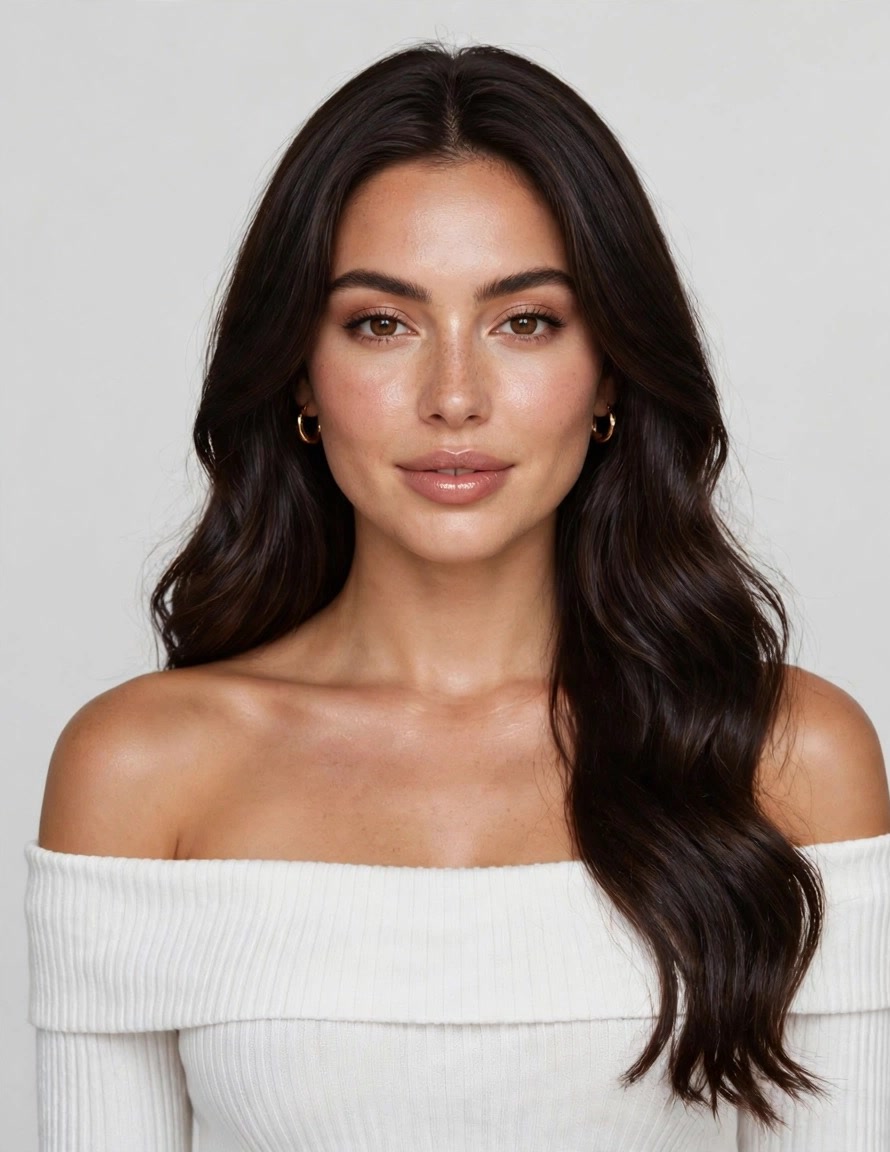
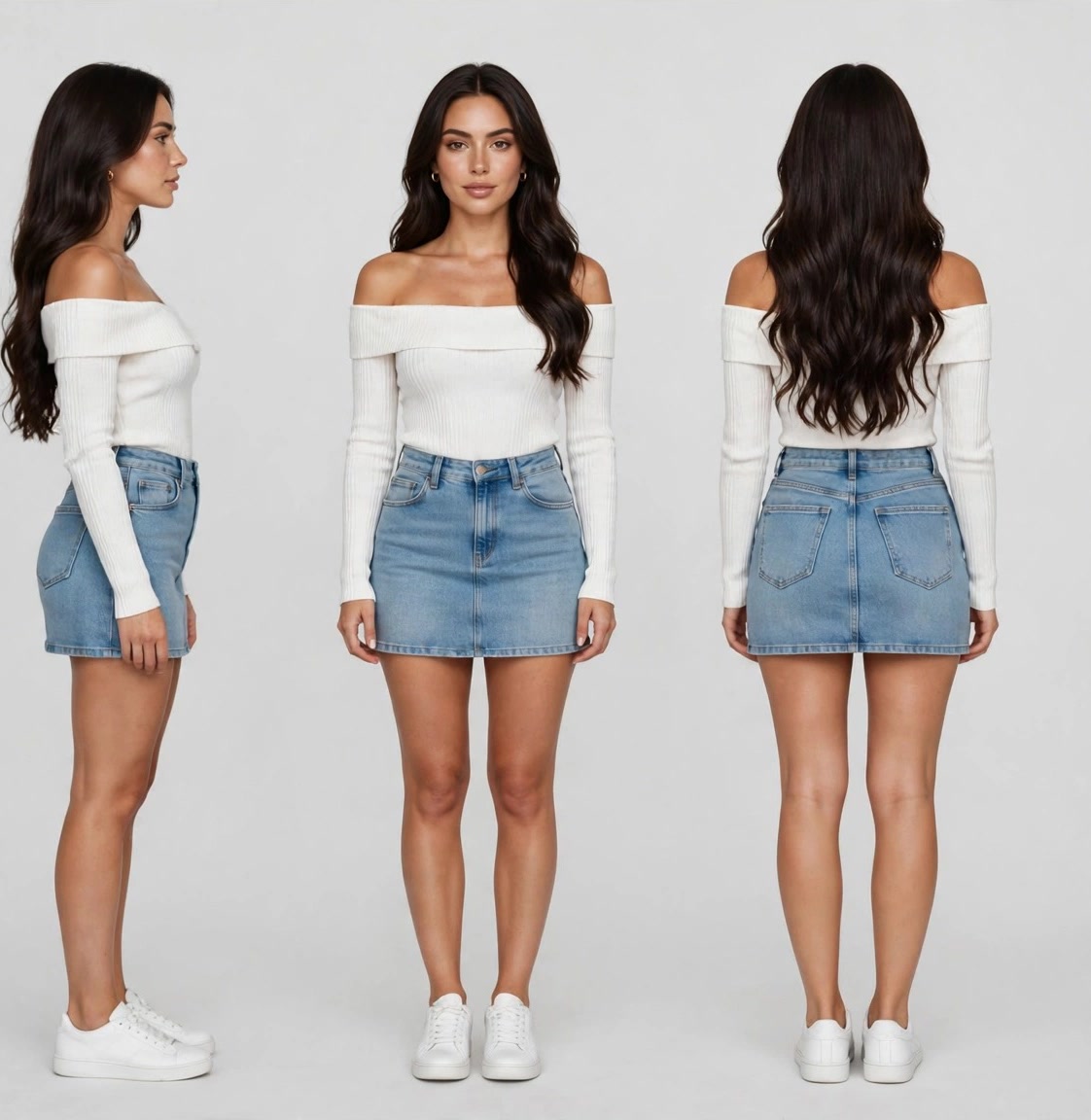
Prompt (exact text sent)
Reference images: image 1 is her headshot (face, features, hair, makeup); image 2 is a front / side / back three-view of the same woman in a light summer outfit (outfit, accessories, shoes, body). Keep exactly this face, hair and outfit in every frame. She is a 25-year-old woman with a polished Instagram look.

Outdoor café date. Scene: a sunny café terrace on a quiet European-style street, a small round marble table with two cappuccinos and a croissant, a striped awning, potted flowers, soft morning sun.
Camera: the viewer's point of view sitting across the small table, very close to her, eye level.
0.0–1.5 s: she rests her chin on her interlaced fingers, watching the lens with a slow half-smile.
1.5–3.0 s: she reaches across, takes the viewer's cappuccino instead of her own and sips it, eyes on the lens over the cup.
3.0–4.5 s: she wipes a little milk foam from her lip with her thumb and laughs.
4.5–6.0 s: she says, teasing: "Mine's better." and slides her own cup toward the camera.
6.0–8.0 s: she leans in close to the lens on her elbows, her bare shoulders catching the sun, lightly bites her lower lip and holds eye contact.
8.0–10.0 s: she leans back, tucks her hair behind her ear and gives one playful wink.
Lighting: soft warm morning sun, gentle highlights on her hair and shoulders.
Flirt cues (natural and playful, never explicit): long lingering eye contact with the lens, a slow half-smile, lightly biting her lower lip once, glancing down and then back up through her lashes, leaning in close to the lens as if sharing a secret, at most one playful wink. She is clearly enjoying the viewer's company.

Audio: light French café jazz and soft street ambience; her line is clear, natural American English; no other voices, no laugh track.
Style: realistic Instagram Reel shot on an iPhone, vertical 9:16, warm natural colors, crisp focus on her face, gentle handheld motion, one continuous take.
Avoid: changing her face or outfit, cleavage, lingerie, swimwear, see-through fabric, kissing, touching her own body suggestively, extra fingers, warped hands, strangers staring at the camera, on-screen text, subtitles, watermark.Sit with me.Reference images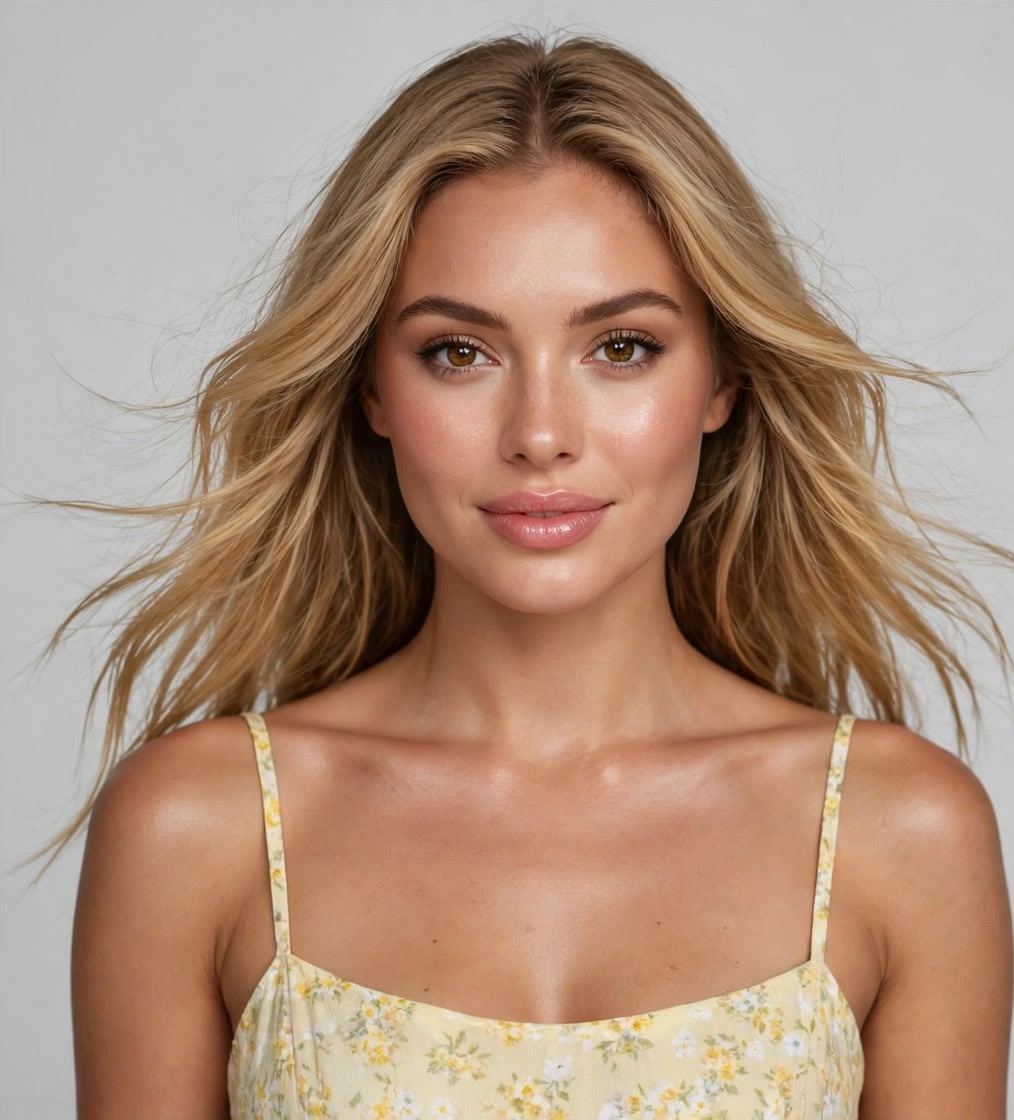
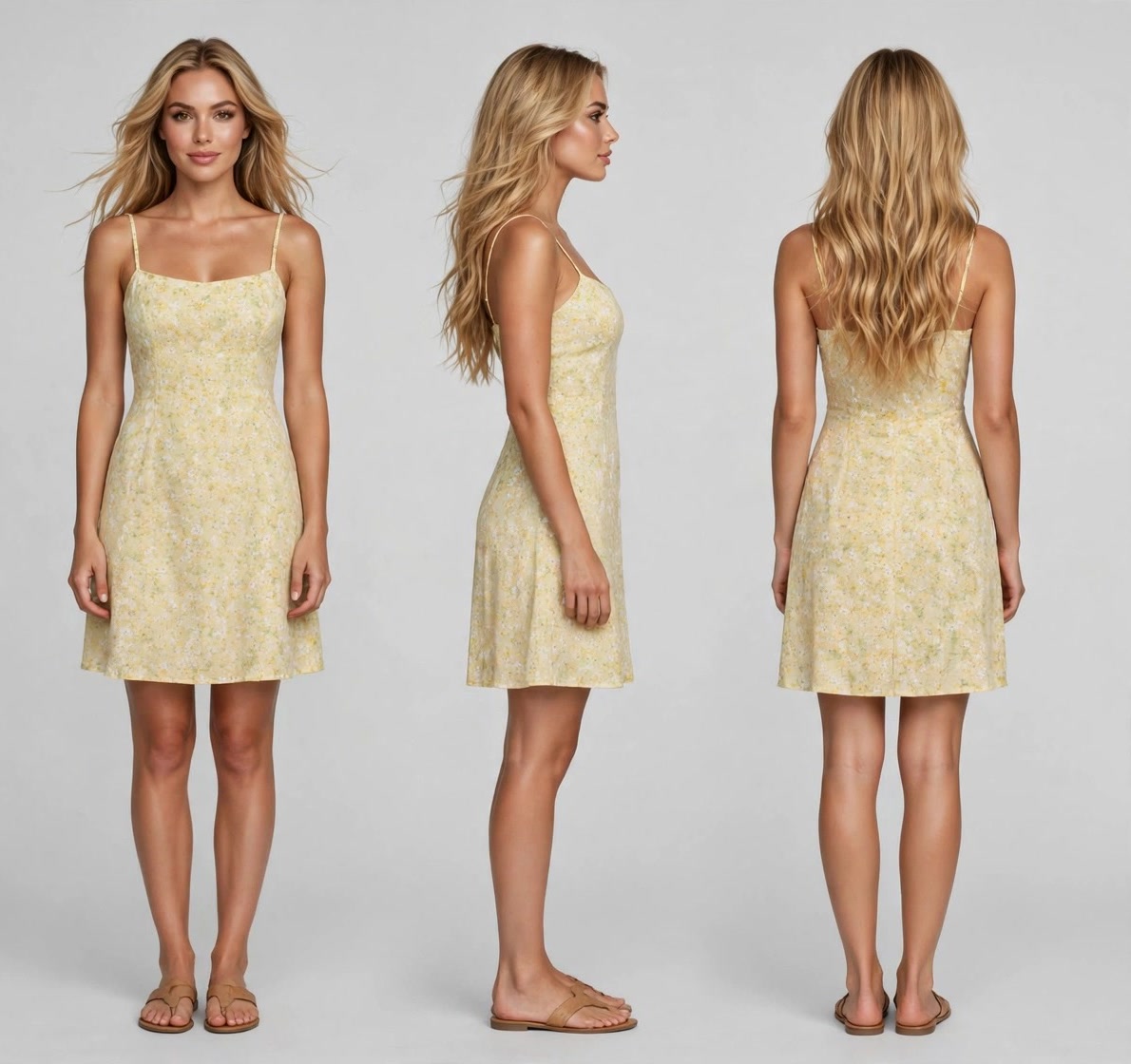
Prompt (exact text sent)
Reference images: image 1 is her headshot (face, features, hair, makeup); image 2 is a front / side / back three-view of the same woman in a light summer outfit (outfit, accessories, shoes, body). Keep exactly this face, hair and outfit in every frame. She is a 25-year-old woman with a polished Instagram look.

Sunset pier. Scene: a wooden pier over calm water at sunset, golden light, a pink and orange sky, a gentle breeze.
Camera: the viewer walking up to her and then sitting down right beside her.
0.0–2.0 s: she sits on the edge of the pier, legs dangling over the water, sandals beside her, the breeze lifting her hair and the hem of her sundress.
2.0–3.5 s: she hears the viewer, looks back over her shoulder and her face breaks into a soft smile.
3.5–5.0 s: she pats the boards right next to her and says: "Sit with me."
5.0–7.0 s: the camera lowers to sit beside her, very close; she turns her face to the lens, sunset light on her skin, and lets her gaze linger.
7.0–8.5 s: she leans her shoulder lightly toward the camera, looks down at the water, then back up through her lashes.
8.5–10.0 s: she rests her chin on her hand and smiles at the lens as the sun dips behind her.
Lighting: golden backlight, soft lens flare, warm glowing skin.
Flirt cues (natural and playful, never explicit): long lingering eye contact with the lens, a slow half-smile, lightly biting her lower lip once, glancing down and then back up through her lashes, leaning in close to the lens as if sharing a secret, at most one playful wink. She is clearly enjoying the viewer's company.

Audio: dreamy acoustic indie music with soft water and wind; her line is clear, natural American English; no other voices, no laugh track.
Style: realistic Instagram Reel shot on an iPhone, vertical 9:16, warm natural colors, crisp focus on her face, gentle handheld motion, one continuous take.
Avoid: changing her face or outfit, cleavage, lingerie, swimwear, see-through fabric, kissing, touching her own body suggestively, extra fingers, warped hands, strangers staring at the camera, on-screen text, subtitles, watermark.This part reminds me of you.Reference images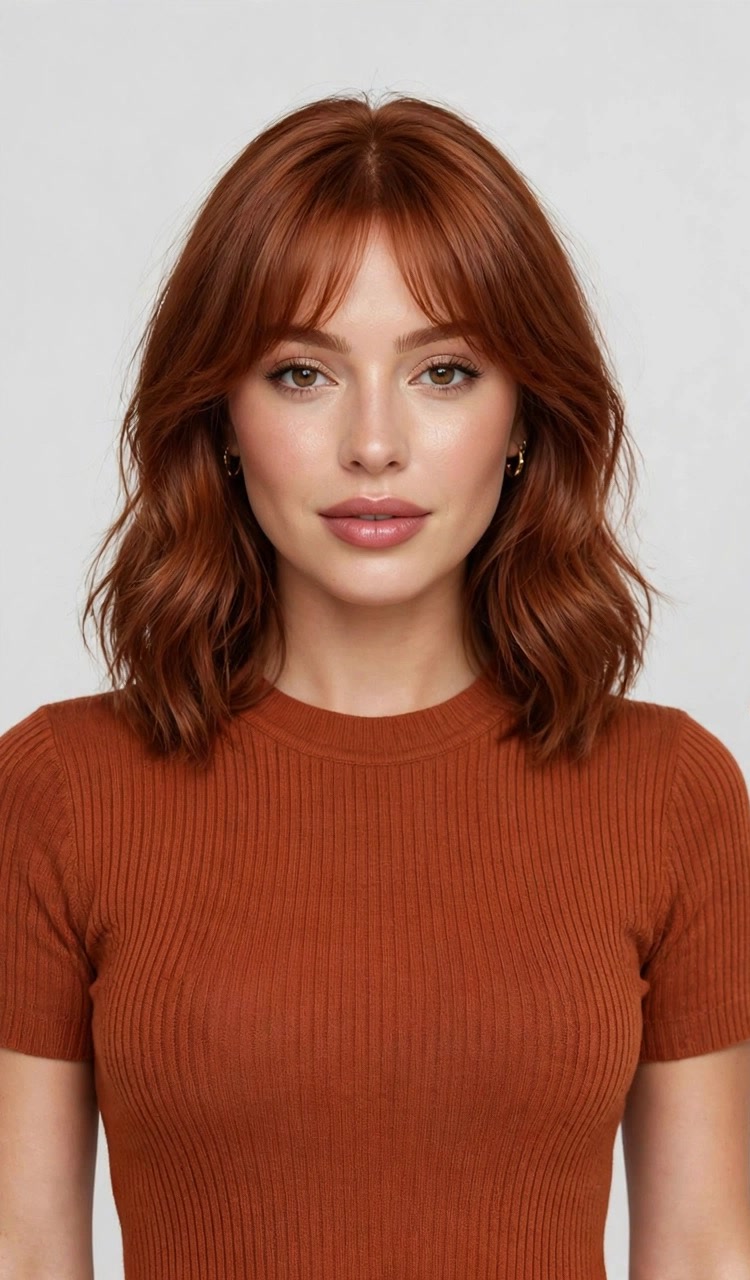
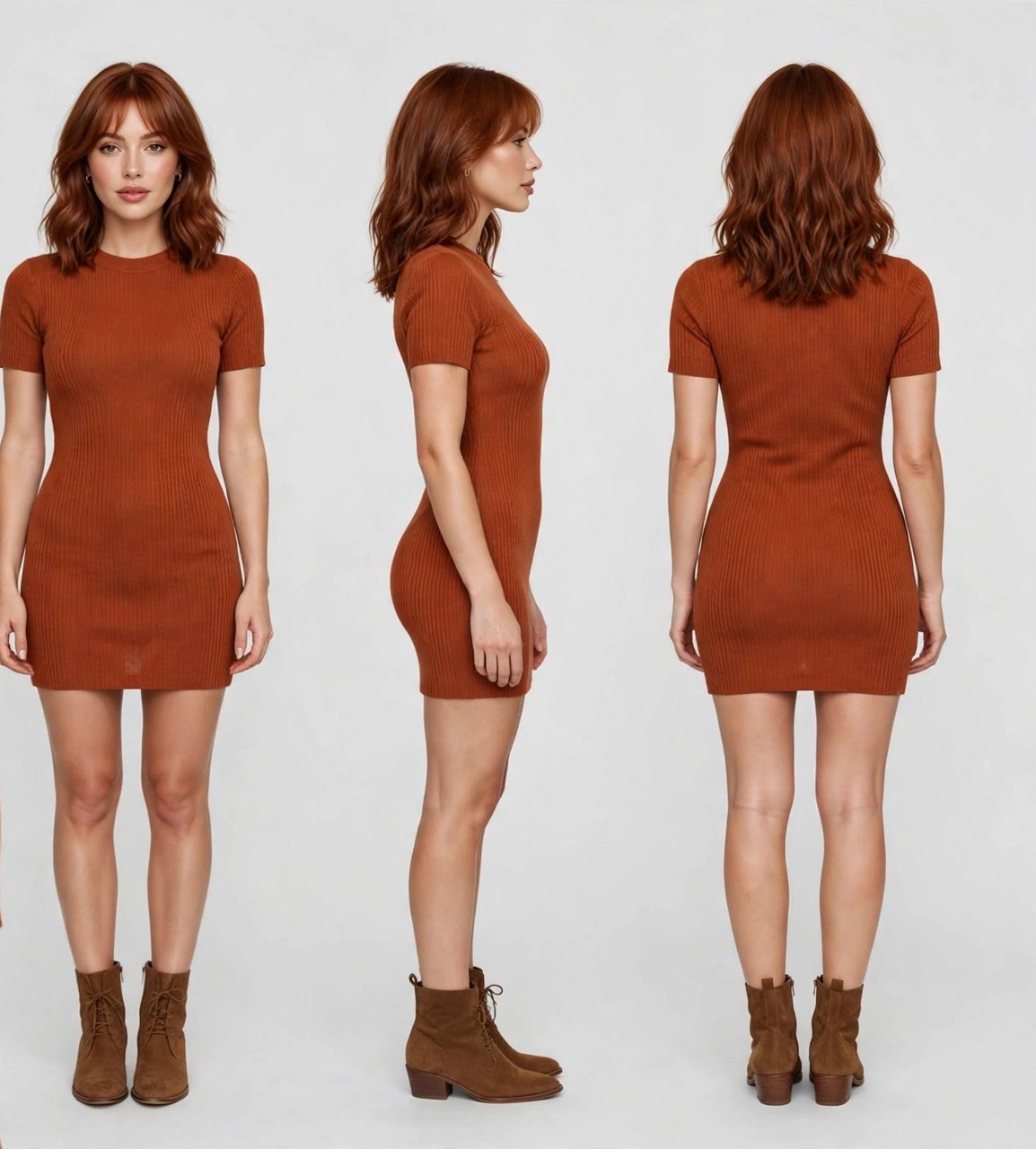
Prompt (exact text sent)
Reference images: image 1 is her headshot (face, features, hair, makeup); image 2 is a front / side / back three-view of the same woman in a light summer outfit (outfit, accessories, shoes, body). Keep exactly this face, hair and outfit in every frame. She is a 25-year-old woman with a polished Instagram look.

Bookstore reading nook. Scene: a cozy window seat in an independent bookstore, cushions, stacks of books, warm lamp light mixed with late-afternoon sun.
Camera: the viewer sitting down next to her on the window seat, close.
0.0–1.5 s: she sits curled up on the window seat reading an open book, a strand of hair falling across her face.
1.5–3.0 s: she glances up over the top of the book at the lens, then back down, hiding a smile.
3.0–5.0 s: she lowers the book and says softly: "This part reminds me of you."
5.0–7.0 s: she shifts closer and holds the open book toward the camera, her face close to the lens.
7.0–8.5 s: she watches the viewer's reaction, lightly bites her lower lip and laughs quietly.
8.5–10.0 s: she closes the book against her chest, tilts her head and holds eye contact with a soft smile.
Book pages and covers stay plain, with no readable text.
Lighting: warm amber lamps, soft window light on her face.
Flirt cues (natural and playful, never explicit): long lingering eye contact with the lens, a slow half-smile, lightly biting her lower lip once, glancing down and then back up through her lashes, leaning in close to the lens as if sharing a secret, at most one playful wink. She is clearly enjoying the viewer's company.

Audio: soft piano and acoustic guitar music with a quiet bookstore ambience; her line is clear, natural American English; no other voices, no laugh track.
Style: realistic Instagram Reel shot on an iPhone, vertical 9:16, warm natural colors, crisp focus on her face, gentle handheld motion, one continuous take.
Avoid: changing her face or outfit, cleavage, lingerie, swimwear, see-through fabric, kissing, touching her own body suggestively, extra fingers, warped hands, strangers staring at the camera, on-screen text, subtitles, watermark.
Just one bite.Reference images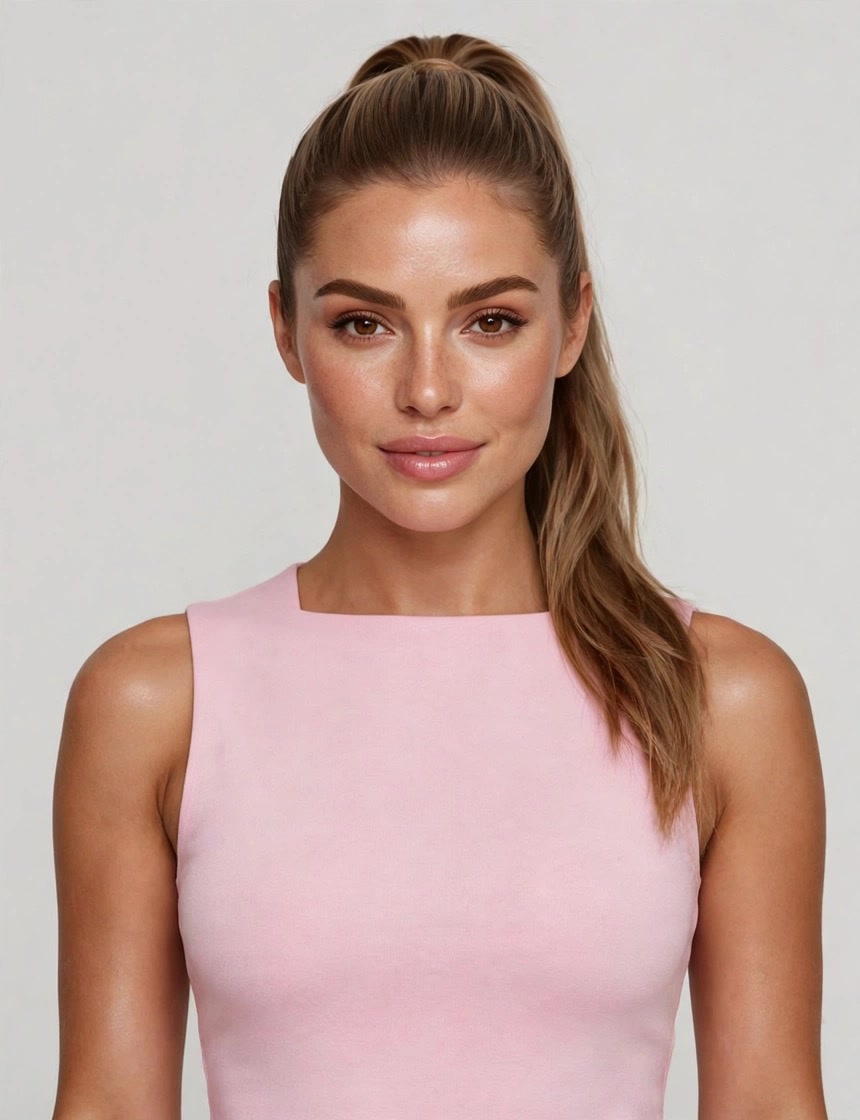
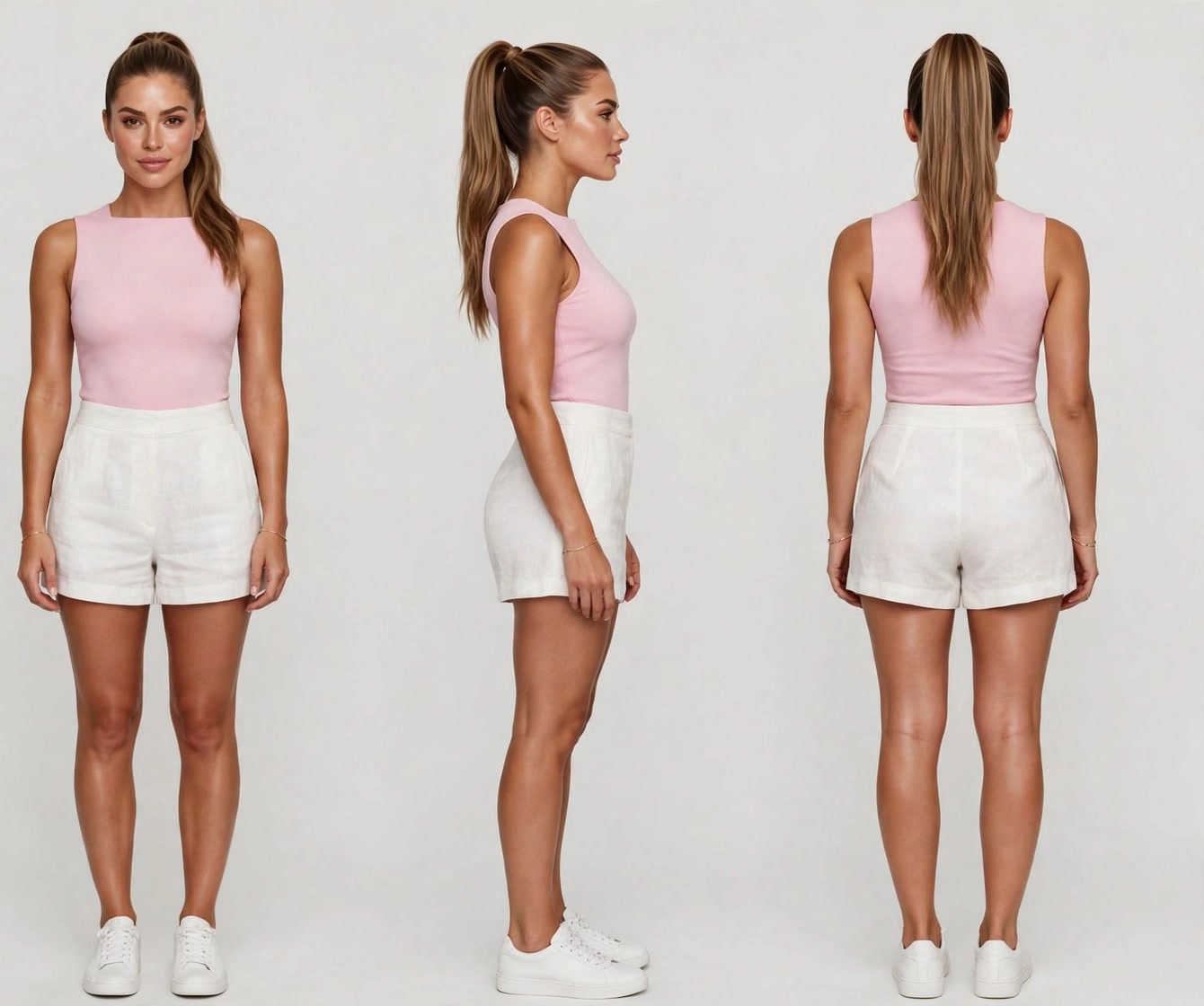
Prompt (exact text sent)
Reference images: image 1 is her headshot (face, features, hair, makeup); image 2 is a front / side / back three-view of the same woman in a light summer outfit (outfit, accessories, shoes, body). Keep exactly this face, hair and outfit in every frame. She is a 25-year-old woman with a polished Instagram look.

Ice cream on the promenade. Scene: a sunny seaside promenade in summer, pastel shopfronts, palm trees, people strolling far in the background.
Camera: the viewer walking beside her, then facing her.
0.0–1.5 s: she walks along holding a strawberry ice-cream cone and takes a small bite.
1.5–3.0 s: she notices the viewer watching and holds the cone out toward the camera, eyebrows raised.
3.0–4.5 s: as the camera leans in, she pulls it back with a playful laugh and says: "Just one bite."
4.5–6.5 s: she holds it out again, closer this time, watching the lens with a teasing half-smile.
6.5–8.5 s: she gets a tiny dot of ice cream on the tip of her nose, laughs and wipes it off.
8.5–10.0 s: she swings her ponytail, turns to keep walking and glances back at the lens with a wink.
Lighting: bright summer sun, warm tones, soft shadows.
Flirt cues (natural and playful, never explicit): long lingering eye contact with the lens, a slow half-smile, lightly biting her lower lip once, glancing down and then back up through her lashes, leaning in close to the lens as if sharing a secret, at most one playful wink. She is clearly enjoying the viewer's company.

Audio: upbeat summer pop music and light seaside ambience; her line is clear, natural American English; no other voices, no laugh track.
Style: realistic Instagram Reel shot on an iPhone, vertical 9:16, warm natural colors, crisp focus on her face, gentle handheld motion, one continuous take.
Avoid: changing her face or outfit, cleavage, lingerie, swimwear, see-through fabric, kissing, touching her own body suggestively, extra fingers, warped hands, strangers staring at the camera, on-screen text, subtitles, watermark.Open up.Reference images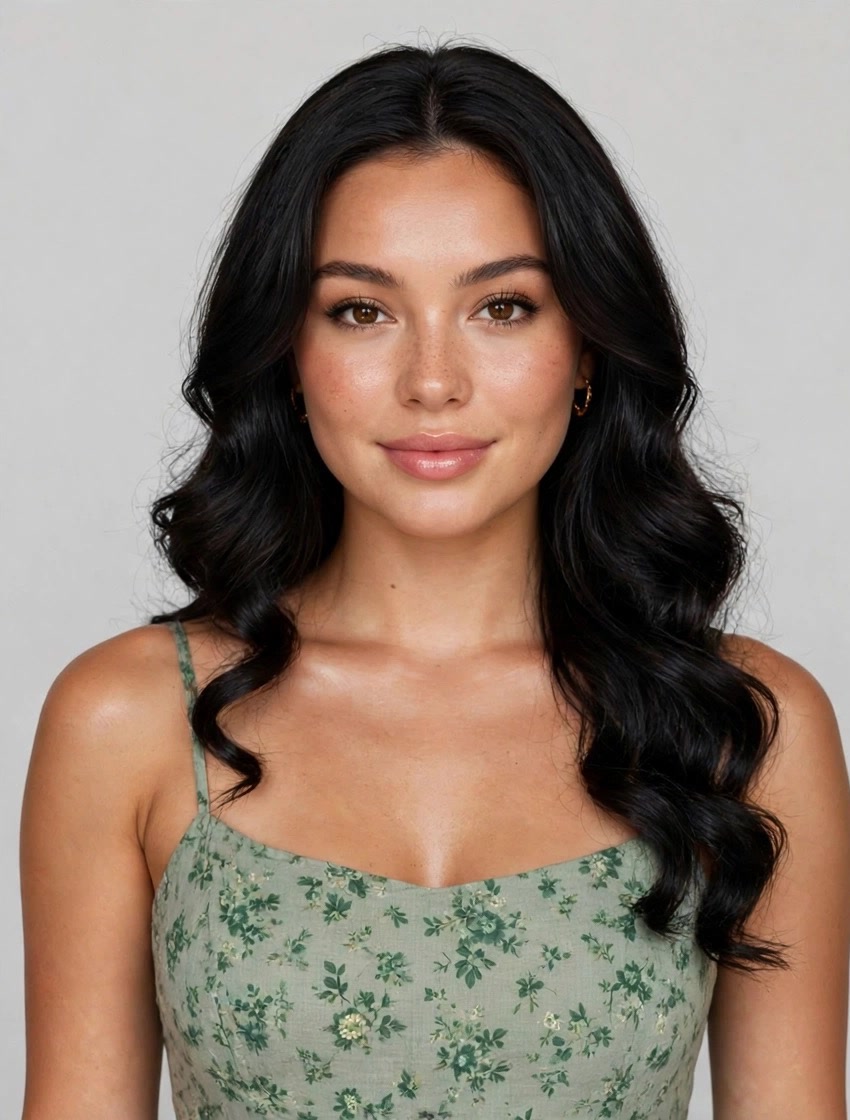
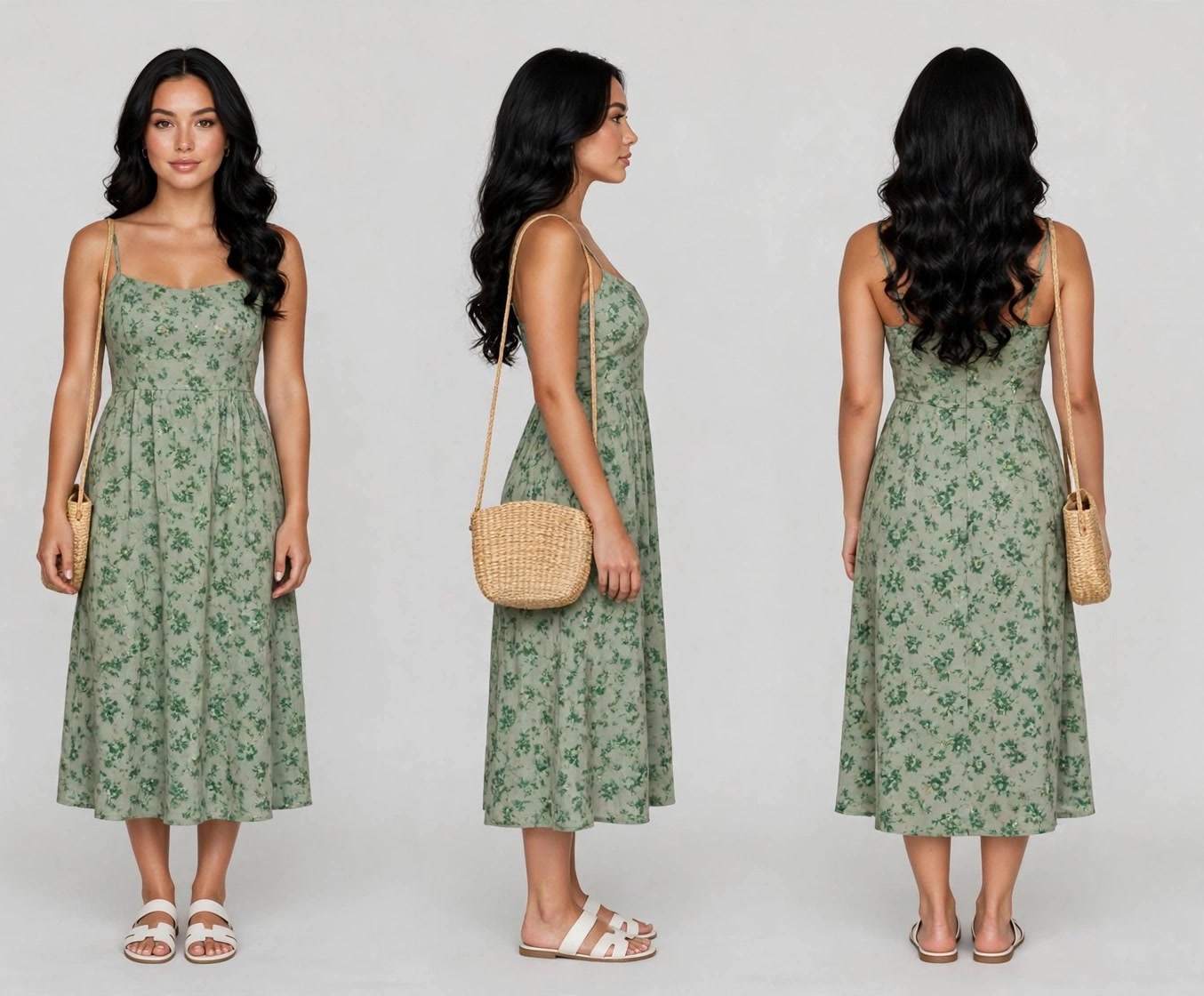
Prompt (exact text sent)
Reference images: image 1 is her headshot (face, features, hair, makeup); image 2 is a front / side / back three-view of the same woman in a light summer outfit (outfit, accessories, shoes, body). Keep exactly this face, hair and outfit in every frame. She is a 25-year-old woman with a polished Instagram look.

Park picnic. Scene: a summer picnic in a park, a checkered blanket on the grass under a big tree, a wicker basket, a bowl of strawberries, dappled golden sunlight.
Camera: the viewer lying on the blanket facing her, low angle.
0.0–2.0 s: she lies on her side propped on one elbow, her sundress spread over the blanket, twirling a daisy and smiling at the lens.
2.0–3.5 s: she picks a strawberry from the bowl and holds it toward the camera.
3.5–5.0 s: she says, playful: "Open up." and brings it close to the lens.
5.0–6.5 s: she pulls it back at the last second, laughs and takes a bite herself.
6.5–8.5 s: she tucks the daisy behind her ear, rests her cheek on her hand and holds eye contact with a slow smile.
8.5–10.0 s: she offers the other half of the strawberry to the camera again, eyes sparkling.
Lighting: dappled warm sunlight through leaves, soft golden glow.
Flirt cues (natural and playful, never explicit): long lingering eye contact with the lens, a slow half-smile, lightly biting her lower lip once, glancing down and then back up through her lashes, leaning in close to the lens as if sharing a secret, at most one playful wink. She is clearly enjoying the viewer's company.

Audio: gentle ukulele and acoustic music with birdsong; her line is clear, natural American English; no other voices, no laugh track.
Style: realistic Instagram Reel shot on an iPhone, vertical 9:16, warm natural colors, crisp focus on her face, gentle handheld motion, one continuous take.
Avoid: changing her face or outfit, cleavage, lingerie, swimwear, see-through fabric, kissing, touching her own body suggestively, extra fingers, warped hands, strangers staring at the camera, on-screen text, subtitles, watermark.Listen to this part.Reference images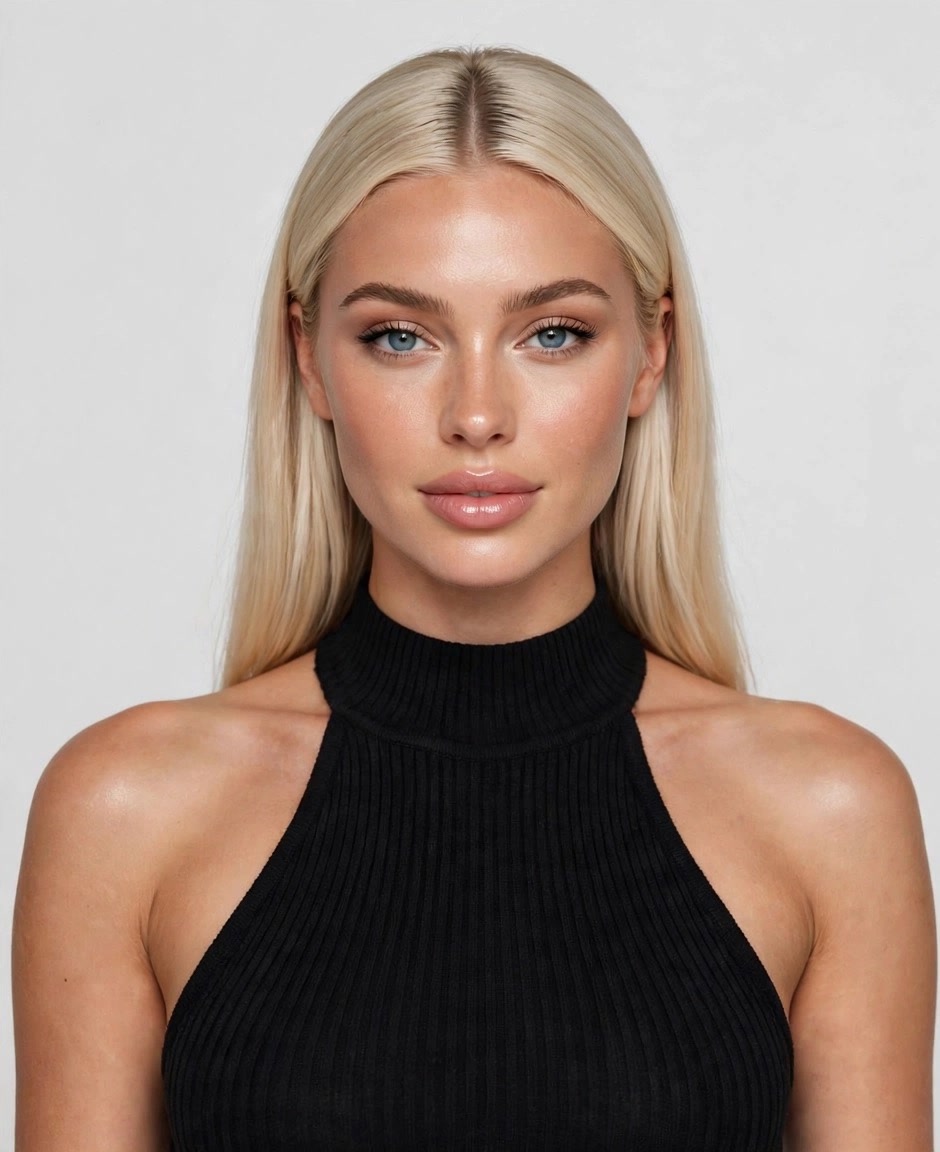
Prompt (exact text sent)
Reference images: image 1 is her headshot (face, features, hair, makeup); image 2 is a front / side / back three-view of the same woman in a light summer outfit (outfit, accessories, shoes, body). Keep exactly this face, hair and outfit in every frame. She is a 25-year-old woman with a polished Instagram look.

Record store listening booth. Scene: a vintage record store with a small wooden listening booth, shelves and crates of vinyl, a warm amber glow.
Camera: the viewer standing inside the small booth with her, very close.
0.0–1.5 s: she flips through records in a crate, pulls one out and smiles at it.
1.5–3.0 s: she puts on over-ear headphones, closes her eyes and sways slightly to the music.
3.0–4.5 s: she slides one ear cup off and holds it out toward the camera, saying: "Listen to this part."
4.5–6.5 s: she leans in very close to the lens as if sharing the headphones, her eyes looking up into the lens.
6.5–8.5 s: she mouths along to the chorus with a slow smile and lightly bites her lower lip.
8.5–10.0 s: she pulls back a little, laughs and gives the viewer a playful look over her shoulder.
Record sleeves stay plain, with no readable text.
Lighting: warm amber light, soft shadows, cozy vintage tones.
Flirt cues (natural and playful, never explicit): long lingering eye contact with the lens, a slow half-smile, lightly biting her lower lip once, glancing down and then back up through her lashes, leaning in close to the lens as if sharing a secret, at most one playful wink. She is clearly enjoying the viewer's company.

Audio: a warm retro soul song playing in the booth; her line is clear, natural American English; no other voices, no laugh track.
Style: realistic Instagram Reel shot on an iPhone, vertical 9:16, warm natural colors, crisp focus on her face, gentle handheld motion, one continuous take.
Avoid: changing her face or outfit, cleavage, lingerie, swimwear, see-through fabric, kissing, touching her own body suggestively, extra fingers, warped hands, strangers staring at the camera, on-screen text, subtitles, watermark.You actually came!Reference images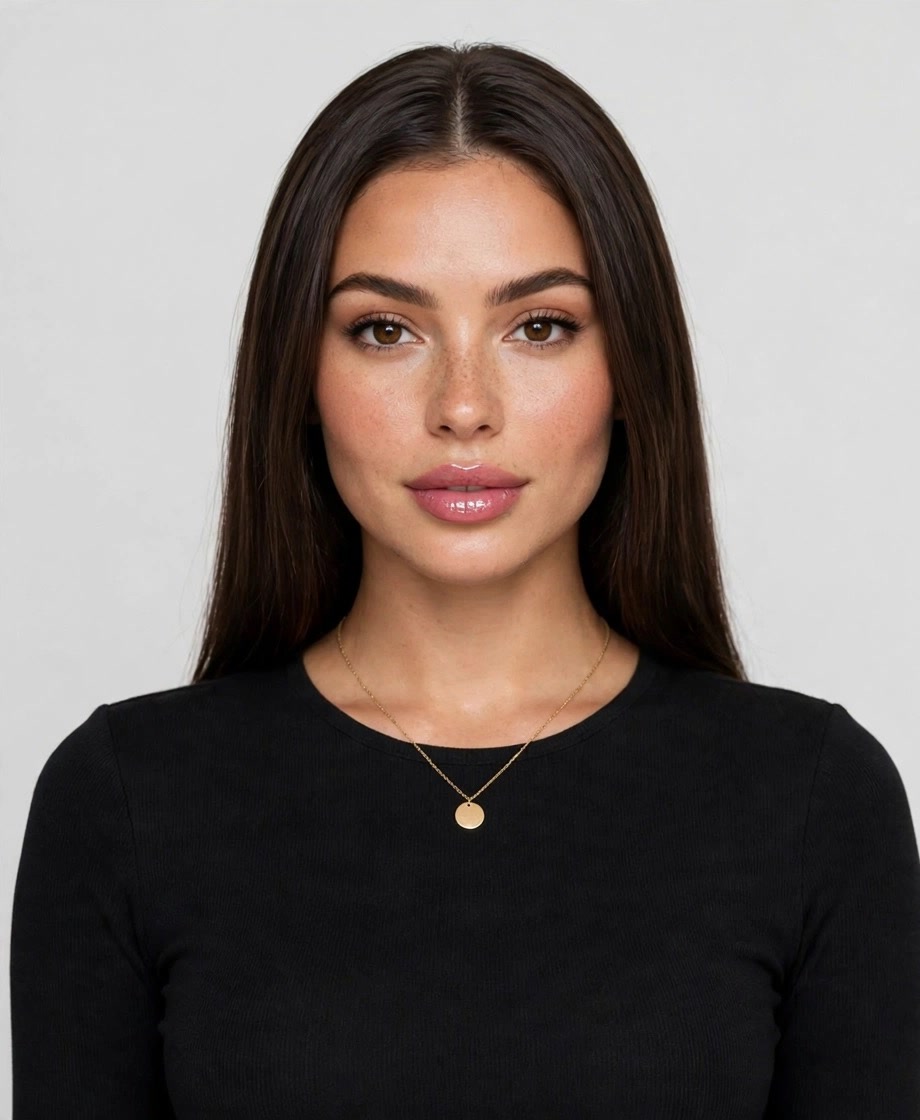
Prompt (exact text sent)
Reference images: image 1 is her headshot (face, features, hair, makeup); image 2 is a front / side / back three-view of the same woman (outfit, accessories, shoes, body). Keep exactly this face, hair and outfit in every frame. She is a 25-year-old woman with a polished Instagram look.

Rooftop at night. Scene: a rooftop bar above a city at night, warm string lights, the glowing skyline as soft bokeh behind her, a glass railing, small candles on a high table.
Camera: the viewer walking up to her at the railing, one continuous take.
0.0–1.5 s: she leans on the railing half turned away, looking out at the city lights, holding a glass of sparkling water with lime.
1.5–3.0 s: she turns her head toward the lens and her face lights up with a surprised smile.
3.0–5.0 s: she says: "You actually came!" and raises her glass toward the camera as if to clink.
5.0–7.0 s: she sweeps her hair over one shoulder, laughs softly and gives a small playful shrug.
7.0–8.5 s: she makes a small "come here" gesture with two fingers and tilts her head toward the view beside her.
8.5–10.0 s: she turns back toward the skyline but keeps looking at the lens over her shoulder, smiling.
Mood: elegant, playful, warm, confident.
Lighting: warm string lights on her face, cool city bokeh behind, a soft natural night look, no harsh flash.

Audio: chill lo-fi house music and soft city ambience; her line is clear, natural American English; no other voices, no laugh track.
Style: realistic Instagram Reel shot on an iPhone, vertical 9:16, natural colors, crisp focus on her face, gentle handheld motion.
Avoid: changing her face or outfit, revealing or low-cut clothing, see-through fabric, extra fingers, warped hands, strangers staring at the camera, on-screen text, subtitles, watermark.Okay, your turn to pick the song.Reference images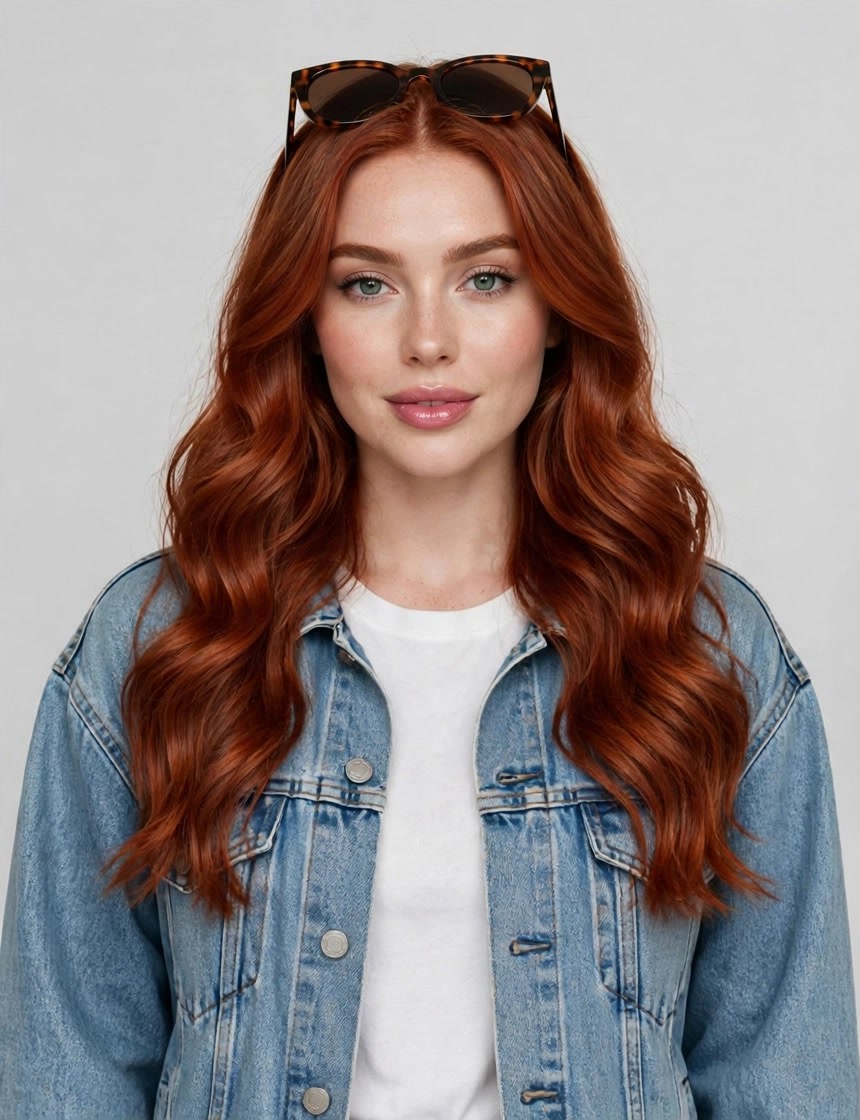
Prompt (exact text sent)
Reference images: image 1 is her headshot (face, features, hair, makeup); image 2 is a front / side / back three-view of the same woman (outfit, accessories, shoes, body). Keep exactly this face, hair and outfit in every frame. She is a 25-year-old woman with a polished Instagram look.

Road trip stop. Scene: inside a parked car at a sunny beach parking lot, engine off, she sits in the passenger seat, the ocean and palm trees visible through the windshield, sunlight across the dashboard.
Camera: the viewer's point of view from the driver's seat, angled toward her, one continuous take.
0.0–2.0 s: she sings along to the song on the radio with her eyes closed, moving her shoulders to the beat, sunglasses on.
2.0–3.5 s: she pulls her sunglasses down her nose with one finger and looks over them into the lens with a teasing smile.
3.5–5.5 s: she says: "Okay, your turn to pick the song." and hands the phone toward the camera.
5.5–7.5 s: she holds out a paper bag of fries toward the camera, offering one, eyebrows raised.
7.5–9.0 s: she rests her elbow on the open window, the breeze catching her hair, glances at the ocean, then back at the lens.
9.0–10.0 s: she pushes the sunglasses up into her hair and gives the camera a warm, easy smile.
Mood: fun, relaxed, playful, best-road-trip-ever energy.
Lighting: bright natural sunlight, warm tones, soft reflections on the glass.

Audio: upbeat summer pop music from the car speakers; her line is clear, natural American English; no other voices, no laugh track.
Style: realistic Instagram Reel shot on an iPhone, vertical 9:16, natural colors, crisp focus on her face, gentle handheld motion.
Avoid: changing her face or outfit, revealing or low-cut clothing, see-through fabric, extra fingers, warped hands, strangers staring at the camera, on-screen text, subtitles, watermark.Get under here, you're soaked!Reference images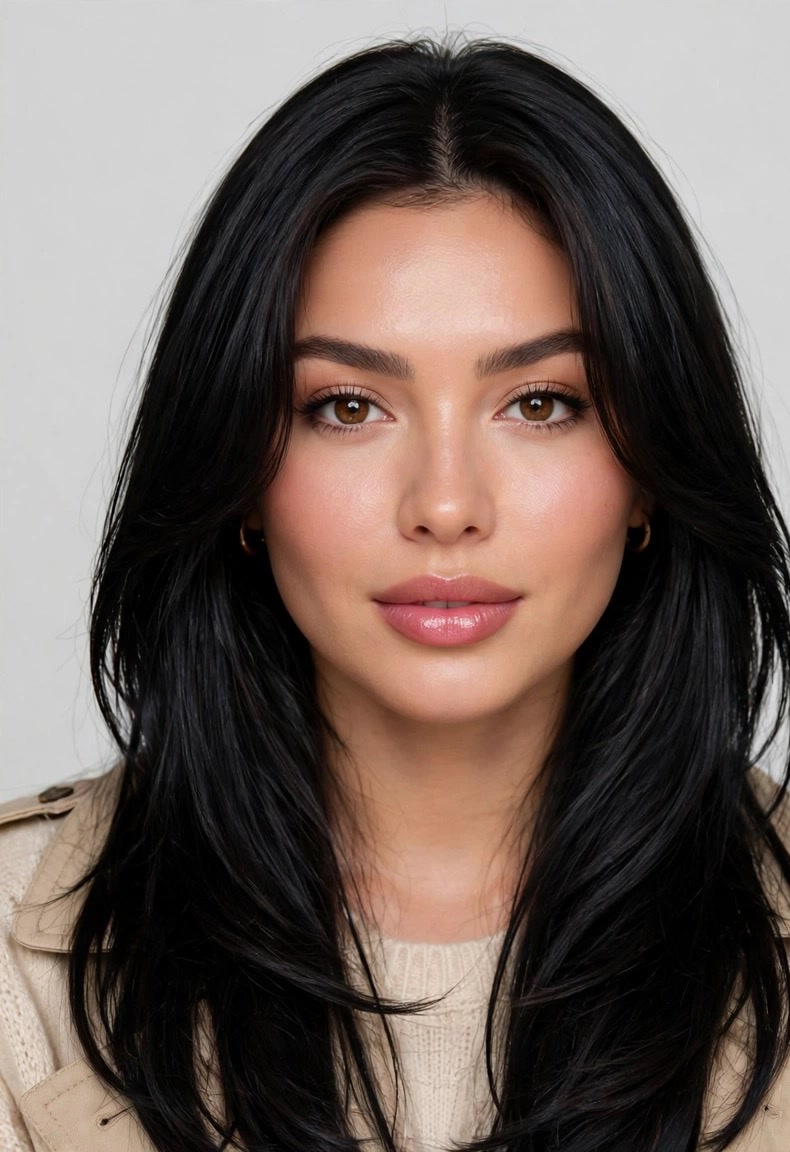
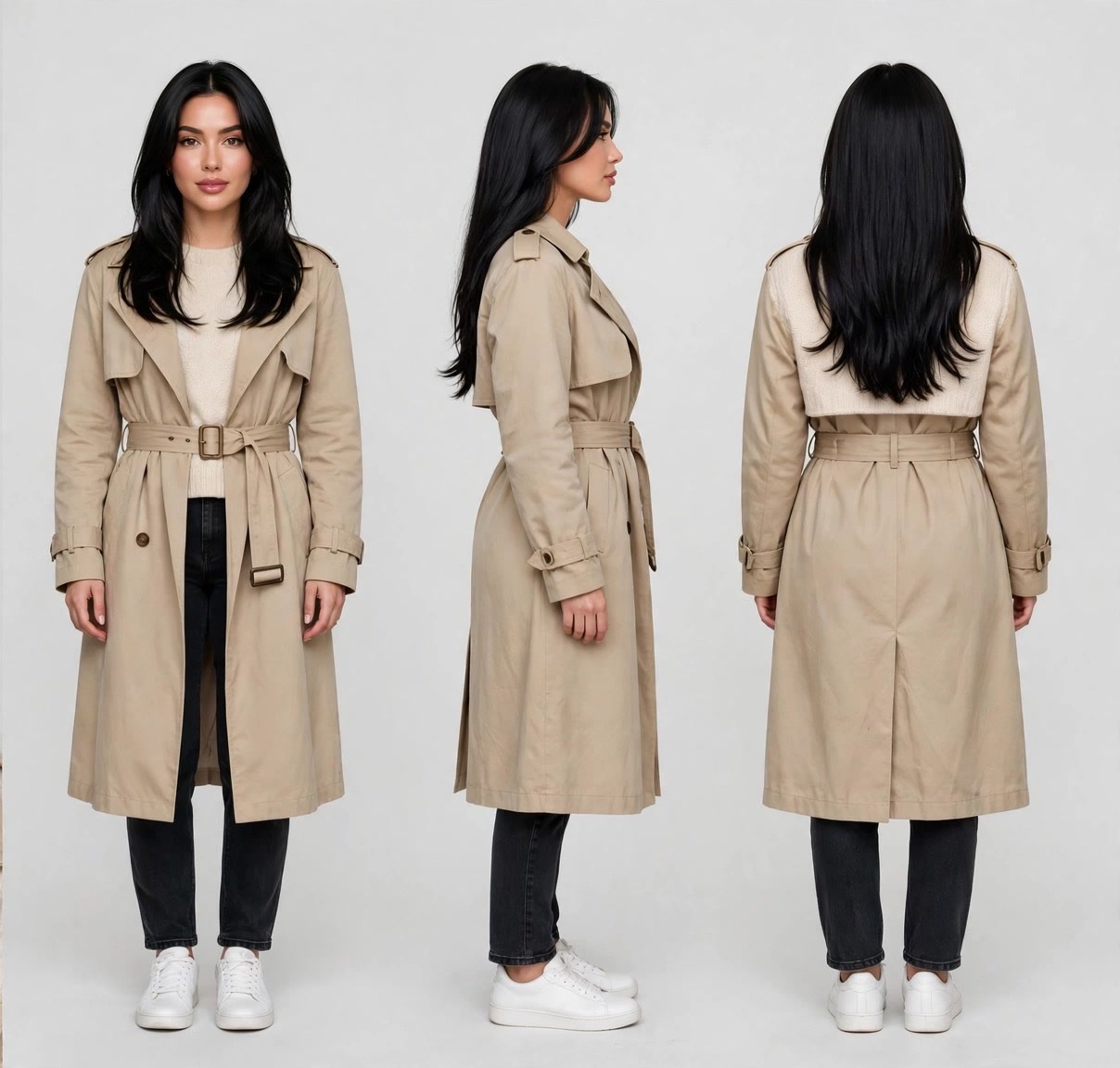
Prompt (exact text sent)
Reference images: image 1 is her headshot (face, features, hair, makeup); image 2 is a front / side / back three-view of the same woman (outfit, accessories, shoes, body). Keep exactly this face, hair and outfit in every frame. She is a 25-year-old woman with a polished Instagram look.

Rainy evening. Scene: a city sidewalk at dusk in light rain, wet pavement reflecting neon shop signs and street lights, people with umbrellas blurred in the background.
Camera: the viewer standing in the rain without an umbrella, one continuous take.
0.0–1.5 s: she walks toward the camera under a clear umbrella, raindrops on the canopy.
1.5–3.0 s: she notices the viewer getting wet, her eyes widen and she laughs.
3.0–5.0 s: she steps close and tilts the umbrella over the camera so the canopy fills the top of the frame, saying: "Get under here, you're soaked!"
5.0–7.0 s: under the umbrella, close to the lens, she shakes the rain off her hand and smiles, her face lit by the neon glow.
7.0–8.5 s: she nods toward the street as if to say "walk with me", eyebrows raised.
8.5–10.0 s: she turns slightly to start walking, still looking back at the lens with a warm smile, the umbrella over both of them.
Mood: romantic, caring, playful, cinematic.
Lighting: neon reflections, soft street lights, cool blue and warm pink tones, sparkling rain.

Audio: soft rain sounds and a gentle R&B instrumental; her line is clear, natural American English; no other voices, no laugh track.
Style: realistic Instagram Reel shot on an iPhone, vertical 9:16, natural colors, crisp focus on her face, gentle handheld motion.
Avoid: changing her face or outfit, revealing or low-cut clothing, see-through fabric, extra fingers, warped hands, strangers staring at the camera, on-screen text, subtitles, watermark.Look, isn't this spatula so handy?Reference images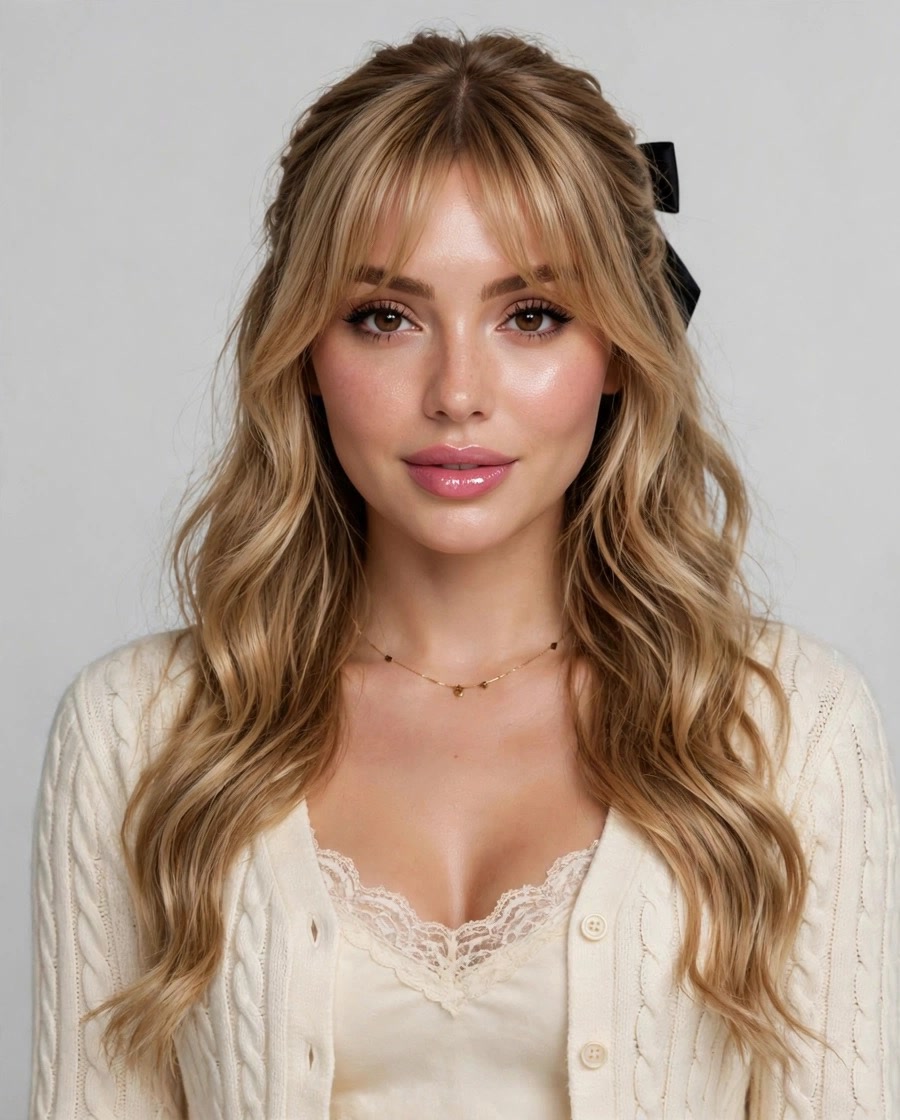
 Prompt adapted from @beizhi606
Prompt (exact text sent)
参考图说明:参考图1是人物大头照(脸、五官、发型、发色、妆容都以它为准),参考图2是同一个人的三视图(服装、配饰、鞋子、身材都以它为准)。人物是 25 岁的欧美女性,Instagram 博主风格的精致妆容。下文里「原视频里」的发型、发色和穿搭描述一律忽略,以参考图为准。

中文提示词(10.00秒)
人物:
脸部: 人物的长相、五官、发型、发色和妆容严格按照。
服装和身材: 人物的服装穿搭、配饰和身材比例严格按照。镜头2里人物背对镜头,背面的服装请参考三视图的背面。
一致性: 4个镜头里都是同一个人,脸和服装全程保持一致,切镜后不能变样;镜头2镜子里的倒影也必须是同一个人、同一套服装。

道具:
镜头1:一把黑色的厨房食物夹。
镜头4:一把黑色的锅铲。

场景:
场景是一个居家厨房,以及厨房门口连着的客厅。

厨房: 墙面贴着白色大理石纹理的瓷砖,灶台是黑色的,上面放着一口黑色的炒锅,台面上摆着各种调料瓶、刀架和杂物。厨房门是白色的,墙顶挂着几个红色的小灯笼。
客厅: 浅木色的地板,门背后挂着一面全身镜,地上有一只黑猫。

光线:
室内自然日光,光线柔和均匀,色调是偏冷的白灰色,干净通透。

分镜
镜头1|0.00–3.27秒|广角近景,拿着食物夹对镜头互动

机位: 手机离人物很近,略微俯拍,用广角镜头,画面是人物的脸和上半身,背景是厨房的瓷砖墙、白色的门和灶台上的黑色炒锅。
0.00–0.60秒: 人物低着头,眼睛往下看,带着一点浅笑;画面左侧的那只手拿着黑色食物夹,放在画面左下角。
0.60–1.00秒: 人物抬起头看向镜头,镜头稍微往前凑近一点。
1.00–1.60秒: 人物看着镜头,嘴角轻轻扬起,食物夹移到画面左侧边缘。
1.60–2.00秒: 人物把食物夹朝镜头伸过来,夹头出现在画面左侧前景里,有虚焦。
2.00–2.60秒: 人物用食物夹在镜头前一开一合地"夹"了几下,眼睛微微眯起,露出俏皮的笑。
2.60–3.27秒: 食物夹收回到画面左侧,人物看着镜头微笑。在3.27秒硬切。

镜头2|3.27–4.70秒|全身镜前,背对镜头再回头

机位: 镜头在人物身后偏右的位置,平视,画面是中景。画面左半部分是全身镜里人物的正面倒影,右半部分是人物本人的背面。客厅的木地板上能看到一只黑猫。
3.27–4.00秒: 人物背对镜头,面朝全身镜站着,一只手叉腰,另一只手轻轻扶着镜子的边缘;镜子里的倒影看着她自己。
4.00–4.20秒: 人物的头从肩膀上方转过来,回头看向镜头。
4.20–4.70秒: 人物回头直视镜头,表情平静;镜子里的倒影转成侧脸。在4.70秒硬切。

镜头3|4.70–5.50秒|高角度俯拍,在灶台边站着

机位: 镜头放在厨房的高处角落,从上往下俯拍人物的全身,用广角镜头,画面里能看到黑色灶台、炒锅、调料瓶和白色的门。
4.70–5.50秒: 人物站在灶台旁边,双手背在身后,抬头看着镜头微笑,身体轻轻晃一下。在5.50秒硬切。

镜头4|5.50–10.00秒|拿着锅铲,近景表情变化

机位: 手机离人物比较近,略微俯拍,用广角镜头,画面是人物的胸口以上。背景里有白色的门、门把手、大理石瓷砖墙、黑色炒锅,墙顶挂着红色小灯笼。
5.50–5.90秒: 人物画面左侧的那只手拿着黑色锅铲,举到肩膀的高度,锅铲头朝上。她看着镜头,开口用英文说出台词「Look, isn't this spatula so handy?」,带着笑。
5.90–6.30秒: 人物的眼睛看向画面一侧,嘴唇嘟起来。
6.30–6.90秒: 人物低头,眼睛往下看,嘴唇抿着。
6.90–7.30秒: 人物抬眼看向镜头,眉头微微皱起,嘴巴轻轻嘟着。
7.30–8.40秒(补充): 人物保持皱眉嘟嘴看着镜头,拿着锅铲的手在空中朝镜头轻轻点两下。
8.40–9.30秒(补充): 人物的眉头慢慢松开,嘴角忍不住往上扬。
9.30–10.00秒(补充): 人物看着镜头露出笑容,锅铲还举在肩膀旁边,定格收尾。从低头到抬头、举锅铲的动作要连贯流畅地过渡,不得跳帧或姿势瞬移。

风格:
风格是抖音/小红书的居家vlog短视频,手机广角原相机的质感,加了美颜和磨皮,肤色白皙通透。自然日光,冷白色调,写实,高清,表情生动自然。

音频:
全程是好听的轻快配乐(尤克里里、手风琴风格的明亮纯音乐),3.27秒、4.70秒、5.50秒的三次切镜都卡在节拍上。镜头4里人物开口用英文说出台词「Look, isn't this spatula so handy?」,人声是自然的美式英语,清晰自然,配乐压低、不盖过人声。除这句台词外,全程不得出现任何其他人声、怪叫、笑声或其他奇怪的声音。

参数:
16:9横屏,10.00秒,30fps,写实,4个镜头。

负面提示词: 换脸、服装变化、切镜后人物变样、镜子倒影和本人不一致、倒影变成别人、五官变形、手指畸形、食物夹或锅铲变形、多余手臂、广角导致的严重畸变、画面闪烁、低清、水印、字幕、跳帧、动作瞬移、姿势突变、奇怪的人声、怪叫、无故笑声Look, isn't this spatula so handy?Reference images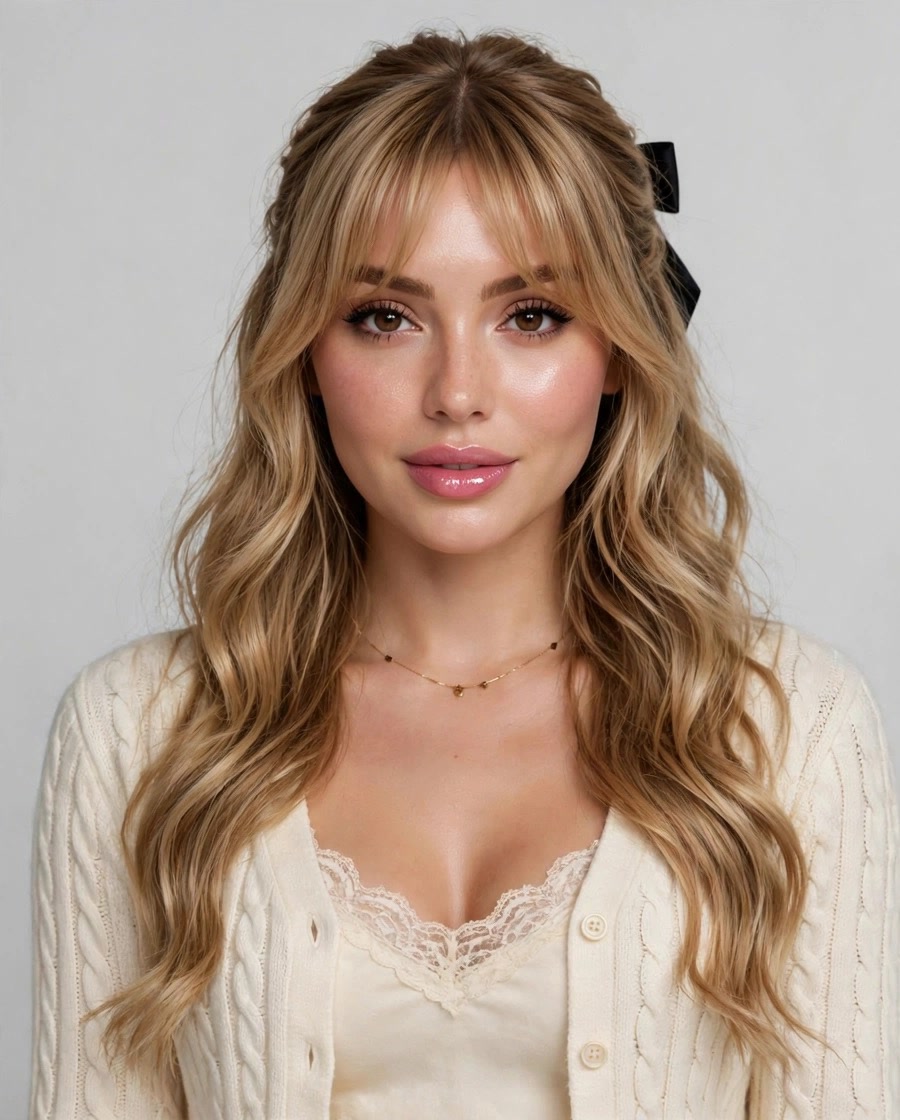
 Prompt adapted from @beizhi606
Prompt (exact text sent)
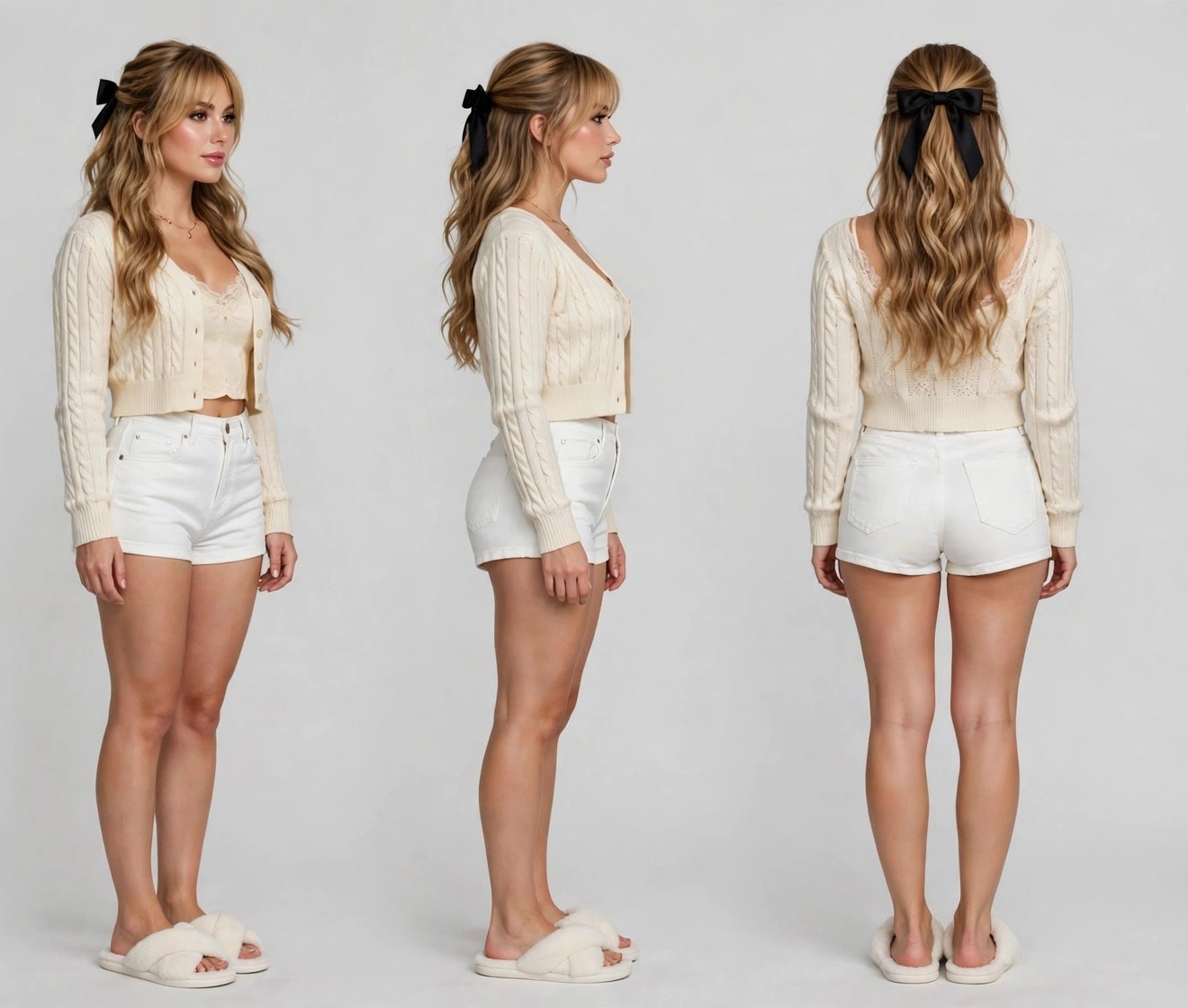
参考图说明:参考图1是人物大头照(脸、五官、发型、发色、妆容都以它为准),参考图2是同一个人的三视图(服装、配饰、鞋子、身材都以它为准)。人物是 25 岁的欧美女性,Instagram 博主风格的精致妆容。下文里「原视频里」的发型、发色和穿搭描述一律忽略,以参考图为准。

中文提示词(10.00秒)
人物:
脸部: 人物的长相、五官、发型、发色和妆容严格按照。
服装和身材: 人物的服装穿搭、配饰和身材比例严格按照。镜头2里人物背对镜头,背面的服装请参考三视图的背面。
一致性: 4个镜头里都是同一个人,脸和服装全程保持一致,切镜后不能变样;镜头2镜子里的倒影也必须是同一个人、同一套服装。

道具:
镜头1:一把黑色的厨房食物夹。
镜头4:一把黑色的锅铲。

场景:
场景是一个居家厨房,以及厨房门口连着的客厅。

厨房: 墙面贴着白色大理石纹理的瓷砖,灶台是黑色的,上面放着一口黑色的炒锅,台面上摆着各种调料瓶、刀架和杂物。厨房门是白色的,墙顶挂着几个红色的小灯笼。
客厅: 浅木色的地板,门背后挂着一面全身镜,地上有一只黑猫。

光线:
室内自然日光,光线柔和均匀,色调是偏冷的白灰色,干净通透。

分镜
镜头1|0.00–3.27秒|广角近景,拿着食物夹对镜头互动

机位: 手机离人物很近,略微俯拍,用广角镜头,画面是人物的脸和上半身,背景是厨房的瓷砖墙、白色的门和灶台上的黑色炒锅。
0.00–0.60秒: 人物低着头,眼睛往下看,带着一点浅笑;画面左侧的那只手拿着黑色食物夹,放在画面左下角。
0.60–1.00秒: 人物抬起头看向镜头,镜头稍微往前凑近一点。
1.00–1.60秒: 人物看着镜头,嘴角轻轻扬起,食物夹移到画面左侧边缘。
1.60–2.00秒: 人物把食物夹朝镜头伸过来,夹头出现在画面左侧前景里,有虚焦。
2.00–2.60秒: 人物用食物夹在镜头前一开一合地"夹"了几下,眼睛微微眯起,露出俏皮的笑。
2.60–3.27秒: 食物夹收回到画面左侧,人物看着镜头微笑。在3.27秒硬切。

镜头2|3.27–4.70秒|全身镜前,背对镜头再回头

机位: 镜头在人物身后偏右的位置,平视,画面是中景。画面左半部分是全身镜里人物的正面倒影,右半部分是人物本人的背面。客厅的木地板上能看到一只黑猫。
3.27–4.00秒: 人物背对镜头,面朝全身镜站着,一只手叉腰,另一只手轻轻扶着镜子的边缘;镜子里的倒影看着她自己。
4.00–4.20秒: 人物的头从肩膀上方转过来,回头看向镜头。
4.20–4.70秒: 人物回头直视镜头,表情平静;镜子里的倒影转成侧脸。在4.70秒硬切。

镜头3|4.70–5.50秒|高角度俯拍,在灶台边站着

机位: 镜头放在厨房的高处角落,从上往下俯拍人物的全身,用广角镜头,画面里能看到黑色灶台、炒锅、调料瓶和白色的门。
4.70–5.50秒: 人物站在灶台旁边,双手背在身后,抬头看着镜头微笑,身体轻轻晃一下。在5.50秒硬切。

镜头4|5.50–10.00秒|拿着锅铲,近景表情变化

机位: 手机离人物比较近,略微俯拍,用广角镜头,画面是人物的胸口以上。背景里有白色的门、门把手、大理石瓷砖墙、黑色炒锅,墙顶挂着红色小灯笼。
5.50–5.90秒: 人物画面左侧的那只手拿着黑色锅铲,举到肩膀的高度,锅铲头朝上。她看着镜头,开口用英文说出台词「Look, isn't this spatula so handy?」,带着笑。
5.90–6.30秒: 人物的眼睛看向画面一侧,嘴唇嘟起来。
6.30–6.90秒: 人物低头,眼睛往下看,嘴唇抿着。
6.90–7.30秒: 人物抬眼看向镜头,眉头微微皱起,嘴巴轻轻嘟着。
7.30–8.40秒(补充): 人物保持皱眉嘟嘴看着镜头,拿着锅铲的手在空中朝镜头轻轻点两下。
8.40–9.30秒(补充): 人物的眉头慢慢松开,嘴角忍不住往上扬。
9.30–10.00秒(补充): 人物看着镜头露出笑容,锅铲还举在肩膀旁边,定格收尾。从低头到抬头、举锅铲的动作要连贯流畅地过渡,不得跳帧或姿势瞬移。

风格:
风格是抖音/小红书的居家vlog短视频,手机广角原相机的质感,加了美颜和磨皮,肤色白皙通透。自然日光,冷白色调,写实,高清,表情生动自然。

音频:
全程是好听的轻快配乐(尤克里里、手风琴风格的明亮纯音乐),3.27秒、4.70秒、5.50秒的三次切镜都卡在节拍上。镜头4里人物开口用英文说出台词「Look, isn't this spatula so handy?」,人声是自然的美式英语,清晰自然,配乐压低、不盖过人声。除这句台词外,全程不得出现任何其他人声、怪叫、笑声或其他奇怪的声音。

参数:
16:9横屏,10.00秒,30fps,写实,4个镜头。

负面提示词: 换脸、服装变化、切镜后人物变样、镜子倒影和本人不一致、倒影变成别人、五官变形、手指畸形、食物夹或锅铲变形、多余手臂、广角导致的严重畸变、画面闪烁、低清、水印、字幕、跳帧、动作瞬移、姿势突变、奇怪的人声、怪叫、无故笑声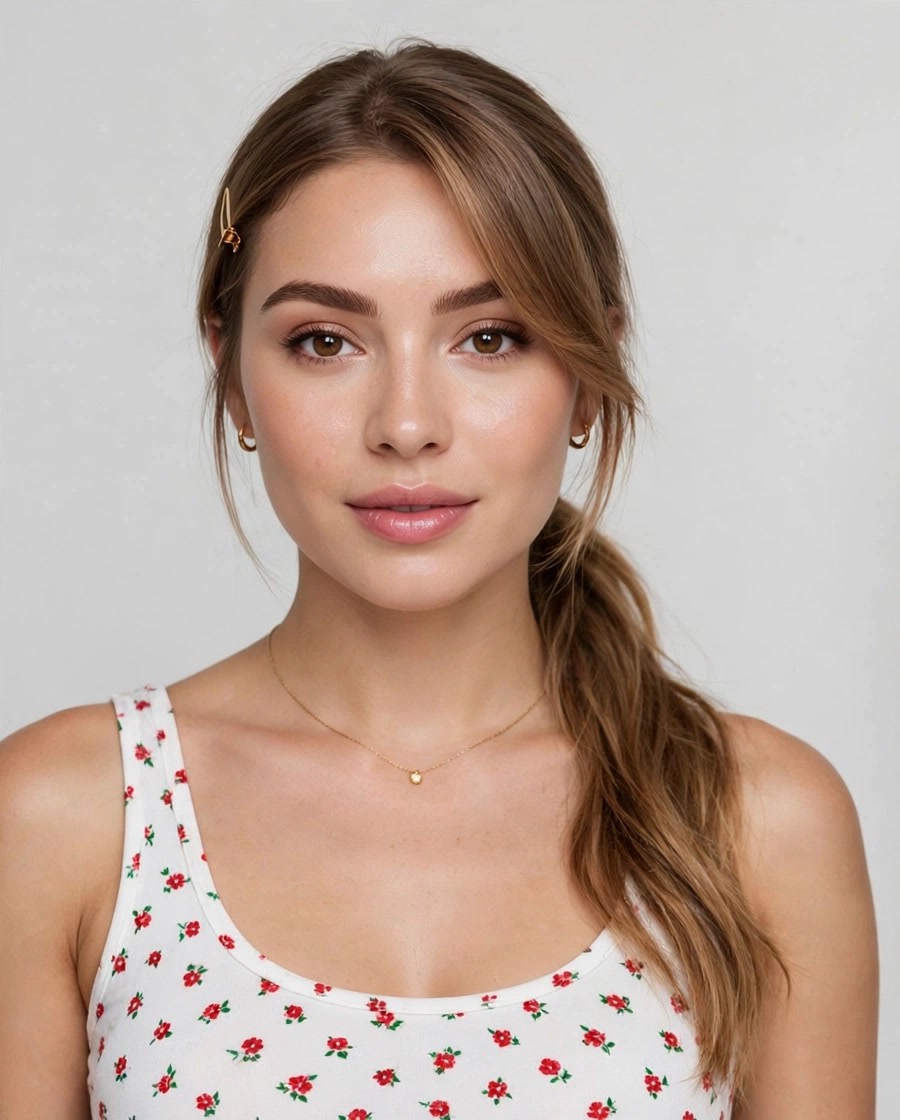
 Prompt adapted from @beizhi606
Prompt (exact text sent)
参考图说明:参考图1是人物大头照(脸、五官、发型、发色、妆容都以它为准),参考图2是同一个人的三视图(服装、配饰、鞋子、身材都以它为准)。人物是 25 岁的欧美女性,Instagram 博主风格的精致妆容。下文里「原视频里」的发型、发色和穿搭描述一律忽略,以参考图为准。

中文提示词(10.00秒)
·脸部:完全按【参考图1 大头照】,五官、脸型、发型、发色都以大头照为准,全程保持同一张脸。原视频里是黑色长发,低马尾搭在右肩前面,有侧分刘海,左侧别一个小发夹。
·服装和身材:完全按【参考图2 三视图】,包括服装款式、颜色、配饰和身材比例。以下是原视频的穿搭,只在没有参考时备用:
·白色背心,上面有红色小碎花印花:
·浅蓝色牛仔短裤:
·右手腕戴红色串珠手链,脖子上有金色细项链。
·一致性:全程人物的脸和服装都不能变。
场景

• 老式居民楼的楼道和阳台,人物站在楼上一层的水泥栏杆后面,栏杆是一根根竖着的方形水泥柱,表面斑驳。
• 背景是灰色水泥墙,墙上有几根电线横着穿过。
• 机位在楼下一层,画面最下方前景是一根黄色金属扶手。
• 中段镜头拉开一点时,能稍微看到上方一层水泥栏杆阳台的下沿和电线即可,不要拉成远景。

光线:阴天的自然光,光线柔和均匀,偏灰调,低饱和,写实。

机位(本版重点):手持拍摄,从楼下往上仰拍,竖屏。前半段是近距离中近景,人物上半身占画面主体;约 4.6 秒开始只轻轻往后拉一次,拉到中景(人物腰部以上、头部约占画面高度三分之一)就立刻停住,之后一直保持这个距离固定拍到结尾,不再继续拉远、不往下拉成远景,人物不能变小。全程只有轻微手持晃动。

分镜
• 0.00–0.40:镜头从下往上快速甩,画面先是模糊的黄色扶手和水泥栏杆,有动态模糊,随即稳定成近距离中近景。
• 0.40–0.60:人物站在栏杆后面,上半身往前探出栏杆,左手扶着栏杆顶部,右手从栏杆之间向下伸出,掌心朝下,手指张开,伸向镜头。
• 0.60–1.60:保持向下伸手的姿势,头往右歪,微笑着看向镜头,马尾垂在右肩前。
• 1.60–2.80:头慢慢回正,继续微笑看镜头,右手还向下伸着,手指轻轻动了一下。
• 2.80–3.60:头又往左歪,眼睛半眯,嘴角上扬,身体随着节奏轻轻晃动。
• 3.60–4.60:头回到正面,看着镜头,右手保持向下伸出,镜头不动。
• 4.60–6.50:镜头只轻轻往后拉一次,拉到中景就停:人物稍微变小一点,上方一层阳台下沿和电线稍微进画,黄色扶手仍在画面下方;人物保持伸手姿势看着镜头。
• 6.50–7.50:镜头停住不动,保持这个中景距离,人物保持向下伸手、微笑看镜头。
• 7.50–8.80:镜头仍固定在这个距离。人物慢慢把右手收回到栏杆上,双手扶着栏杆,头微微歪着。
• 8.80–10.00:人物保持双手扶栏杆、身体往前探的姿势,头抬着、微笑看着镜头直到结束,不要把头伏到手臂或栏杆上;镜头保持距离不再拉动。

风格:写实真人质感,手机竖屏随手拍的感觉,阴天的灰调,低饱和,有轻微手持晃动。

字幕:不要在生成时让模型写任何字幕文字(字幕后期再加)。

音频:保留背景音乐,镜头拉开的时候对准音乐节拍。

参数:10.00 秒,9:16 竖屏,720×1280,30fps。

负面提示词:一直拉远、持续变焦拉远、远景、人物变得很小、换脸、五官变形、脸显老、发型改变、服装颜色或款式变化、手链消失或戴错手、多出手指、手部畸形、伸出的手臂过长、肢体扭曲、栏杆穿过身体、建筑结构错乱、画面闪烁、乱码文字、水印。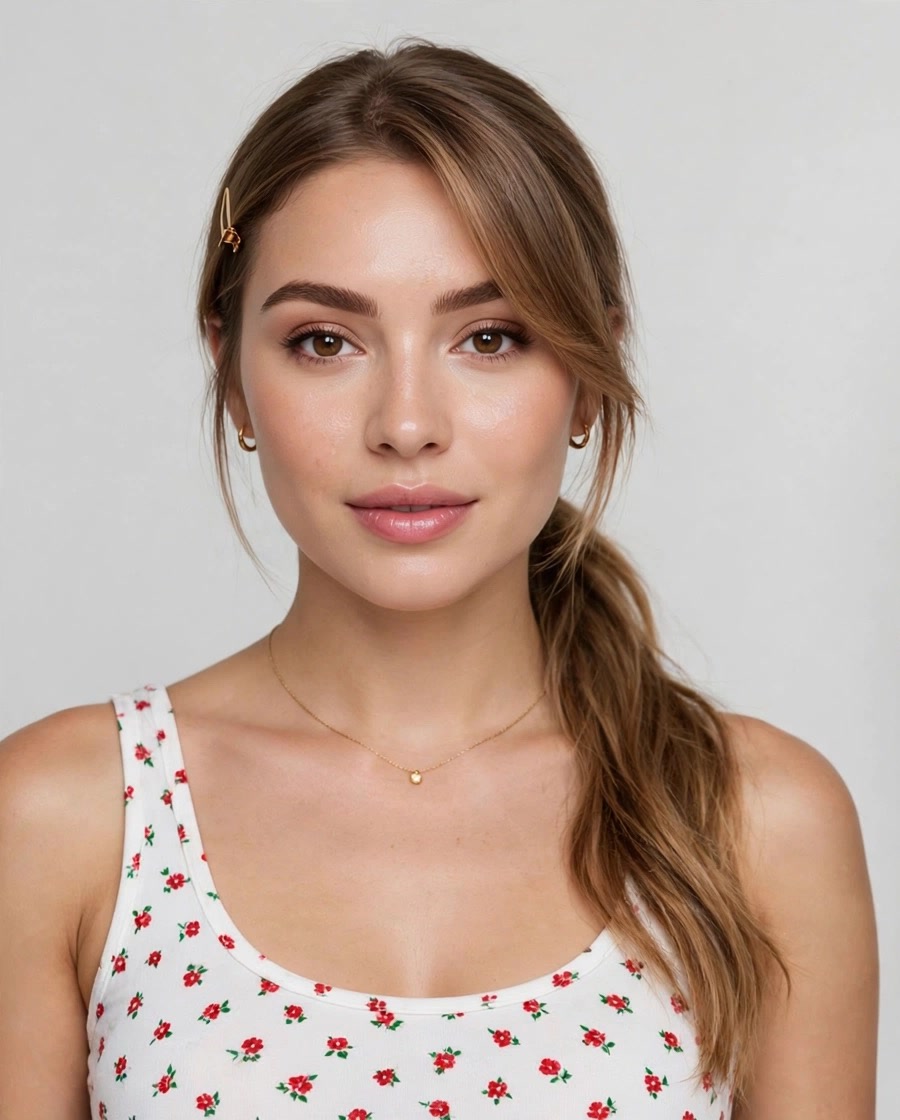
 Prompt adapted from @beizhi606
Prompt (exact text sent)
参考图说明:参考图1是人物大头照(脸、五官、发型、发色、妆容都以它为准),参考图2是同一个人的三视图(服装、配饰、鞋子、身材都以它为准)。人物是 25 岁的欧美女性,Instagram 博主风格的精致妆容。下文里「原视频里」的发型、发色和穿搭描述一律忽略,以参考图为准。

中文提示词(10.00秒)
·脸部:完全按【参考图1 大头照】,五官、脸型、发型、发色都以大头照为准,全程保持同一张脸。原视频里是黑色长发,低马尾搭在右肩前面,有侧分刘海,左侧别一个小发夹。
·服装和身材:完全按【参考图2 三视图】,包括服装款式、颜色、配饰和身材比例。以下是原视频的穿搭,只在没有参考时备用:
·白色背心,上面有红色小碎花印花:
·浅蓝色牛仔短裤:
·右手腕戴红色串珠手链,脖子上有金色细项链。
·一致性:全程人物的脸和服装都不能变。
场景

• 老式居民楼的楼道和阳台,人物站在楼上一层的水泥栏杆后面,栏杆是一根根竖着的方形水泥柱,表面斑驳。
• 背景是灰色水泥墙,墙上有几根电线横着穿过。
• 机位在楼下一层,画面最下方前景是一根黄色金属扶手。
• 中段镜头拉开一点时,能稍微看到上方一层水泥栏杆阳台的下沿和电线即可,不要拉成远景。

光线:阴天的自然光,光线柔和均匀,偏灰调,低饱和,写实。

机位(本版重点):手持拍摄,从楼下往上仰拍,竖屏。前半段是近距离中近景,人物上半身占画面主体;约 4.6 秒开始只轻轻往后拉一次,拉到中景(人物腰部以上、头部约占画面高度三分之一)就立刻停住,之后一直保持这个距离固定拍到结尾,不再继续拉远、不往下拉成远景,人物不能变小。全程只有轻微手持晃动。

分镜
• 0.00–0.40:镜头从下往上快速甩,画面先是模糊的黄色扶手和水泥栏杆,有动态模糊,随即稳定成近距离中近景。
• 0.40–0.60:人物站在栏杆后面,上半身往前探出栏杆,左手扶着栏杆顶部,右手从栏杆之间向下伸出,掌心朝下,手指张开,伸向镜头。
• 0.60–1.60:保持向下伸手的姿势,头往右歪,微笑着看向镜头,马尾垂在右肩前。
• 1.60–2.80:头慢慢回正,继续微笑看镜头,右手还向下伸着,手指轻轻动了一下。
• 2.80–3.60:头又往左歪,眼睛半眯,嘴角上扬,身体随着节奏轻轻晃动。
• 3.60–4.60:头回到正面,看着镜头,右手保持向下伸出,镜头不动。
• 4.60–6.50:镜头只轻轻往后拉一次,拉到中景就停:人物稍微变小一点,上方一层阳台下沿和电线稍微进画,黄色扶手仍在画面下方;人物保持伸手姿势看着镜头。
• 6.50–7.50:镜头停住不动,保持这个中景距离,人物保持向下伸手、微笑看镜头。
• 7.50–8.80:镜头仍固定在这个距离。人物慢慢把右手收回到栏杆上,双手扶着栏杆,头微微歪着。
• 8.80–10.00:人物保持双手扶栏杆、身体往前探的姿势,头抬着、微笑看着镜头直到结束,不要把头伏到手臂或栏杆上;镜头保持距离不再拉动。

风格:写实真人质感,手机竖屏随手拍的感觉,阴天的灰调,低饱和,有轻微手持晃动。

字幕:不要在生成时让模型写任何字幕文字(字幕后期再加)。

音频:保留背景音乐,镜头拉开的时候对准音乐节拍。

参数:10.00 秒,9:16 竖屏,720×1280,30fps。

负面提示词:一直拉远、持续变焦拉远、远景、人物变得很小、换脸、五官变形、脸显老、发型改变、服装颜色或款式变化、手链消失或戴错手、多出手指、手部畸形、伸出的手臂过长、肢体扭曲、栏杆穿过身体、建筑结构错乱、画面闪烁、乱码文字、水印。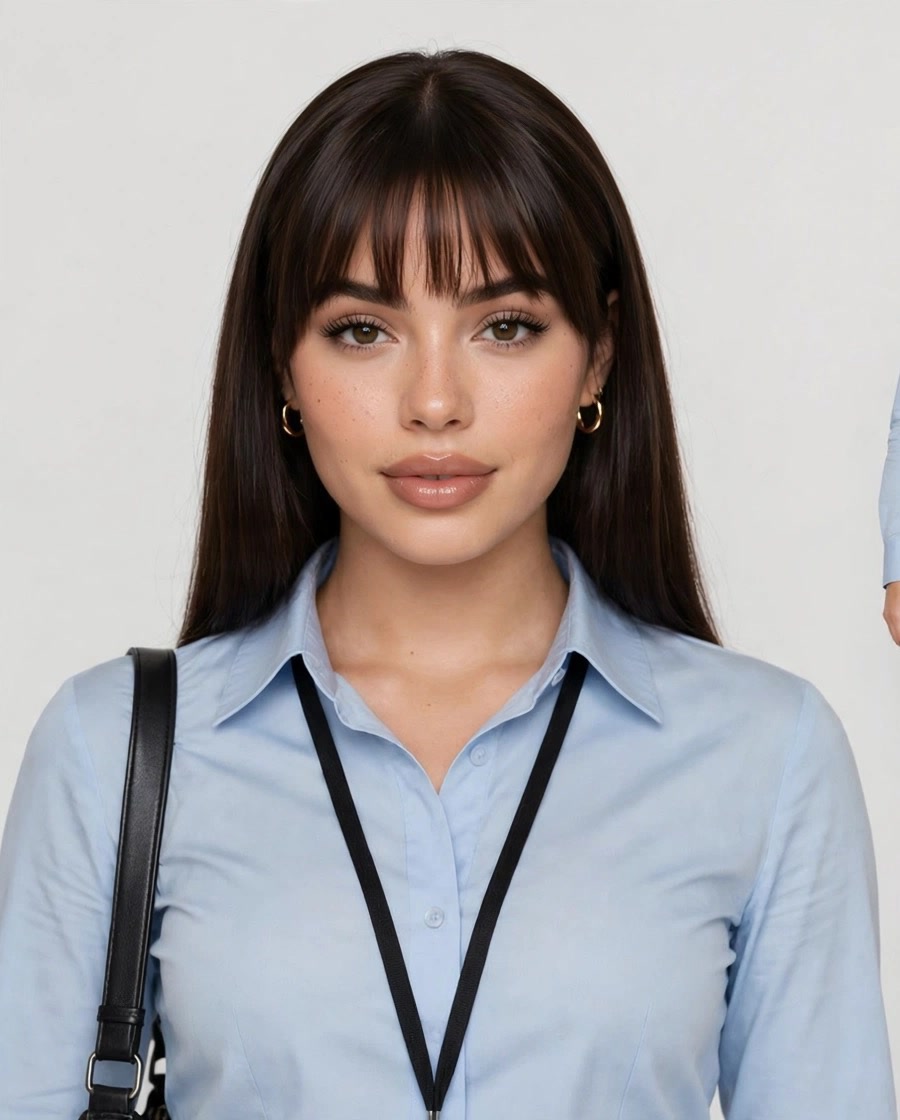
 Prompt adapted from @beizhi606
Prompt (exact text sent)
参考图说明:参考图1是人物大头照(脸、五官、发型、发色、妆容都以它为准),参考图2是同一个人的三视图(服装、配饰、鞋子、身材都以它为准)。人物是 25 岁的欧美女性,Instagram 博主风格的精致妆容。下文里「原视频里」的发型、发色和穿搭描述一律忽略,以参考图为准。

中文提示词(10.00秒)
人物

• 脸部:完全按【参考图1 大头照】,五官、脸型、发型、发色都以大头照为准,每个镜头保持同一张脸。原视频里是黑棕色齐腰长直发、齐刘海。
• 服装和身材:完全按【参考图2 三视图】,包括服装款式、颜色、配饰、鞋子和身材比例。原视频里的穿搭只作为没有参考时的备用:
• 浅蓝色长袖衬衫,扎进裙子里;
• 灰色包臀短裙;
• 黑色薄丝袜,黑色尖头细高跟鞋;
• 胸前挂黑色挂绳工牌;
• 黑色单肩包。

• 一致性:5 个镜头里人物的脸和服装不能变。

场景

• 地铁车厢里,白色车厢内壁,金属扶手竖杆。
• 车门边有黄黑警示条,门上有出口和安全标识。
• 车厢里有其他乘客:有的低头看手机,有的坐着,有的站着,有的放着红色行李箱和紫色袋子。乘客都是自然状态,不看镜头。

光线:地铁车厢顶部的白色日光灯,照明均匀明亮,偏冷白色调,写实。

机位:都是手机手持拍摄,平视或略低机位,竖屏。

分镜
镜头1|0.00–1.97秒|靠在车门边站着,旁边是看手机的乘客

• 机位:平视中全景,竖屏能拍到全身。画面左侧前景是一位穿蓝色T恤、低头看手机的男乘客,人物在画面中间偏右,背靠车门。
• 0.00–0.40:人物背靠车门,一条腿弯曲,脚掌向后抵在车门上。右手抬到颈侧摸着头发,看向镜头。
• 0.40–0.80:抬起的脚放回地面,变成双脚并拢站立,右手放下到胸前。
• 0.80–1.40:双手自然垂放,身体靠着车门,头微微低下。
• 1.40–1.97:右手抬到耳边,把头发往耳后拨,眼睛向下看。

镜头2|1.97–3.37秒|坐在座位上跷腿,侧脸看向左边

• 机位:略高的侧前方机位,中全景。人物在画面右侧,坐在地铁座椅上,左侧有一位戴眼镜、穿深色衣服的男乘客,低头看手机,旁边还站着一位乘客。
• 1.97–2.60:硬切进来。人物跷着二郎腿,黑色单肩包放在大腿上,双手放在包上,头转向画面左侧,侧脸朝镜头。
• 2.60–3.37:姿势不变,眼睛看着左前方,头发自然垂在背后,身体基本保持不动。

镜头3|3.37–5.33秒|手扶竖杆站着,拨头发

• 机位:正面平视中景,拍到大腿以上。人物站在车厢过道中间,左边是金属竖杆,背景是纵深的车厢和其他乘客。镜头缓慢往前推。
• 3.37–3.90:硬切进来。人物右手握着竖杆,左肩背着黑色包,看着镜头。
• 3.90–4.40:左手抬起来,把脸侧的头发往耳后拨。
• 4.40–5.33:左手停在耳边扶着头发,头微微向右歪,看着镜头,右手一直握着竖杆。

镜头4|5.33–7.27秒|背靠车厢隔板站着,手里拿奶茶

• 机位:平视全景,画面从车厢纵深方向拍过去。人物在画面右侧,背靠车门旁的白色隔板,左边是长长的车厢,里面有很多乘客和行李箱。
• 5.33–6.00:硬切进来。人物背靠隔板站着,双腿并拢,左手在胸前拿着一杯带吸管的奶茶,右手垂在身侧,黑色包放在脚边或挂在手臂上,看着镜头。
• 6.00–7.27:姿势基本不变,头微微转向车厢一侧,再转回来看着镜头,镜头有轻微的手持晃动。

镜头5|7.27–8.73秒|靠墙曲腿,拨头发后转头

• 机位:平视中全景,比镜头4离人物更近。人物还是靠着同一块白色隔板,左边背景是坐着的乘客和行李。
• 7.27–7.60:硬切进来。人物背靠隔板,一条腿弯曲,脚掌向后抵在隔板上。右手抬到头侧拨头发,左手拿着奶茶,头歪着看向镜头。
• 7.60–8.10:右手放下,叉在腰侧,还保持曲腿姿势。
• 8.10–8.73:抬起的脚放回地面,双腿并拢站直。头转向画面左侧,看向车厢里面,侧脸朝镜头。

(补充)镜头5延续|8.73–10.00

• 8.73–9.40:机位不变。人物保持站立,慢慢把头转回来看着镜头。
• 9.40–10.00:左手拿着奶茶放在胸前,右手自然垂下,身体轻轻靠着隔板,画面停在这个构图上直到结束。

风格:写实真人质感,手机竖屏随手拍的感觉,高清,自然生活场景,带轻微手持晃动。

音频:保留背景音乐,切镜点 1.97、3.37、5.33、7.27 秒对准音乐节拍。

参数:10.00 秒,9:16 竖屏,1080×1920,30fps。

负面提示词:换脸、五官变形、发型改变、服装颜色或款式变化、工牌消失、多出手指、肢体扭曲、腿部比例异常、路人看镜头、路人脸部畸形、画面闪烁、文字水印、背景变形、车厢结构错乱。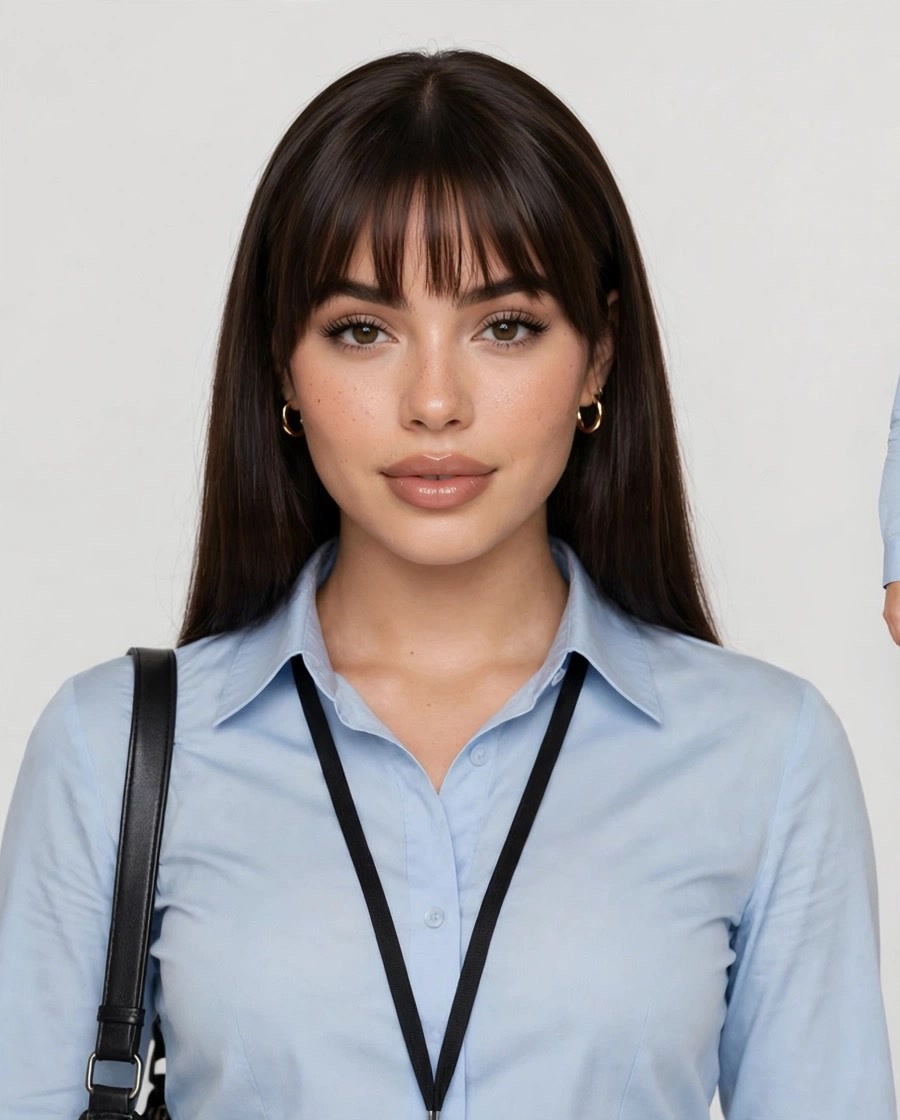
 Prompt adapted from @beizhi606
Prompt (exact text sent)
参考图说明:参考图1是人物大头照(脸、五官、发型、发色、妆容都以它为准),参考图2是同一个人的三视图(服装、配饰、鞋子、身材都以它为准)。人物是 25 岁的欧美女性,Instagram 博主风格的精致妆容。下文里「原视频里」的发型、发色和穿搭描述一律忽略,以参考图为准。

中文提示词(10.00秒)
人物

• 脸部:完全按【参考图1 大头照】,五官、脸型、发型、发色都以大头照为准,每个镜头保持同一张脸。原视频里是黑棕色齐腰长直发、齐刘海。
• 服装和身材:完全按【参考图2 三视图】,包括服装款式、颜色、配饰、鞋子和身材比例。原视频里的穿搭只作为没有参考时的备用:
• 浅蓝色长袖衬衫,扎进裙子里;
• 灰色包臀短裙;
• 黑色薄丝袜,黑色尖头细高跟鞋;
• 胸前挂黑色挂绳工牌;
• 黑色单肩包。

• 一致性:5 个镜头里人物的脸和服装不能变。

场景

• 地铁车厢里,白色车厢内壁,金属扶手竖杆。
• 车门边有黄黑警示条,门上有出口和安全标识。
• 车厢里有其他乘客:有的低头看手机,有的坐着,有的站着,有的放着红色行李箱和紫色袋子。乘客都是自然状态,不看镜头。

光线:地铁车厢顶部的白色日光灯,照明均匀明亮,偏冷白色调,写实。

机位:都是手机手持拍摄,平视或略低机位,竖屏。

分镜
镜头1|0.00–1.97秒|靠在车门边站着,旁边是看手机的乘客

• 机位:平视中全景,竖屏能拍到全身。画面左侧前景是一位穿蓝色T恤、低头看手机的男乘客,人物在画面中间偏右,背靠车门。
• 0.00–0.40:人物背靠车门,一条腿弯曲,脚掌向后抵在车门上。右手抬到颈侧摸着头发,看向镜头。
• 0.40–0.80:抬起的脚放回地面,变成双脚并拢站立,右手放下到胸前。
• 0.80–1.40:双手自然垂放,身体靠着车门,头微微低下。
• 1.40–1.97:右手抬到耳边,把头发往耳后拨,眼睛向下看。

镜头2|1.97–3.37秒|坐在座位上跷腿,侧脸看向左边

• 机位:略高的侧前方机位,中全景。人物在画面右侧,坐在地铁座椅上,左侧有一位戴眼镜、穿深色衣服的男乘客,低头看手机,旁边还站着一位乘客。
• 1.97–2.60:硬切进来。人物跷着二郎腿,黑色单肩包放在大腿上,双手放在包上,头转向画面左侧,侧脸朝镜头。
• 2.60–3.37:姿势不变,眼睛看着左前方,头发自然垂在背后,身体基本保持不动。

镜头3|3.37–5.33秒|手扶竖杆站着,拨头发

• 机位:正面平视中景,拍到大腿以上。人物站在车厢过道中间,左边是金属竖杆,背景是纵深的车厢和其他乘客。镜头缓慢往前推。
• 3.37–3.90:硬切进来。人物右手握着竖杆,左肩背着黑色包,看着镜头。
• 3.90–4.40:左手抬起来,把脸侧的头发往耳后拨。
• 4.40–5.33:左手停在耳边扶着头发,头微微向右歪,看着镜头,右手一直握着竖杆。

镜头4|5.33–7.27秒|背靠车厢隔板站着,手里拿奶茶

• 机位:平视全景,画面从车厢纵深方向拍过去。人物在画面右侧,背靠车门旁的白色隔板,左边是长长的车厢,里面有很多乘客和行李箱。
• 5.33–6.00:硬切进来。人物背靠隔板站着,双腿并拢,左手在胸前拿着一杯带吸管的奶茶,右手垂在身侧,黑色包放在脚边或挂在手臂上,看着镜头。
• 6.00–7.27:姿势基本不变,头微微转向车厢一侧,再转回来看着镜头,镜头有轻微的手持晃动。

镜头5|7.27–8.73秒|靠墙曲腿,拨头发后转头

• 机位:平视中全景,比镜头4离人物更近。人物还是靠着同一块白色隔板,左边背景是坐着的乘客和行李。
• 7.27–7.60:硬切进来。人物背靠隔板,一条腿弯曲,脚掌向后抵在隔板上。右手抬到头侧拨头发,左手拿着奶茶,头歪着看向镜头。
• 7.60–8.10:右手放下,叉在腰侧,还保持曲腿姿势。
• 8.10–8.73:抬起的脚放回地面,双腿并拢站直。头转向画面左侧,看向车厢里面,侧脸朝镜头。

(补充)镜头5延续|8.73–10.00

• 8.73–9.40:机位不变。人物保持站立,慢慢把头转回来看着镜头。
• 9.40–10.00:左手拿着奶茶放在胸前,右手自然垂下,身体轻轻靠着隔板,画面停在这个构图上直到结束。

风格:写实真人质感,手机竖屏随手拍的感觉,高清,自然生活场景,带轻微手持晃动。

音频:保留背景音乐,切镜点 1.97、3.37、5.33、7.27 秒对准音乐节拍。

参数:10.00 秒,9:16 竖屏,1080×1920,30fps。

负面提示词:换脸、五官变形、发型改变、服装颜色或款式变化、工牌消失、多出手指、肢体扭曲、腿部比例异常、路人看镜头、路人脸部畸形、画面闪烁、文字水印、背景变形、车厢结构错乱。
Muse, Meta AI's model family: what the Muse Video API is, and what it is not
Meta uses the name Muse for several AI models and products. This page is about one of them, the Muse Video AI video model, which you can call as an API here.
Muse AI by Meta is a family, not a single product. Meta Superintelligence Labs released its first Muse model, Muse Spark, on 8 April 2026, and Muse Spark powers the Meta AI assistant. On 7 July 2026 Meta announced Muse Image and previewed Muse Video, an AI video model built on the same pretraining base that generates sound together with the picture. On 8 September 2026 Meta launched Muse, a personal AI agent that handles errands such as email, travel bookings and shopping.
Of the Meta AI Muse models, two can be called on APIMODELS: Muse Video as muse-video and Muse Image as muse-image. The Muse Video API is the video model only. It is not the Meta AI app and not the Meta Muse AI agent: it does not chat, browse, book or buy anything, and you do not need a Meta account to use it.
APIMODELS is an independent API platform and is not affiliated with Meta. Muse, Muse Video, Muse Image, Muse Spark and Meta AI are the names Meta uses for its own models and products.
| Meta Muse AI product | What it is | On APIMODELS |
|---|---|---|
| Muse Video | AI video model: text, one first frame or up to four reference images to a 720p clip with sound | Yes, model id muse-video |
| Muse Image | AI image model from the same Muse family | Yes, model id muse-image |
| Muse Spark | Meta's language model behind the Meta AI assistant | No |
| Muse (the Meta Muse AI agent) | Personal AI agent that runs errands such as email, travel and shopping | No |
| Meta AI | Meta's consumer AI assistant, on meta.ai and in Meta's apps | No: it is an app, not an API |
Muse Video API limits at a glance
What Muse Video accepts and what it does not. Unsupported resolutions, ratios, lengths and inputs are rejected with a 400 before a task is created, so nothing is charged.
| Supported | Not supported | |
|---|---|---|
| Resolution | 720p only (resolution: 720p, or leave it out) | 1080p, 2K, 4K, 480p |
| Aspect ratio | 16:9 landscape, 1280×720 (default); 9:16 portrait, 720×1280 | Square 1:1, 4:3, 3:4, 21:9 and every other ratio |
| Length | 4 to 20 whole seconds; 5, 6, 8, 10, 15 and 20 s come out exact, other lengths round up to the next of those | Under 4 s, over 20 s, fractions such as 8.5 |
| Images | Either 1 first frame, or up to 4 reference images that keep the same person or subject (not both); PNG, JPEG or WebP, up to 20 MB each, public URL or base64 | A first frame together with reference images, more than 4 reference images, a last frame |
| Video and audio input | None: images are the only media input | Reference video, video editing or extension, driving audio or lip sync to your own audio |
| Sound | Generated by the model together with the picture | A switch to turn sound off (generate_audio: false is rejected); sound is not guaranteed on every clip |
| Other controls | A prompt of up to 4,000 characters in any language; describe camera moves in the prompt | negative_prompt, seed (results are not repeatable), camera-control parameters |
Not every Muse Video request succeeds
Like every video model, Muse Video does not succeed 100% of the time. Failed tasks are not charged.
A task can still fail after it is accepted: the model can refuse the content, a generation can hit a temporary error, or a finished clip that does not match the requested orientation or length is discarded. A failed task ends in the failed state with the reason in failMsg, and the charge is returned.
Both of our launch test requests returned a clip, which is far too few to promise a success rate, so we do not publish one yet. Plan your pipeline for the occasional failure: retry temporary errors, rewrite refused prompts, and do not assume a clip will arrive on the first attempt.
Refused content
The model can refuse a prompt or an input image. Retrying the same request rarely helps; rewrite the prompt or change the image.
Temporary errors
A generation can fail for reasons unrelated to your request. Retrying the same request a little later usually works.
Discarded clips
A finished clip with the wrong orientation or a shorter length than requested is discarded instead of delivered. Retry the request.
No sound on some clips
Meta describes sound generated with the picture, but one of our two test clips came back silent. If you need audio, check each MP4 for an audio track.
Muse Video API pricing and clip length
$0.037 per requested second. A first frame or reference images cost nothing extra; failed tasks are free.
| You request | Clip you get | Price |
|---|---|---|
| 4 s | 5 s | $0.148 |
| 5 s (default) | 5 s | $0.185 |
| 6 s | 6 s | $0.222 |
| 7 s | 8 s | $0.259 |
| 8 s | 8 s | $0.296 |
| 10 s | 10 s | $0.37 |
| 15 s | 15 s | $0.555 |
| 20 s (maximum) | 20 s | $0.74 |
Clips up to 10 seconds usually take one to two minutes and 15 to 20 seconds three to seven minutes; our 4-second test requests took about a minute and a half. Clips over 10 seconds switch shots around the 10-second mark.
When Muse Video is a good fit, and when it is not
Handheld selfie-style vertical clips
One person filmed close up on a front camera, a chain of small gestures, warm low light and music, like the example above.
A recurring character from reference images
Pass up to four photos of the same person in images and describe a new scene. In one test, four photos of a young woman and a sunset-beach prompt gave a 5.0-second 9:16 clip with sound in 88 seconds: the same face and hair, a similar outfit, even a V sign and a laugh behind her hand taken from the photos. It opened on the beach, not on a photo. One test, not a guarantee.
Short clips for feeds and pages
9:16 clips for short-video feeds or 16:9 clips for pages and ads, 5 to 20 seconds at 720p.
Bringing one still image to life
A product shot, an illustration or a photo as the first frame, with the motion described in the prompt.
1080p, 4K or square video
Muse Video only renders 720p in 16:9 or 9:16. Choose another video model on APIMODELS if you need higher resolution or other shapes.
End frames, reference video or your own audio
Images go in as a first frame or as reference images, and that is all: no last frame, no reference video, no lip sync to your own audio.
Pipelines that cannot tolerate a failure
Some requests fail and some clips come back without sound. If a missed clip breaks your product, add retries and checks before you rely on it.
About Muse Video
Muse Video is a Video Generation model developed by Meta. Muse Video is the video model from Meta Superintelligence Labs. On APIMODELS it is one model id, muse-video, on the unified video endpoint: send a prompt for text-to-video, add one first-frame image and the clip starts from that picture, or add up to four reference images and the model keeps the same person or subject without starting from them. The request stays small. prompt is required (up to 4,000 characters, any language). duration sets the length in whole seconds from 4 to 20 (the OpenAI-style seconds field works too); leave it out and you get 5 seconds. aspect_ratio picks 16:9 landscape (the default, 1280×720) or 9:16 portrait (720×1280); size 1280x720 or 720x1280 does the same. Output is always 720p: there is no 1080p or square option, and asking for one returns a 400 before any task is created. For image-to-video, pass the first frame as image_url (first_frame_url, image and input_reference also work), ideally in the same orientation as the clip; for reference images, pass up to four in images (image_urls and reference_image_urls also work). Each image is a public URL or a base64 data URI in PNG, JPEG or WebP. Use one or the other: a first frame together with reference images, more than four reference images, a last frame, reference video or audio, negative_prompt, seed and turning sound off are rejected with a 400. Clip lengths come in steps. Requests of 5, 6, 8, 10, 15 or 20 seconds come back exactly that long; any other whole number rounds up to the next step (4 → 5 s, 7 → 8 s, 11 → 15 s), so a clip is never shorter than what you paid for. The video is an H.264 MP4 at 24 fps, and Meta describes Muse Video as generating sound together with the picture. In our reference-image test, four pictures of one woman produced a 5-second beach clip in which she kept the same face and hair; the model did not start from any of the pictures. It runs as an async task: create it, then poll or take a callback. Clips up to 10 seconds usually take one to two minutes, 15 to 20 seconds three to seven. Not every request succeeds: the model can refuse content, a generation can hit a temporary error, and a clip with the wrong orientation or length is discarded; a failed task is not charged. Pricing is $0.037 per requested second: 5 s $0.185, 10 s $0.37, 20 s $0.74. Through APIMODELS platform, you can access this model via a unified API with transparent pay-as-you-go pricing. Current pricing: per second: $0.037, 5s (default): $0.185, 8s: $0.296, 10s: $0.37, 15s: $0.555, 20s (maximum): $0.74.
Key Features
- Text, First Frame or 4 Reference Images -- One model id: a prompt alone, one first frame to start the clip from your picture, or up to four reference images to keep the same person across clips
- 4 to 20 Seconds -- Whole seconds; 5, 6, 8, 10, 15 and 20 s come out exact, other lengths round up, so a clip is never shorter than what you pay for
- 720p, Landscape or Portrait Only -- 1280×720 (16:9, default) or 720×1280 (9:16), H.264 MP4 at 24 fps; no 1080p, no square or other ratios
- Sound with the Picture -- Meta describes Muse Video as generating audio together with the video
- Not 100%, but Failures Are Free -- Not every request succeeds, and a failed task is not charged; unsupported lengths, sizes or inputs are rejected with a 400 before a task is created
- $0.037 per Second -- Billed on the requested seconds: 5 s $0.185, 10 s $0.37, 20 s $0.74
Use Cases
Marketing Videos
Quickly generate brand promotion videos for ad campaigns and social media marketing.
Social Media Content
Create compelling short-form video content for platforms like TikTok, Instagram, and YouTube.
Product Demos
Generate product feature demonstrations and tutorials to improve user conversion.
Educational Content
Produce course explanations, knowledge explainers, and training videos at an affordable price.
Why APIMODELS
- Unified API -- One API key to access all models, no need to register on multiple platforms
- Transparent Pricing -- Pay-as-you-go with per-call pricing published on every model page, ideal for indie developers and startups
- Instant Access -- Start right after signup; pay by card, PayPal, Alipay or USDT
- Full Documentation -- Detailed API docs with code examples in cURL, Python, and Node.js
Frequently Asked Questions
How to use Muse Video API?
Sign up at APIMODELS, get your API key, and call our unified API endpoint. We provide detailed API documentation with code examples in cURL, Python, and Node.js.
What is the Muse Video API?
Muse Video is the video model from Meta Superintelligence Labs. It turns a text prompt into a 720p clip of 4 to 20 seconds in 16:9 landscape or 9:16 portrait; add one first-frame image and the clip starts from that picture, or add up to four reference images to keep the same person or subject. Meta describes it as generating sound together with the picture. On apimodels.app, Meta's Muse Video model is available as one model id, muse-video, on POST /v1/video/generations. Failed generations are not charged, and pricing is $0.037 per requested second.
What is Meta Muse AI, and where does Muse Video fit?
Muse is the name Meta gives to a family of AI models and products from Meta Superintelligence Labs. Muse Spark, released on 8 April 2026, is the language model behind the Meta AI assistant. Muse Image was announced on 7 July 2026 together with a preview of Muse Video, an AI video model built on the same pretraining base that generates sound with the picture. Muse, the personal AI agent launched on 8 September 2026, handles errands such as email, travel and shopping. On apimodels.app two of them can be called with one API key: Muse Video as muse-video and Muse Image as muse-image. apimodels.app is an independent platform and is not affiliated with Meta.
Is the Muse Video API the same as Meta AI or the Meta Muse AI agent?
No. The Muse Video API gives you the video model only: you send a prompt, one first frame or up to four reference images, and get back a 720p MP4 of 4 to 20 seconds. It does not chat, browse the web, send email, book or buy anything, which is what the Meta Muse AI agent does, and it is not the Meta AI app on meta.ai. You do not need a Meta account: an apimodels.app API key is enough, and a request costs $0.037 per requested second. If you want to generate AI video with Muse from your own code or workflow, this is the route; if you want the assistant or the agent, use Meta's own apps.
What are the limits of Muse Video?
All of Muse Video's limits: 720p only (no 1080p, 2K, 4K or 480p); 16:9 landscape at 1280×720 or 9:16 portrait at 720×1280 only (no square, 4:3, 21:9 or any other ratio); 4 to 20 whole seconds, exact at 5, 6, 8, 10, 15 and 20 s, other lengths rounded up, no fractions; images: either one first frame or up to four reference images that keep the same person or subject, not both, each PNG, JPEG or WebP up to 20 MB (no last frame and no more than four reference images); no video input, no audio input, no lip sync to your own audio and no video editing or extension; Meta describes the model as generating sound, but sound is not guaranteed on every clip and cannot be turned off; no negative_prompt, no seed and no camera-control parameters (describe camera moves in the prompt); prompts up to 4,000 characters. Unsupported inputs, such as another resolution or ratio, a first frame together with reference images, more than four reference images, a last frame, video or audio input, negative_prompt, seed or generate_audio: false, are rejected with a 400 before a task is created. Even within these limits, not every request succeeds: the model can refuse content or hit a temporary error, and a failed task is not charged.
Can Muse Video use a first frame or reference images?
Yes. One model id, muse-video, has three input modes, picked from what you send. A prompt alone is text-to-video. One first-frame image makes the clip start from that picture: pass it as image_url (first_frame_url, image and input_reference also work). One to four reference images keep the same person, subject or style without the clip starting from any of them, which suits a recurring character: pass them as an array in images (image_urls and reference_image_urls also work). Any array counts as reference images, so image_urls with one item is one reference image, not a first frame. Send a first frame or reference images, not both: both together, or more than four reference images, return a 400 before a task is created. Every image is a public URL or a base64 data URI in PNG, JPEG or WebP, up to 20 MB. A first frame works best in the same orientation as the clip, landscape for 16:9 and portrait for 9:16. A last frame (last_frame_url), reference video and audio input are not supported. All three modes cost the same.
How do reference images work in Muse Video?
Reference images tell the model who or what should appear; they do not become frames of the video. Pass one to four images of the same person or subject in images, describe the new scene in the prompt and point back to them, for example "the same young woman from the reference images". We tested this once, on 30 October 2026: four photos of one young woman (lying on a pillow, smiling, making a V sign, laughing behind her hand) with the prompt "The same young woman from the reference images walks barefoot along a beach at sunset, smiling back at the camera, handheld vertical shot", 4 seconds at 9:16. After 88 seconds it returned a 5.0-second 720×1280 clip with an audio track. The clip did not start from any of the reference images; it opened on the beach. The woman kept the same face and hair and a similar outfit (the cream camisole in the references became a white slip dress), the model reused gestures from the references (the V sign and laughing behind a hand), and it cut between several shots within the 5 seconds: close-ups, a wide shot and a back view. That is one test, not a guarantee of likeness or of how the clip is cut. If the clip must open on an exact picture, use a first frame instead. Reference images cost nothing extra: the 4-second request was billed exactly like a 4-second text-to-video request.
How long can a Muse Video clip be?
From 4 to 20 seconds, set in whole seconds with duration (the OpenAI-style seconds field also works); leave it out and you get 5 seconds. Output lengths come in steps: requests of 5, 6, 8, 10, 15 or 20 seconds come back exactly that long, and any other whole number rounds up to the next step: 4 → 5 s, 7 → 8 s, 9 → 10 s, 11–14 → 15 s and 16–19 → 20 s. A clip is never shorter than what you paid for. If you need an exact length, request one of the steps. Fractions and values outside 4–20 return a 400 before a task is created.
What resolution and aspect ratios does Muse Video support?
720p only, in two shapes: 16:9 landscape at 1280×720, the default, and 9:16 portrait at 720×1280. Choose with aspect_ratio set to 16:9 or 9:16, or with size 1280x720 or 720x1280; resolution is optional and accepts only 720p. There is no square, other ratio or 1080p option, and asking for one returns a 400 before a task is created instead of quietly delivering a different size. Every clip is an H.264 MP4 at 24 fps.
Does Muse Video generate audio?
Meta describes Muse Video as generating sound together with the picture. In our own launch tests on 30 October 2026, two 4-second requests came back as two 5.0-second clips: the landscape one carried an AAC audio track and the portrait one came back silent. So if your pipeline needs sound, check each MP4 for an audio track (ffprobe shows it) and plan a fallback, such as adding music or a voice-over, for clips that arrive without one. Sound cannot be switched off: generate_audio: false returns a 400 ("muse-video cannot turn sound off: the model decides whether a clip has sound"), and generate_audio: true is accepted but does not guarantee sound.
How long does Muse Video take to generate a clip?
Clips up to 10 seconds usually take one to two minutes, and clips of 15 to 20 seconds usually three to seven minutes; our 4-second test requests finished in about 1.5 minutes. The call is asynchronous: creating a task returns a taskId at once, then you poll GET /v1/video/generations?task_id= every 10 to 15 seconds, or pass callback_url and wait for our POST.
How much does the Muse Video API cost?
$0.037 per requested second, billed on the duration you send: 4 seconds $0.148, 5 seconds (the default) $0.185, 6 seconds $0.222, 8 seconds $0.296, 10 seconds $0.37, 15 seconds $0.555 and 20 seconds $0.74. A length between the steps is billed on the seconds you asked for: 7 seconds costs $0.259 and comes back as an 8-second clip. A first frame or reference images cost nothing extra, so all three input modes are priced the same, and the aspect ratio does not change the price. Failed generations are not charged.
What happens if a Muse Video generation fails?
Not every Muse Video request succeeds. A generation can fail for three reasons: the model refuses the content, the generation hits a temporary error, or the finished clip has the wrong orientation or is shorter than requested and is discarded. A failed task ends in the failed state with the reason in failMsg, and you are not charged. We do not publish a success rate yet: both of our launch test requests returned a clip, but two tests are far too few to promise one. Retry temporary errors, rewrite a refused prompt, and do not build a pipeline that assumes the first attempt always delivers. Requests Muse Video cannot serve never become tasks: a missing prompt or one over 4,000 characters, a duration that is not a whole number from 4 to 20, a resolution other than 720p, an aspect ratio other than 16:9 or 9:16, a first frame together with reference images, more than four reference images, a last frame, video or audio input, negative_prompt, seed or generate_audio: false all return a 400 with a plain error message before a task is created. The images themselves are checked at run time: one that is not PNG, JPEG or WebP, or is larger than 20 MB, fails the task with the reason, such as "first-frame image must be PNG, JPEG or WebP" or "reference image 2 must be PNG, JPEG or WebP", also without charge.
How should I write prompts for Muse Video?
Say what the subject is, how it moves and how the camera moves, for example "an orange cat stretches on a windowsill, sunlight pours in, the camera slowly pushes in". Prompts can run to 4,000 characters in any language. Clips longer than 10 seconds switch shots around the 10-second mark, so write a long prompt segment by segment: "first 10 seconds …, then …". For image-to-video, use a first frame in the same orientation as the clip and let the prompt describe what happens next. With reference images, call the subject "the same person from the reference images" and describe the new scene, since the clip will not start from any of them.
How do I get an API key and call the Muse Video API?
Create an account at apimodels.app and generate an API key in the console; one key and one USD balance cover every model. Then send: curl -X POST https://api.apimodels.app/v1/video/generations -H "Authorization: Bearer YOUR_API_KEY" -H "Content-Type: application/json" -d '{"model": "muse-video", "prompt": "an orange cat stretches on a windowsill, sunlight pours in, the camera slowly pushes in", "duration": 5, "aspect_ratio": "16:9"}'. Add "image_url" to start from your own first frame, or "images" with up to four reference images to keep the same person or subject. The response holds a taskId: poll GET /v1/video/generations?task_id= every 10 to 15 seconds until the state is completed, or pass callback_url, then download the MP4 from resultUrls within 30 days.
Can I try Muse Video for free?
Not entirely. Eligible new accounts get $0.10 of trial credit, but the shortest Muse Video request, 4 seconds, costs $0.148, so a first test needs a top-up; top-ups start at $10. Billing is pay-as-you-go with no subscription. The playground on this page shows the price before you click Generate, and failed generations are not charged.
How does Muse Video compare with other models in the Video Generation category?
On APIMODELS, Muse Video runs alongside 60+ models on one API key and one balance, so choosing is about fit, not lock-in. It supports Text to Video, Image to Video (First Frame), Up to 4 Reference Images, 720p · 16:9 / 9:16, 4–20s · Exact at 5/6/8/10/15/20s, Sound with the Picture, Failed Generations Not Charged, $0.037/s, and you can weigh it on price and capability against other models in the Video Generation category, then switch by changing a single model-name string — no new account or integration. Browse every model in that category with live pricing at apimodels.app/models.
What can Muse Video do?
Muse Video supports: Text to Video, Image to Video (First Frame), Up to 4 Reference Images, 720p · 16:9 / 9:16, 4–20s · Exact at 5/6/8/10/15/20s, Sound with the Picture, Failed Generations Not Charged, $0.037/s. See the APIMODELS docs for full parameters and call examples.
Can I use the Muse Video API from any country, including mainland China?
Yes. APIMODELS does not restrict access by country: the site and the API answer requests from anywhere, and apimodels.app and api.apimodels.app are reachable directly from mainland China without a proxy. You call Muse Video with one APIMODELS key, so you do not need a separate account with the model's developer.
What payment methods are supported? Can I pay with PayPal or crypto?
Yes to both. You can top up with a card (Visa, Mastercard and others, through Stripe), PayPal, Alipay, or USDT on TRON (TRC20) or BNB Smart Chain (BEP20). Card, PayPal and Alipay top-ups are credited immediately; USDT is credited once the transfer confirms on-chain. Auto top-up is optional, and a $50 top-up adds a $1 bonus ($3 on a $100 top-up). The balance is in USD and billed per use, with no subscription.
Related models
Muse Video prompt examples
See all 205 →Prompts shared by their authors — copy and adapt them. Each one credits its author and links back to the original post.

Afternoon at home: floor mirror and black cat
中文提示词 **人物:** 人物的长相、发型、妆容、服装穿搭和配饰全部严格按照【参考图】,每个镜头都保持脸部、身材和服装一致,不要改变造型。 **场景:** 场景是一个温馨的居家室内,人物坐在地板上。左侧背景是一面落地镜,映出白色衣柜门、木地板和一只坐在地上的黑猫;右侧是白色…
by @beizhi606

Golden hour under an overpass
中文提示词 人物: 人物的长相、发型、妆容、服装穿搭和配饰全部严格按照,全程保持脸部、身材和服装一致,不要改变造型。第二张图是人物的脸部特写,脸部特征、妆容细节(浓重眼妆、卧蚕、脸颊上的白色十字创可贴)以特写图为准,转场前后人物与参考图保持一致。 场景: 场景是城市高架桥下的…
by @beizhi606

Apartment living room, sofa corner A
提示词(10.00秒) 人物: 人物的长相、发型、妆容、服装穿搭和配饰全部严格按照【参考图】,3个镜头之间的脸部、身材和服装都要保持一致,切镜后不能变样。 场景: 场景是一间居家公寓的客厅。 顶部和墙面: 白色天花板,有欧式石膏线和雕花;墙上挂着一幅金色边框的小装饰画;一侧是…
by @beizhi606
Need prompts?
We curate copy-ready prompt libraries — every entry shows its full text and a sample result, ready to adapt.
Related reading
How to get access, regional availability, and how this model compares with its alternatives.