
doubao-seedream-5-0-flashDoubao Seedream 5.0 Flash is the fast, cost-efficient tier of ByteDance's Seedream 5.0 family, served here from Volcano Ark's official endpoint. It is built for high-volume work where turnaround and unit cost matter more than the last bit of fidelity: in our tests a 2K image comes back in about 13–15 seconds and a 1K image in about 10. It handles text-to-image and image editing through one endpoint, with up to 10 reference images for fusion edits. It can also edit an image that already has a transparent background and keep that transparency: send one PNG with an alpha channel and background set to transparent, and you get a PNG with alpha back, ready to drop onto a banner or product template. Output is 1K or 2K (there is no 4K on this model), aspect ratios from 21:9 to 9:16, and every image is $0.03 with no watermark. It can also decompose one image into a base image plus up to 16 transparent PNG layers (text, subjects, props) — ByteDance calls this layer decomposition — each returned with a name, a description, a stacking order and its bounding box in the original; the base comes back with the lifted elements painted in, and each layer PNG is rendered larger than its box. Layer decomposition is billed at $0.03 per output image, so a split into a base plus 11 layers costs $0.36.
Generated image will appear here
Enter a prompt and click Generate
About 10 seconds at 1K and 13–15 seconds at 2K in our tests, for high-volume and interactive use
Send one PNG that already has an alpha channel with background "transparent"; the edited image comes back as a PNG with that transparency intact (it does not cut backgrounds out of ordinary images)
Text-to-image, single-image edits and fusion with up to 10 reference images on one endpoint
Same price at 1K and 2K, single image per call, no watermark
Split one image into a base plus up to 16 transparent PNG layers, each with a name, description and bounding box; billed $0.03 per output image — eight real cases with an interactive layer explorer below
Layer decomposition is the Seedream 5.0 Flash feature that ByteDance's documentation calls 图层拆分 and third-party catalogues list as doubao-seedream-5-0-flash-layerize: send one PNG or JPEG with layer_decomposition set to true, and the model hands back a base image plus up to 16 transparent PNG layers. Every layer carries a name, a one-sentence description, a z_index for stacking order and a bounding_box in both pixel and normalized (0–1000) coordinates. On apimodels.app it is one boolean on the same doubao-seedream-5-0-flash model name you already call for text-to-image and editing — one API key, no Volcengine account.
Two things about the Seedream 5.0 Flash output surprised us when we ran it, and both matter the moment you build on it. First, the base image is not the original: it is the picture with every extracted layer lifted off and the holes painted in. A café poster split into nine layers comes back with a plain cream card as its base; a poster where you asked for only the text comes back with the title area repainted as sky. Second, every layer PNG is rendered larger than its bounding box — typically two to four times on each side (a 439×70 px logo box came back as a 1801×287 px PNG) with the aspect ratio preserved. Position and scale each layer by bounding_box.absolute when you composite, and treat the extra pixels as free headroom for enlarging a layer later.
Everything on this page is one real request each on apimodels.app, run on 27–28 September 2026 at the 2K tier. The pictures, layer names, descriptions and boxes are what Seedream 5.0 Flash returned, unedited; the prices are list price at $0.03 per output image; the seconds are wall time from the create call to the completed result. Click any layer in the explorers below to isolate it and see its box on the base.
| Field | Where | What it means |
|---|---|---|
| resultUrls | task result | the base image first, then every layer in z_index order |
| resultJson.layers[i].z_index | every image | 0 is the base; 1 and up stack towards the viewer |
| resultJson.layers[i].name, description | each layer | written by the model, in the language your prompt asks for (Chinese if you do not ask) |
| resultJson.layers[i].bounding_box.absolute | each layer | [x1, y1, x2, y2] in base-image pixels |
| resultJson.layers[i].bounding_box.normalized | each layer | the same box on a 0–1000 grid, independent of resolution |
| layer files | each layer | PNG with alpha, larger than the box; the base follows output_format |


Click a layer to isolate it. The outline is its bounding_box on the base image; the base is what the model filled in after lifting the layers off.
prompt: Separate every main element onto its own layer. Write every layer name and description in English.
size 2K · 10 output images · $0.30 at $0.03 each · 62s wall time
| z_index | name | bounding_box (normalized, 0–1000) | description |
|---|---|---|---|
| 0 | base image (z_index 0) — no name, description or box; format follows output_format | ||
| 1 | Sunset Sky | [18, 11, 981, 497] | The gradient sunset sky with purple to orange textured clouds, forming the base background of the poster. |
| 2 | River Water | [400, 595, 908, 810] | The calm river surface reflecting the orange sunset glow, with subtle ripples. |
| 3 | Distant Hills and Forests | [24, 486, 976, 625] | The layered purple distant mountain ranges and dense dark forest tree silhouettes on both river banks. |
| 4 | Setting Sun | [559, 459, 728, 535] | The round yellow-orange setting sun above the distant hills, no other landscape elements included. |
| 5 | Foreground Rock and Grass | [20, 601, 980, 908] | The foreground rocky outcrop and tall wild grass with small wildflowers, excluding the guitar. |
| 6 | Acoustic Guitar | [92, 397, 392, 837] | The full wooden acoustic guitar leaning on the rock, no surrounding grass or rocks included. |
| 7 | Live at Riverside Park Text | [107, 284, 894, 322] | The text 'Live at Riverside Park' with two horizontal divider lines on both sides, in cream retro font. |
| 8 | Event Info Text | [55, 906, 945, 952] | The bottom text 'Aug 14 · 7 PM · Free entry' with two horizontal divider lines on both sides, in cream retro font. |
| 9 | SUMMER ECHOES Title Text | [73, 36, 926, 278] | The large bold vintage text 'SUMMER ECHOES' in cream textured font, no other elements included. |
Real request on apimodels.app, 2026-09-28, task cmulg47z
The runs below cover the three ways Seedream 5.0 Flash layer decomposition actually gets used: a full automatic split (no prompt, or "separate every main element"), a selective split ("only the text", "the sneaker and the price tag"), and a single-element cutout. Cost follows the number of images that come back, not the size or complexity of the input, so a selective split is the affordable way to get exactly the one piece you need — a single cutout is $0.06, a full poster is $0.30, and the 16-image ceiling is $0.51.
| Scenario | Request | Outputs | List price | Time |
|---|---|---|---|---|
| Event poster, 3:4 | full split | 1 base + 9 layers | $0.30 | 62 s |
| Café promo poster, 3:4 | full split | 1 base + 9 layers | $0.30 | 60 s |
| Product ad, 16:9 | full split | 1 base + 7 layers | $0.24 | 53 s |
| App icon + wordmark, 3.8:1 | full split, hits the 16-image cap | 1 base + 15 layers | $0.48 | 74 s |
| Event poster, text only | selective | 1 base + 4 layers | $0.15 | 52 s |
| Sneaker ad | selective, two elements | 1 base + 2 layers | $0.09 | 37 s |
| Two-person photo | one person | 1 base + 1 layer | $0.06 | 31 s |
| Café poster, prompt in Chinese | one badge | 1 base + 1 layer | $0.06 | 25 s |
A vintage concert poster — sunset, lake, hills, a guitar leaning on a rock, three blocks of type. With the prompt "Separate every main element onto its own layer", Seedream 5.0 Flash returned nine layers: Sunset Sky, River Water, Distant Hills and Forests, Setting Sun, Foreground Rock and Grass, Acoustic Guitar, and the three text blocks as three separate layers (the title, the "Live at Riverside Park" line, the date line). Ten output images, $0.30, 62 seconds.
This is the split you want when the poster has to be reused: change the date on the bottom line, drop the guitar into another design, or slide the title up to make room for a sponsor strip — none of that needs the sky repainted. Note how the description of the sun layer says "no other landscape elements included": the model is explicit about what it kept out of each cutout.


Click a layer to isolate it. The outline is its bounding_box on the base image; the base is what the model filled in after lifting the layers off.
prompt: Separate every main element onto its own layer. Write every layer name and description in English.
size 2K · 10 output images · $0.30 at $0.03 each · 62s wall time
| z_index | name | bounding_box (normalized, 0–1000) | description |
|---|---|---|---|
| 0 | base image (z_index 0) — no name, description or box; format follows output_format | ||
| 1 | Sunset Sky | [18, 11, 981, 497] | The gradient sunset sky with purple to orange textured clouds, forming the base background of the poster. |
| 2 | River Water | [400, 595, 908, 810] | The calm river surface reflecting the orange sunset glow, with subtle ripples. |
| 3 | Distant Hills and Forests | [24, 486, 976, 625] | The layered purple distant mountain ranges and dense dark forest tree silhouettes on both river banks. |
| 4 | Setting Sun | [559, 459, 728, 535] | The round yellow-orange setting sun above the distant hills, no other landscape elements included. |
| 5 | Foreground Rock and Grass | [20, 601, 980, 908] | The foreground rocky outcrop and tall wild grass with small wildflowers, excluding the guitar. |
| 6 | Acoustic Guitar | [92, 397, 392, 837] | The full wooden acoustic guitar leaning on the rock, no surrounding grass or rocks included. |
| 7 | Live at Riverside Park Text | [107, 284, 894, 322] | The text 'Live at Riverside Park' with two horizontal divider lines on both sides, in cream retro font. |
| 8 | Event Info Text | [55, 906, 945, 952] | The bottom text 'Aug 14 · 7 PM · Free entry' with two horizontal divider lines on both sides, in cream retro font. |
| 9 | SUMMER ECHOES Title Text | [73, 36, 926, 278] | The large bold vintage text 'SUMMER ECHOES' in cream textured font, no other elements included. |
Real request on apimodels.app, 2026-09-28, task cmulg47z
An "AUTUMN LATTE WEEK" poster with a 20% OFF badge, a pumpkin-spice latte and four maple leaves in the corners. Seedream 5.0 Flash split it into nine layers and named each leaf by position and colour (Top Left Yellow Maple Leaf, Bottom Right Orange Maple Leaf), separated the cup from the whipped-cream drink on top of it, and kept the headline and the bottom event line as two text layers. The base that came back is a bare cream card — every element was lifted.
For a chain running the same promotion in twelve cities, this is the template: swap the bottom line per store, change 20% to 15% on the badge layer, and reposition the leaves for a 9:16 story version, all from one $0.30 split rather than twelve regenerations that would each drift in style.


Click a layer to isolate it. The outline is its bounding_box on the base image; the base is what the model filled in after lifting the layers off.
prompt: Separate every main element onto its own layer. Write every layer name and description in English.
size 2K · 10 output images · $0.30 at $0.03 each · 60s wall time
| z_index | name | bounding_box (normalized, 0–1000) | description |
|---|---|---|---|
| 0 | base image (z_index 0) — no name, description or box; format follows output_format | ||
| 1 | Bottom Event Info Text | [100, 912, 899, 943] | The brown text 'Oct 1 - Oct 7 · Maple Street Café' with short horizontal line decorations on both sides, no extra elements included. |
| 2 | Bottom Left Red Maple Leaf | [43, 622, 311, 842] | The large red maple leaf decoration located at the bottom left of the cup, no other elements included. |
| 3 | Bottom Right Orange Maple Leaf | [743, 728, 937, 852] | The orange maple leaf decoration located at the bottom right of the cup, no other elements included. |
| 4 | Top Left Yellow Maple Leaf | [59, 326, 218, 461] | The yellow maple leaf decoration located at the top left of the cup, no other elements included. |
| 5 | Top Right Small Red Maple Leaf | [876, 521, 987, 607] | The small red maple leaf decoration located at the top right of the cup, no other elements included. |
| 6 | White Latte Cup with Pumpkin Logo | [213, 384, 869, 810] | The white ceramic latte cup with an orange pumpkin logo printed on the front, no coffee or cream inside included. |
| 7 | Latte Drink with Whipped Cream | [224, 274, 751, 547] | The pumpkin spice latte topped with swirled whipped cream dusted with cinnamon powder, placed inside the cup. |
| 8 | 20% OFF Red Badge | [682, 260, 950, 459] | The circular red discount badge with white dashed border and white text '20% OFF', no other elements included. |
| 9 | AUTUMN LATTE WEEK Title Text | [77, 52, 923, 227] | The bold brown text 'AUTUMN LATTE WEEK' with small leaf decorations on both sides, no extra elements included. |
Real request on apimodels.app, 2026-09-28, task cmukjkdk
A headphone banner in the classic e-commerce layout. Seedream 5.0 Flash returned seven layers that map one-to-one onto how a designer would have built it: the SoundPeak logo, the "Silence Everything" headline, the feature subtitle, the round display pedestal, the yellow $129 price tag, the "Shop Now" button and the headphones themselves. The base is the blue studio backdrop with the pedestal removed. Eight images, $0.24, 53 seconds.
This is also the run that made the resolution behaviour obvious: the logo occupies a 439×70 px box on the 2720×1536 base, but its PNG is 1801×287 px. Scale it to the box and it sits exactly where it was; keep the PNG and you have a logo that survives being blown up four times for a hero placement.


Click a layer to isolate it. The outline is its bounding_box on the base image; the base is what the model filled in after lifting the layers off.
prompt: Separate every main element onto its own layer. Write every layer name and description in English.
size 2K · 8 output images · $0.24 at $0.03 each · 53s wall time
| z_index | name | bounding_box (normalized, 0–1000) | description |
|---|---|---|---|
| 0 | base image (z_index 0) — no name, description or box; format follows output_format | ||
| 1 | SoundPeak Logo and Brand Text | [67, 64, 228, 109] | Extract the SoundPeak brand logo and the text 'SoundPeak', no extra elements included. |
| 2 | Headline Text Silence Everything | [66, 229, 429, 473] | Extract the bold dark blue headline text 'Silence Everything', no extra elements included. |
| 3 | Subtitle Feature Text | [67, 503, 404, 535] | Extract the subtitle text 'Active noise cancelling, 40-hour battery', no extra elements included. |
| 4 | White Round Display Pedestal | [455, 754, 917, 946] | Extract the light blue round display pedestal that holds the headphones, no extra elements included. |
| 5 | Yellow Price Tag $129 | [67, 565, 201, 665] | Extract the yellow price tag with the text '$129', no extra elements included. |
| 6 | Shop Now Button | [67, 705, 253, 792] | Extract the dark blue rounded 'Shop Now' button with arrow, no extra elements included. |
| 7 | Black Over-Ear Headphones | [512, 100, 826, 789] | Extract the black SoundPeak over-ear noise cancelling headphones, no extra elements included. |
Real request on apimodels.app, 2026-09-27, task cmujyv1k
A flat logo lockup — a black rounded icon with a star and eight coloured rays, next to the word "Sparkpix". Seedream 5.0 Flash used every slot it has: 15 layers plus the base, 16 images, $0.48, 74 seconds. It gave each ray its own layer (named by colour and position), separated the star from the icon background, and broke the wordmark apart: "Spark" stayed as one layer while p, i, the dot of the i and x each got their own.
That last detail is the cap at work. The model does not stop at 16 by dropping elements; it groups. When your artwork has more than 15 things you care about, ask for them selectively in two or three requests instead of one — each request is billed only for what it returns, so two selective splits of four layers each cost $0.30 together, less than one full split that would have merged them anyway.
Click a layer to isolate it. The outline is its bounding_box on the base image; the base is what the model filled in after lifting the layers off.
prompt: Separate every main element onto its own layer. Write every layer name and description in English.
size 2K · 16 output images · $0.48 at $0.03 each · 74s wall time
| z_index | name | bounding_box (normalized, 0–1000) | description |
|---|---|---|---|
| 0 | base image (z_index 0) — no name, description or box; format follows output_format | ||
| 1 | Black rounded square icon background | [62, 124, 250, 875] | The black rounded square base of the app icon, no other decorative elements included |
| 2 | Yellow four-pointed star | [88, 323, 176, 653] | The bright yellow four-pointed star shape at the center of the icon, no surrounding rays included |
| 3 | Green top-left ray | [38, 132, 98, 359] | The bright green teardrop-shaped ray at the top-left position of the icon |
| 4 | Green top-right ray | [164, 137, 225, 367] | The bright green teardrop-shaped ray at the top-right position of the icon |
| 5 | Green bottom-left ray | [39, 609, 99, 837] | The bright green teardrop-shaped ray at the bottom-left position of the icon |
| 6 | Green bottom-right ray | [166, 617, 226, 843] | The bright green teardrop-shaped ray at the bottom-right position of the icon |
| 7 | Orange top ray | [122, 55, 143, 280] | The orange teardrop-shaped ray at the top center position of the icon |
| 8 | Red bottom ray | [122, 695, 143, 917] | The red teardrop-shaped ray at the bottom center position of the icon |
| 9 | Pink left ray | [21, 447, 81, 526] | The bright pink teardrop-shaped ray at the left center position of the icon |
| 10 | Purple right ray | [183, 446, 242, 527] | The purple teardrop-shaped ray at the right center position of the icon |
| 11 | Yellow text 'Spark' | [306, 171, 755, 863] | The bold rounded yellow text spelling 'Spark', no other colored text included |
| 12 | Orange text 'p' | [752, 335, 861, 862] | The bold rounded orange lowercase letter 'p' that follows the yellow 'Spark' text |
| 13 | Red text 'i' | [859, 311, 898, 732] | The bold rounded red lowercase letter 'i' that follows the orange 'p' text |
| 14 | Yellow dot of 'i' | [857, 126, 901, 286] | The solid yellow circular dot positioned above the red 'i' letter |
| 15 | Pink text 'x' | [897, 326, 1000, 732] | The bold rounded bright pink lowercase letter 'x' that follows the red 'i' text |
Real request on apimodels.app, 2026-09-28, task cmul6zg7
Same concert poster as the first example, but the prompt was "Separate only the text". Seedream 5.0 Flash returned four layers — "Live at Riverside Park", "ECHOES", "SUMMER" and the date line — and left the guitar, sun and landscape in the base, repainting the sky where the title used to be. Five images, $0.15, 52 seconds: half the price of the full split, because you only paid for the layers you asked for.
This is the most affordable path to a localized poster: keep the base, replace the four text layers with your Japanese or German versions, and the artwork underneath is untouched. Note that the model chose to split the two-word title into two layers; if you need it as one block, say so in the prompt.


Click a layer to isolate it. The outline is its bounding_box on the base image; the base is what the model filled in after lifting the layers off.
prompt: Separate only the text. Write every layer name and description in English.
size 2K · 5 output images · $0.15 at $0.03 each · 52s wall time
| z_index | name | bounding_box (normalized, 0–1000) | description |
|---|---|---|---|
| 0 | base image (z_index 0) — no name, description or box; format follows output_format | ||
| 1 | Live at Riverside Park text | [107, 284, 893, 322] | Extract the text 'Live at Riverside Park' with its left and right horizontal divider lines only, no other elements included. |
| 2 | ECHOES text | [157, 155, 852, 278] | Extract the text 'ECHOES' only, no other elements included. |
| 3 | SUMMER text | [73, 36, 927, 178] | Extract the text 'SUMMER' only, no other elements included. |
| 4 | Event info text | [55, 906, 945, 952] | Extract the text 'Aug 14 · 7 PM · Free entry' with its left and right horizontal divider lines only, no other elements included. |
Real request on apimodels.app, 2026-09-28, task cmukpy5o
A mint-green running-shoe ad with a headline, a "Shop now" button, the shoe and a yellow $89 tag. The prompt named exactly two things — "Separate the sneaker and the price tag" — and Seedream 5.0 Flash returned exactly those two layers, leaving the headline and the button in the base. Three images, $0.09, 37 seconds.
Product-catalogue work is mostly this shape: one hero object and one price element that changes every week. Splitting them once gives you a cutout with a clean alpha edge for the listing page and a tag layer you can re-letter, while the rest of the ad stays as a locked background.


Click a layer to isolate it. The outline is its bounding_box on the base image; the base is what the model filled in after lifting the layers off.
prompt: Separate the sneaker and the price tag. Write every layer name and description in English.
size 2K · 3 output images · $0.09 at $0.03 each · 37s wall time
| z_index | name | bounding_box (normalized, 0–1000) | description |
|---|---|---|---|
| 0 | base image (z_index 0) — no name, description or box; format follows output_format | ||
| 1 | Sneaker | [237, 130, 818, 744] | The white and orange running sneaker, including its mesh upper, laces, sole, heel tab, and the attached orange tag string, no price tag included |
| 2 | Price Tag | [761, 219, 954, 403] | The yellow price tag with black text '$89', no other elements included |
Real request on apimodels.app, 2026-09-28, task cmukpzj6
An office photo of two people (both AI-generated, so nothing here involves a real person's likeness). "Separate the woman on the right" produced one layer — the model named it exactly that — and a base in which she is gone and the meeting room behind her has been filled in. Two images, $0.06, 31 seconds.
Cutting one subject out of a group shot is normally a masking job plus a background fill in a second tool; here both come back from one call. The base fill is generated, so look at it before you ship it — in this run the chairs and table edge were reconstructed cleanly, but the model is inventing what was behind the person, not recovering it.


Click a layer to isolate it. The outline is its bounding_box on the base image; the base is what the model filled in after lifting the layers off.
prompt: Separate the woman on the right. Write every layer name and description in English.
size 2K · 2 output images · $0.06 at $0.03 each · 31s wall time
| z_index | name | bounding_box (normalized, 0–1000) | description |
|---|---|---|---|
| 0 | base image (z_index 0) — no name, description or box; format follows output_format | ||
| 1 | Woman on the right | [526, 116, 989, 999] | The full body of the woman sitting on the right side of the image, wearing a black sweater with lace collar and gold hoop earrings, no extra annotation elements included |
Real request on apimodels.app, 2026-09-28, task cmukpy7d
The café poster again, with the prompt written in Chinese — 提取20% off的文字标签 ("extract the 20% off text badge") — followed by one English sentence asking for English names and descriptions. Seedream 5.0 Flash returned a single layer called "20% OFF text badge" with an English description, and a base where the badge is gone and the poster paper behind it was filled in. Two images, $0.06, 25 seconds — the fastest run on this page.
Two practical points from this one: you can describe the target in whatever language you think in, and the language of the returned metadata is controlled separately by that trailing sentence. Leave the sentence out and the names come back in Chinese, which is fine for a Chinese product and a surprise for everyone else.


Click a layer to isolate it. The outline is its bounding_box on the base image; the base is what the model filled in after lifting the layers off.
prompt: 提取20% off的文字标签. Write every layer name and description in English.
size 2K · 2 output images · $0.06 at $0.03 each · 25s wall time
| z_index | name | bounding_box (normalized, 0–1000) | description |
|---|---|---|---|
| 0 | base image (z_index 0) — no name, description or box; format follows output_format | ||
| 1 | 20% OFF text badge | [681, 260, 950, 459] | Extract the red circular 20% OFF text badge with white dashed outline, only keep the complete badge including the '20% OFF' white text and red circular background, no extra elements included. |
Real request on apimodels.app, 2026-09-28, task cmul38tl
The request is the ordinary image endpoint with two extra fields. POST https://api.apimodels.app/v1/images/generations with model "doubao-seedream-5-0-flash", image_url pointing at one PNG or JPEG (a public URL or base64), layer_decomposition true, and optionally prompt and size ("1K" or "2K"; the base keeps the input's aspect ratio). You get a taskId back; poll GET /v1/images/generations?task_id=… until state is completed, then read resultUrls and resultJson.layers. Every image in the table below came from exactly that call.
Three prompt patterns cover almost everything. Omit the prompt, or say "Separate every main element onto its own layer", for a full split. Name the pieces — "only the text", "the sneaker and the price tag", "the woman on the right" — for a selective split, and Seedream 5.0 Flash returns only those layers with everything else left in the base. Append one sentence, "Write every layer name and description in English", if you want English metadata; without it the names and descriptions come back in Chinese, whatever language the prompt itself was in.
What to expect from the split itself, from these runs: each block of type becomes a layer, and a large title can be split by word (SUMMER and ECHOES came back separately); small ornaments such as leaves and rays each get their own layer, named by colour and position; a product and the thing it sits on are separated (cup and drink, pedestal and headphones). When the count would exceed 15 layers the model groups rather than drops, so for dense artwork run two or three selective requests instead of one.
| Goal | Prompt used | What came back |
|---|---|---|
| Full split | (omitted) or "Separate every main element onto its own layer." | 7–15 layers depending on the artwork; every text block, prop and ornament separated |
| Text only | "Separate only the text." | 4 text layers; artwork left in the base with the text areas repainted |
| Named objects | "Separate the sneaker and the price tag." | exactly those 2 layers |
| One subject | "Separate the woman on the right." | 1 layer, base filled in behind her |
| Any language | "提取20% off的文字标签." + English-names sentence | 1 layer with an English name and description |
| English metadata | add "Write every layer name and description in English." | names and descriptions in English instead of Chinese |
Every image Seedream 5.0 Flash returns costs $0.03 — the base counts as one, each layer counts as one — and there is no separate fee for the decomposition itself. Because the model decides how many layers to return, the create call reserves the maximum of 17 images ($0.51) from your balance and the task settles to the real count when it completes; the difference is released immediately. A failed request returns nothing and is not charged: there is no partial success where you pay for half a split.
The practical consequence is that the most affordable way to use Seedream 5.0 Flash layers is to ask for less. A full poster split is $0.30; the same poster's four text layers are $0.15; one badge is $0.06. If a pipeline only ever needs the product and the price tag, a selective prompt costs a third of what a full split does and gives you fewer files to manage.
| Images returned | Composition | You pay |
|---|---|---|
| 2 | base + 1 layer | $0.06 |
| 3 | base + 2 layers | $0.09 |
| 5 | base + 4 layers | $0.15 |
| 8 | base + 7 layers | $0.24 |
| 10 | base + 9 layers | $0.30 |
| 16 | base + 15 layers | $0.48 |
| 17 (maximum) | base + 16 layers | $0.51 — the amount reserved at create time |
Design handoff. A flat AI-generated banner is a dead end for a designer; the same banner as a Seedream 5.0 Flash base plus seven named PNG layers with positions is a PSD or Figma file waiting to be assembled. Write each layer at bounding_box.absolute, keep z_index as the layer order, and the headline, price and button are editable objects again. Tools built on this model do exactly that — split a poster or photo into named layers and export them as PSD.
Localization and variants. The text-only and café examples above are the pattern: one $0.15–$0.30 split produces a locked background and a handful of text layers, and every language, region or discount level is then a text swap rather than a fresh generation that would change the artwork. The same applies to A/B testing a price tag or a call-to-action across ad sets.
Motion and composition. Layers with depth order and boxes are what parallax, kinetic-type and product-reveal animations need — the poster's sky, hills, guitar and title can move at different speeds because they are separate files with known positions. E-commerce templates work the same way: the sneaker cutout and its tag can be placed on any background, and the extra resolution in each layer PNG means a cutout taken from a 2K ad still holds up as a hero image.
Input: exactly one image, PNG or JPEG. Multi-image fusion, text-to-image and layer decomposition are different modes of the same model and cannot be combined in one call, and layer_decomposition cannot be combined with background "transparent" — that mode edits an image that already has an alpha channel and keeps it, which is a different job. size only selects the 1K or 2K tier; the base image keeps the input's aspect ratio, which is why the 16:9 ad came back at 2720×1536 and the 3:4 posters at 1760×2352.
Output: you do not control the layer count — Seedream 5.0 Flash decides between 1 and 16 and groups elements when it runs out of slots. The base image is repainted where layers were lifted, so treat it as generated content and check it before shipping, especially behind people and products. Layer PNGs are larger than their bounding_box (two to four times on each side in every run here) and must be scaled to the box on composite. Expect a faint seam where a large soft-edged layer such as water or sky meets the repainted base when you put the picture back together — the explorers above show it honestly. Layer names and descriptions are model-written and arrive in Chinese unless the prompt asks for another language.
Timing and delivery: our eight runs took 25 to 74 seconds, roughly 25 seconds plus three per layer, against 10–15 seconds for an ordinary Seedream 5.0 Flash image — set client timeouts to 180 seconds or use the callback_url instead of a blocking wait. Result links are temporary: copy the base and the layers into your own storage as soon as the task completes.
The three Seedream 5.0 tiers on apimodels.app answer on the same endpoint with the same parameters, so the choice is about what each one adds. Seedream 5.0 Flash is the volume tier and, on this platform, the only one with layer decomposition and transparent-background editing. Seedream 5.0 Pro adds interactive editing — point at a region with coordinates, a box or a hand-drawn mark and only that region changes — and stronger in-image text. Seedream 5.0 Lite is the official-channel generalist at 2K/4K. Switching is a one-string change to model.
| Tier | Model id | Price here | Layer decomposition | Transparent-background edit | Best for |
|---|---|---|---|---|---|
| Seedream 5.0 Flash | doubao-seedream-5-0-flash | $0.03 per output image, 1K/2K | yes — base + up to 16 layers | yes | volume, layer splits, alpha-preserving edits |
| Seedream 5.0 Pro | doubao-seedream-5-0-pro | $0.03 (1K) / $0.06 (2K) | not offered here | yes | interactive region edits, dense in-image text |
| Seedream 5.0 Lite | doubao-seedream-5-0-260128 | $0.055 per image, 2K/4K | no | no | general generation and fusion at 2K/4K |
Doubao Seedream 5.0 Flash is a Image Generation API provided by ByteDance. Doubao Seedream 5.0 Flash is the fast, cost-efficient tier of ByteDance's Seedream 5.0 family, served here from Volcano Ark's official endpoint. It is built for high-volume work where turnaround and unit cost matter more than the last bit of fidelity: in our tests a 2K image comes back in about 13–15 seconds and a 1K image in about 10. It handles text-to-image and image editing through one endpoint, with up to 10 reference images for fusion edits. It can also edit an image that already has a transparent background and keep that transparency: send one PNG with an alpha channel and background set to transparent, and you get a PNG with alpha back, ready to drop onto a banner or product template. Output is 1K or 2K (there is no 4K on this model), aspect ratios from 21:9 to 9:16, and every image is $0.03 with no watermark. It can also decompose one image into a base image plus up to 16 transparent PNG layers (text, subjects, props) — ByteDance calls this layer decomposition — each returned with a name, a description, a stacking order and its bounding box in the original; the base comes back with the lifted elements painted in, and each layer PNG is rendered larger than its box. Layer decomposition is billed at $0.03 per output image, so a split into a base plus 11 layers costs $0.36. Through APIMODELS platform, you can access this model via a unified API with transparent pay-as-you-go pricing. Current pricing: 1K: $0.03, 2K: $0.03.
Generate high-quality product visuals for online stores, ads, and marketing materials.
Create eye-catching visual content for social platforms to boost engagement and brand visibility.
Produce concept art for characters, scenes, and props to accelerate game development.
Design posters, banners, and promotional graphics at a fraction of traditional design costs.
Doubao Seedream 5.0 Flash is available through APIMODELS at: 1K: $0.03, 2K: $0.03. Billing is pay-as-you-go — you only pay for what you generate.
Sign up at APIMODELS, get your API key, and call our unified API endpoint. We provide detailed API documentation with code examples in cURL, Python, and Node.js.
APIMODELS offers the same Doubao Seedream 5.0 Flash model through our aggregation platform. We provide a unified API interface so you do not need separate accounts for each provider - one API key to access all models.
Send one PNG or JPEG to doubao-seedream-5-0-flash with layer_decomposition set to true and the model splits it into a base image plus up to 16 transparent PNG layers. Each layer has a name, a one-sentence description, a z_index (0 is the base, higher stacks on top) and a bounding_box in both absolute pixels and a normalized 0–1000 grid. resultUrls lists the base first, then each layer in z order; the same fields are in resultJson.layers. ByteDance's documentation calls the feature 图层拆分 (layer decomposition); on apimodels.app it is a boolean on the same model name you use for text-to-image, with one API key and no Volcengine account.
$0.03 per output image, the base included, with no separate fee for the decomposition. The model decides how many layers to return, so the create call reserves the 17-image maximum ($0.51) and the task settles to the real count on completion — a poster that came back as base plus 9 layers cost $0.30, a two-element selective split cost $0.09, a single cutout $0.06. Failed requests return nothing and are not charged; there is no partial success.
Yes — name them in the prompt. "Separate only the text" on a concert poster returned four text layers and left the guitar, sun and landscape in the base ($0.15 instead of $0.30 for the full split). "Separate the sneaker and the price tag" returned exactly those two layers. "Separate the woman on the right" returned one. Omitting the prompt, or writing "Separate every main element onto its own layer", gives the full automatic split. Since you pay per returned image, selective prompts are the affordable path to one specific piece.
The names and descriptions are written by the model, and by default they come back in Chinese whatever language your prompt is in. Append one sentence to the prompt — "Write every layer name and description in English." — and they come back in English; the same works for other languages. The prompt describing what to split can be in any language: a Chinese prompt (提取20% off的文字标签) with that English sentence returned a layer named "20% OFF text badge".
No. The base is the picture with every extracted layer lifted off and the holes painted in. A café poster split into nine layers came back with a bare cream card as its base; a text-only split came back with the title area repainted as sky; a one-person cutout came back with the room behind her filled in. Treat the base as generated content and check it before you ship it, particularly behind people and products — the model is inventing what was hidden, not recovering it.
Because Seedream 5.0 Flash renders each layer at its own resolution, larger than the box it occupies on the base — two to four times on each side in every run we measured (a 439×70 px logo box came back as a 1801×287 px PNG), with the aspect ratio preserved. When you composite, scale each layer to bounding_box.absolute and it lands exactly where it was; keep the original PNG and you have headroom to enlarge that element later without upscaling.
Not on apimodels.app: layer decomposition and transparent-background editing are offered on doubao-seedream-5-0-flash only. Seedream 5.0 Pro is the tier for interactive region editing and dense in-image text ($0.03 at 1K, $0.06 at 2K), and Seedream 5.0 Lite is the 2K/4K generalist at $0.055. All three answer on the same endpoint with the same parameters, so a pipeline can split with Flash and edit with Pro by changing only the model string.
Our eight runs took 25 to 74 seconds — roughly 25 seconds plus about three per layer — against 10–15 seconds for an ordinary Seedream 5.0 Flash image. The call is asynchronous: create returns a taskId immediately, then poll GET /v1/images/generations?task_id=… or pass a callback_url. Set client timeouts to at least 180 seconds. Result links are temporary, so copy the base and the layers into your own storage as soon as the task completes.
On APIMODELS, Doubao Seedream 5.0 Flash runs alongside 60+ models on one API key and one balance, so choosing is about fit, not lock-in. It supports Fast (~10–15s), Keeps PNG Transparency, Layer Decomposition (up to 16 layers), Multi-Image (up to 10), Aspect Ratio 21:9 to 9:16, 1K / 2K, $0.03/image, and you can weigh it on price and capability against other Image Generation models, then switch by changing a single model-name string — no new account or integration. Browse every Image Generation option with live pricing at apimodels.app/models.
Doubao Seedream 5.0 Flash supports: Fast (~10–15s), Keeps PNG Transparency, Layer Decomposition (up to 16 layers), Multi-Image (up to 10), Aspect Ratio 21:9 to 9:16, 1K / 2K, $0.03/image. See the APIMODELS docs for full parameters and call examples.
Yes. APIMODELS exposes Doubao Seedream 5.0 Flash through a single unified API and one key — no separate provider accounts, and no need to handle each provider's regional network access yourself.
We support Stripe (Visa, Mastercard, and other international cards) and Alipay. Credits are available instantly after payment.
A typical use of the layer-decomposition mode: tools that split a photo or poster into named layers and export each one as a PNG or PSD, so a designer can move the headline or swap the product without redrawing the rest.
Prompts shared by their authors — copy and adapt them. Each one credits its author and links back to the original post.
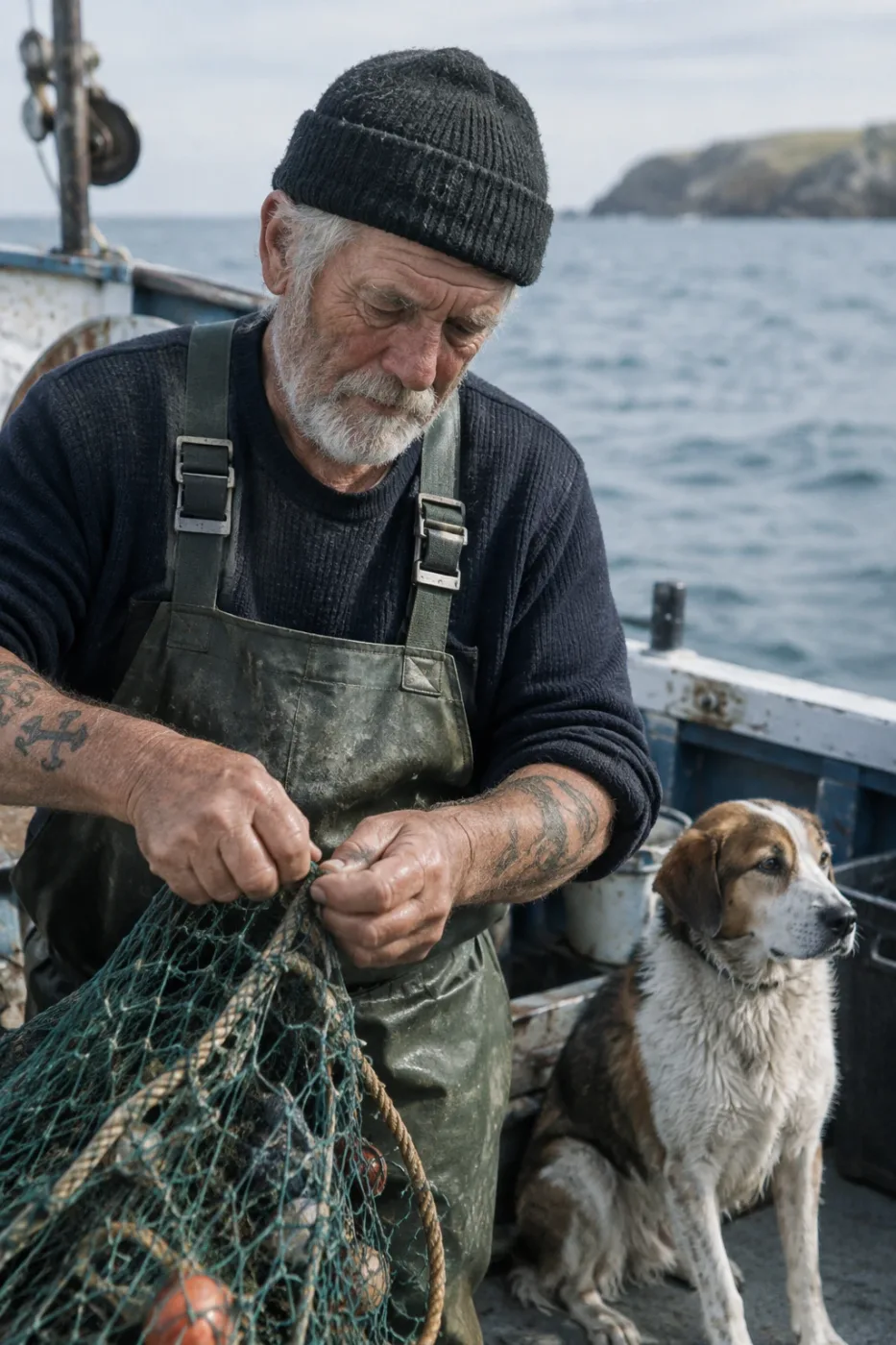
Weathered sailor on a fishing boat
Create a photorealistic candid photograph of an elderly sailor standing on a small fishing boat. He has weathered skin with visible wrinkles, pores, and sun texture, and a few faded traditional sailor tattoos on his arms. He is calmly adjusting a net while his dog sits nearby on the deck. Shot like a 35mm film photograph, medium close-up at eye level, using a 50mm lens. Soft coastal daylight, shallow depth of field, subtle film grain, natural color balance. The image should feel honest and unposed, with real skin texture, worn materials, and everyday detail. No glamorization, no heavy retouching.
by OpenAI
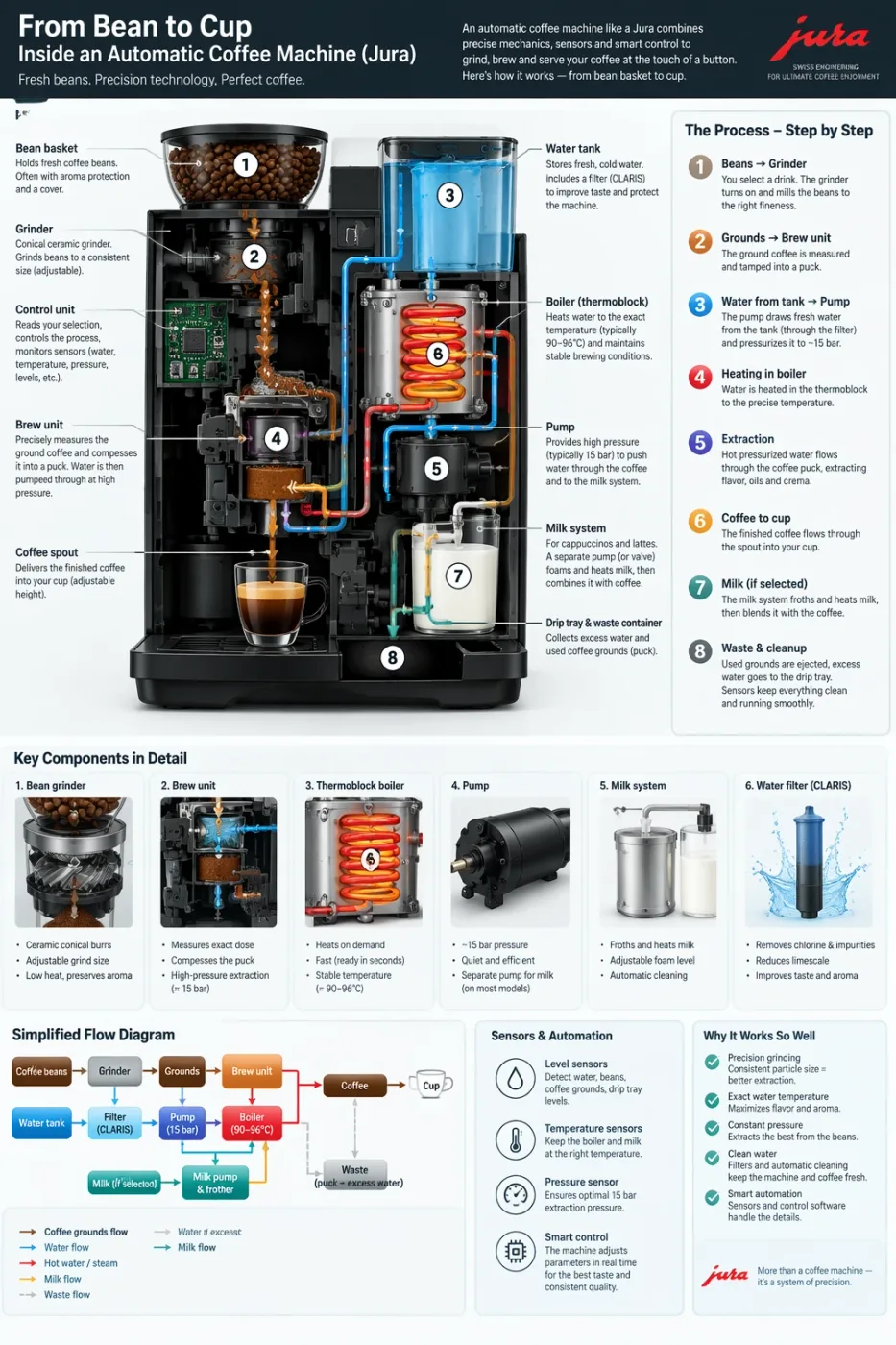
Automatic coffee machine workflow infographic
Create a detailed Infographic of the functioning and flow of an automatic coffee machine like a Jura. From bean basket, to grinding, to scale, water tank, boiler, etc. I'd like to understand technically and visually the flow.
by OpenAI
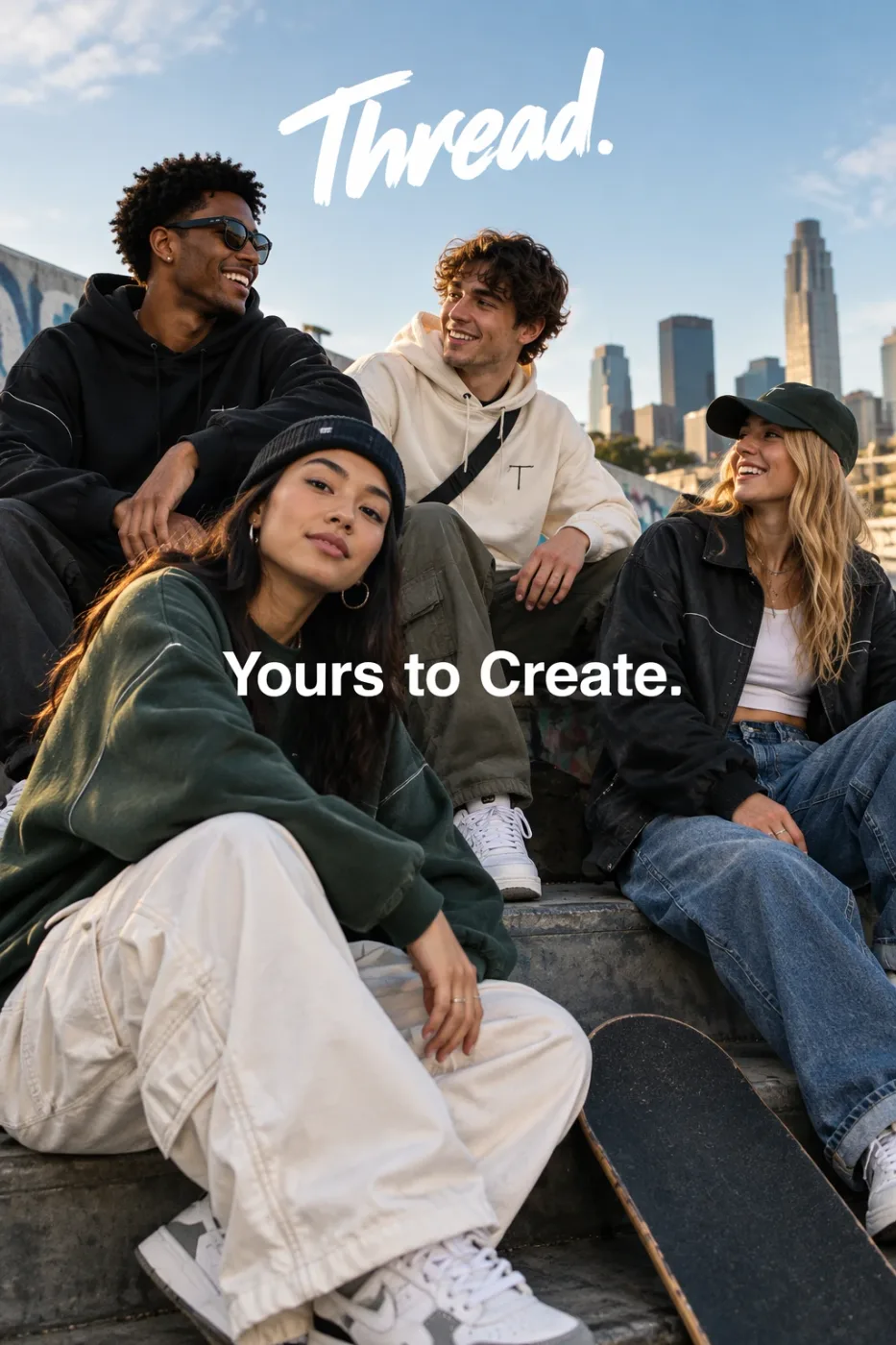
Thread streetwear ad with exact typography
Give me a cool in culture ad / fashion shot for a brand called Thread. It's a hip young street brand. The ad shows a group of friends hanging out together with the tagline "Yours to Create." Make it feel like a polished campaign image for a youth streetwear audience: stylish, contemporary, energetic, and tasteful. Use clean composition, strong color direction, natural poses, and premium fashion photography cues. Render the tagline exactly once, clearly and legibly, integrated into the ad layout. No extra text, no watermarks, no unrelated logos.
by OpenAI
We curate copy-ready prompt libraries — every entry shows its full text and a sample result, ready to adapt.
How to get access, regional availability, and how this model compares with its alternatives.