AI product photo editing for e-commerce: three models, one product photo
AI product photo editing means sending an existing product photo to an image model together with an instruction — a new background, a white cutout, a promotional banner — and getting back an edited image in which the product stays the same. For a store with hundreds of SKUs this replaces a photo shoot or a retoucher for routine shots. The hard part is that the product itself must not change.
Below is one test: the same product photo (a white mug with a navy leaf logo, itself generated for this test) edited three ways by three models on apimodels.app, one call each at the 1K tier, on 4 November 2026. We looked at every result before writing the notes.
Three edits of one product photo
Left: the original photo. Right: the edited result. The prompt under each pair is exactly what we sent, with the original photo passed in image_urls.
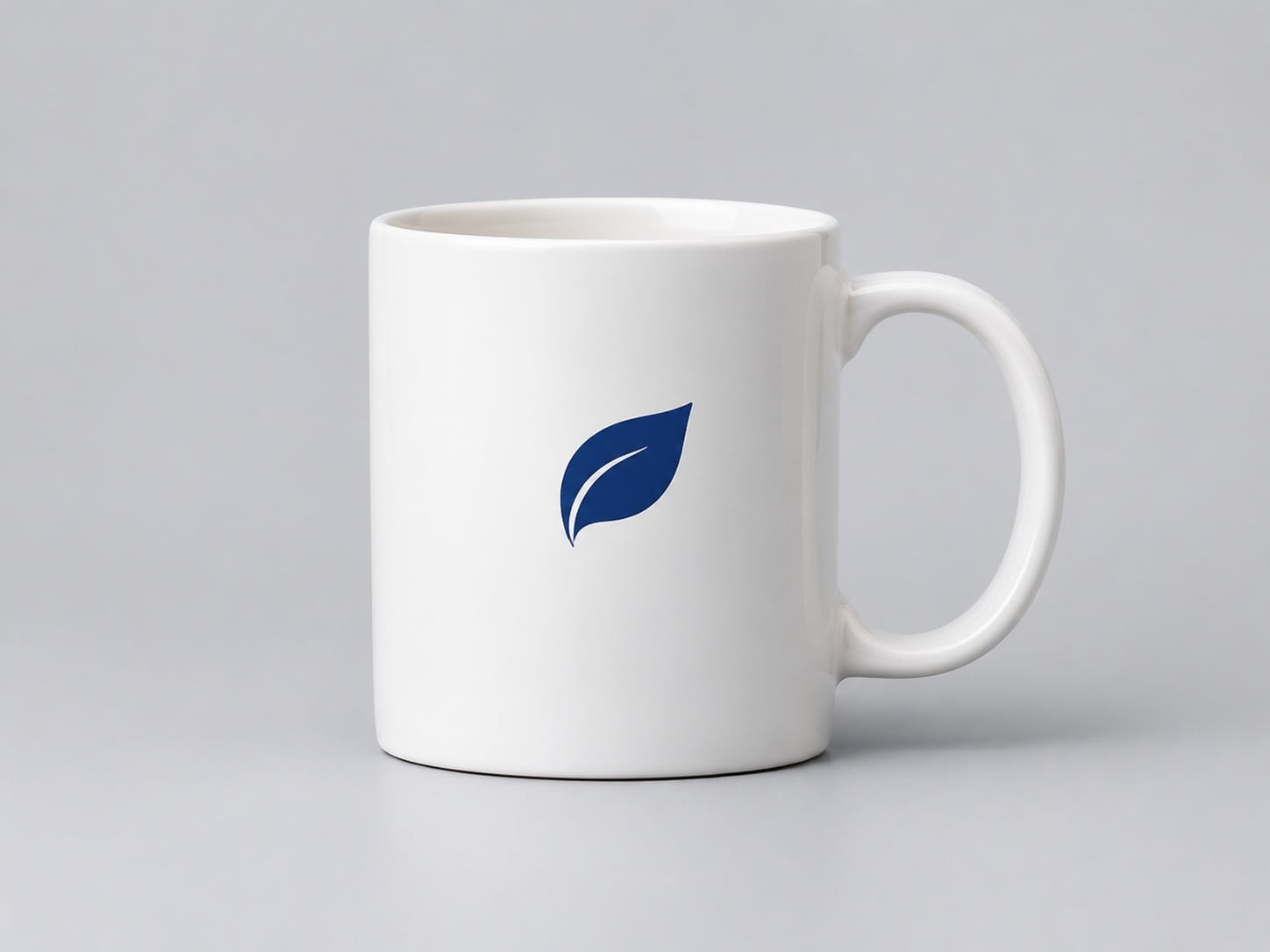
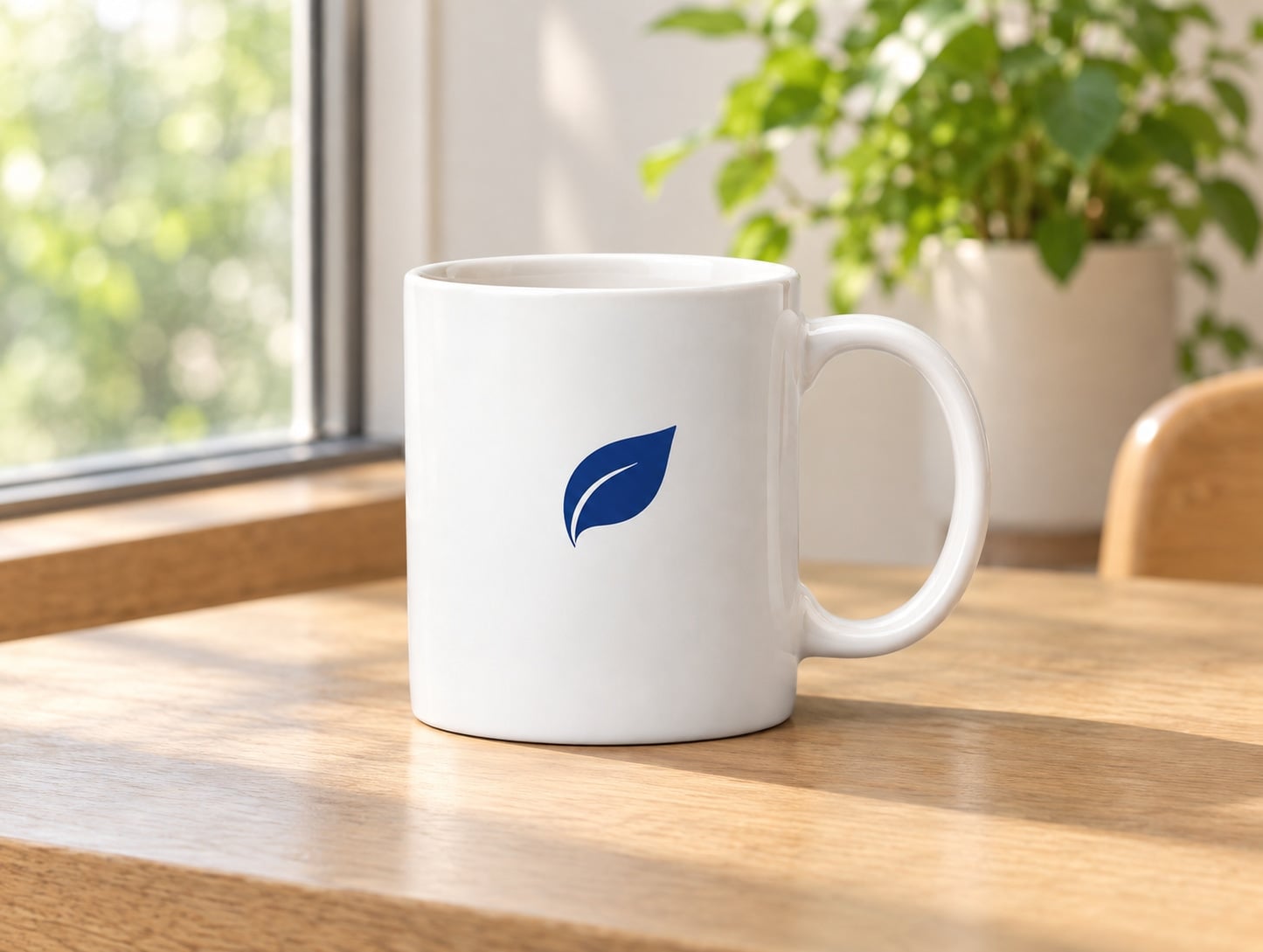
Lifestyle background — GPT Image 2
The mug, glaze and logo stayed the same; only the scene changed.
Detail and full prompt
Result 1445x1089, 27 seconds, $0.025 at 1K medium. The mug kept its shape, glaze and the leaf logo in the same place. The model added a window, an oak table, a potted plant and the back of a chair, none of which touch the product. Suited to category pages and social posts where the setting sells the product.
Keep the mug exactly as it is: same shape, same white glaze, same navy-blue leaf logo in the same place. Place it on a light oak cafe table next to a window with soft morning light, a blurred green plant in the background. Photorealistic lifestyle product photo.
Pure-white listing shot — Nano Banana 2.1
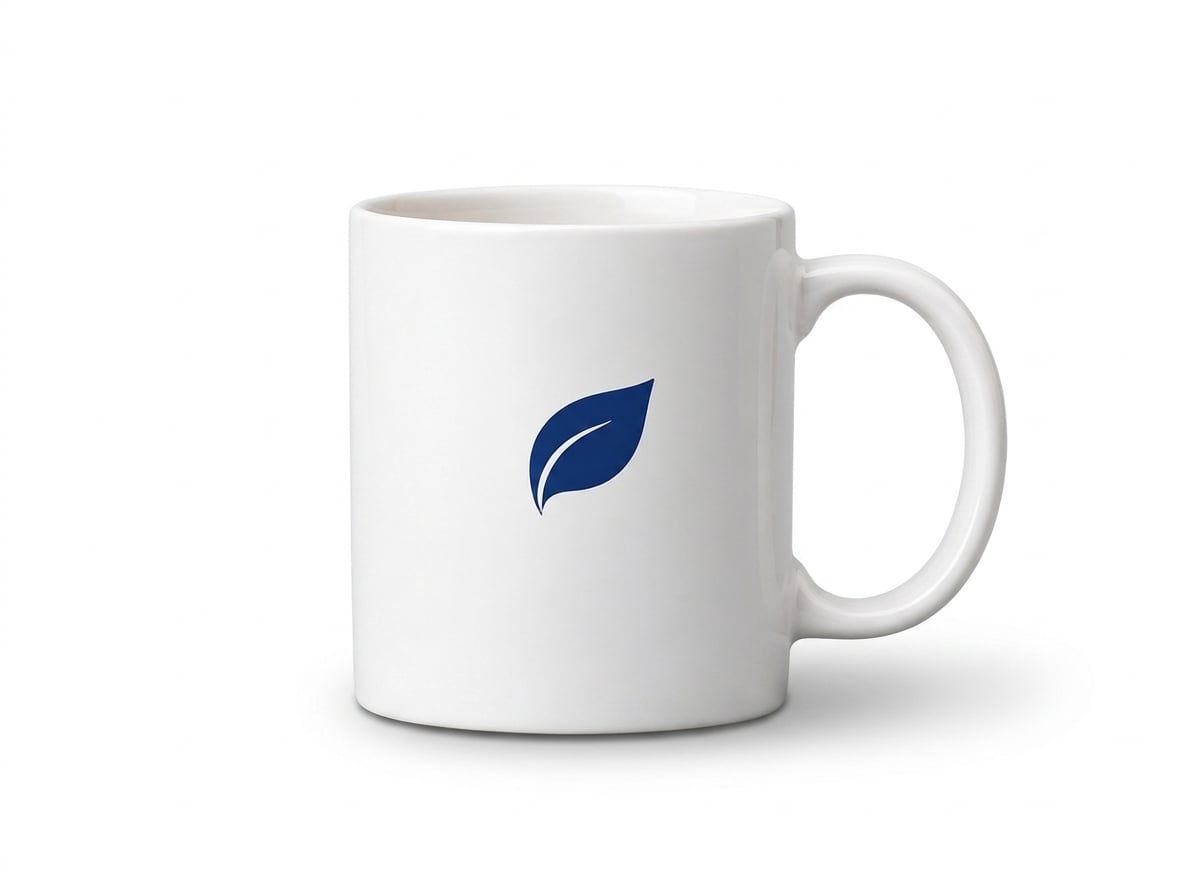
Pure white background with a soft shadow; the mug moved slightly in the frame.
Detail and full prompt
Result 1200x896, 67 seconds, $0.022 at 1K. We checked the four corners of the output: RGB 255, 255, 255, the pure white that many marketplaces ask for on the main image. The mug and logo are unchanged, but the model re-framed the shot and moved the mug up and to the left, so crop again if your listing template needs the product centred.
Keep the mug exactly the same, including the navy-blue leaf logo. Replace the background with pure white (#FFFFFF) for a marketplace listing photo, with a soft natural shadow under the mug. Do not add anything else.
Promotional banner with text — Qwen Image 3.0
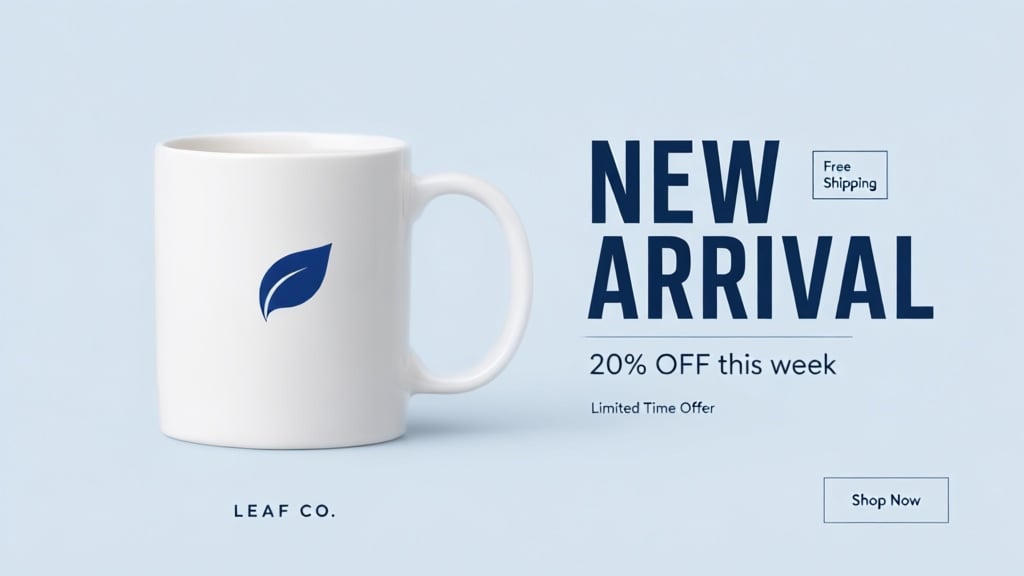
Both requested lines are spelled correctly, but it added four text elements we did not ask for.
Detail and full prompt
Result 1024x576 (16:9), 55 seconds, $0.035 plus $0.004 for the reference image. "NEW ARRIVAL" and "20% OFF this week" are rendered cleanly. It also added a "Free Shipping" box, "Limited Time Offer", a "LEAF CO." brand line and a "Shop Now" button. On a store banner an invented "Free Shipping" is a real problem, so read every word before you publish; you can also say in the prompt that no other text may be added (we did not, in this test).
Use the mug from the reference image unchanged. Create a 16:9 promotional web banner: the mug on the left half on a pale blue background; on the right half the headline 'NEW ARRIVAL' in bold dark navy sans-serif and below it the line '20% OFF this week' in a smaller weight. Clean, minimal, plenty of empty space.
Which model for which job
Prices are per image on apimodels.app. All three take the product photo as a reference in the same request field, so you can run the same SKU through two models and keep the better result. Higher resolutions cost more: GPT Image 2 medium is $0.03 at 2K and $0.05 at 4K, Nano Banana 2.1 is $0.036 at 2K and $0.06 at 4K.
| Job | Model id | Price (1K) | What we saw |
|---|---|---|---|
| Lifestyle / scene background | gpt-image-2 | $0.025 (medium) | Product unchanged, scene replaced |
| Pure-white main image | nano-banana-2-1 | $0.022 | Pure-white corners, product unchanged, re-framed |
| Banner or poster with text | qwen3-image | $0.035 + $0.004 per reference | Requested text correct, extra text added |
Editing a whole catalogue
One SKU is one call: POST the product photo URL in image_urls with your instruction, then poll GET /v1/images/generations?task_id=… or pass a callback_url and receive the result by webhook. Run several SKUs in parallel. Result links expire, so download the images as soon as they are ready.
Keep one prompt template per shot type (scene, white background, banner) and change only the product description, so a catalogue comes out consistent. Review each result before publishing: check the product, its logo and every word of text.
Limits to know
There is no mask-based inpainting: edits are described in words, so a small region cannot be targeted precisely. Models may re-frame the shot or add elements, as two of the three did above. Our test product had no fine print; on packaging with ingredient lists or small labels, compare the text against the original carefully.
Not every generation succeeds. A request can fail or be refused by content moderation, and failed generations are not charged.
When not to use AI editing
If the image must match the physical product exactly — colour-critical goods, regulated packaging, anything a customer could return because it looks different — use a real photo shoot. AI edits can shift colour and redraw detail, and the review step above does not make them pixel-exact.
Quick start
cURL
curl https://api.apimodels.app/v1/images/generations \
  -H "Authorization: Bearer $APIMODELS_API_KEY" \
  -H "Content-Type: application/json" \
  -d '{
    "model": "nano-banana-2-1",
    "prompt": "Keep the product exactly the same. Replace the background with pure white (#FFFFFF) with a soft natural shadow. Do not add anything else.",
    "image_urls": ["https://your-store.example/photos/sku-1024.jpg"],
    "resolution": "1K",
    "aspect_ratio": "4:3"
  }'
Python
import time
import requests

API = "https://api.apimodels.app/v1/images/generations"
H = {"Authorization": "Bearer YOUR_APIMODELS_KEY"}

task = requests.post(API, headers=H, json={
    "model": "gpt-image-2",
    "prompt": "Keep the product exactly as it is. Place it on a light oak cafe table by a window with soft morning light.",
    "image_urls": ["https://your-store.example/photos/sku-1024.jpg"],
    "resolution": "1K",
    "aspect_ratio": "4:3",
}).json()["data"]["taskId"]

while True:
    d = requests.get(API, headers=H, params={"task_id": task}).json()["data"]
    if d["state"] in ("completed", "failed"):
        break
    time.sleep(5)

print(d.get("resultUrls"))  # download these right away; result links expire
FAQ
What is the best AI tool for e-commerce product photo editing?
It depends on the shot. In our test on one product photo, GPT Image 2 was the most faithful for lifestyle backgrounds, Nano Banana 2.1 gave a pure-white listing image, and Qwen Image 3.0 rendered banner text correctly but added extra text. On apimodels.app all three are called through the same endpoint, so you can try two on the same SKU and keep the better one.
Does the AI change my product?
It can. In our test none of the three changed the mug or its logo, but two re-framed the shot or added elements, and one added text we did not ask for. Describe what must stay the same in the prompt and review every result before publishing.
How much does AI product photo editing cost?
On apimodels.app, per image at 1K: $0.025 with GPT Image 2 at medium quality, $0.022 with Nano Banana 2.1, and $0.035 with Qwen Image 3.0 plus $0.004 per reference image. 2K and 4K cost more. Failed generations are not charged.
Can I make a pure-white background for Amazon or other marketplaces?
Yes. In our test Nano Banana 2.1 returned an image whose corners measured RGB 255, 255, 255. Check the marketplace’s own image rules as well — size, how much of the frame the product fills, no added text — because the model may re-frame the product.
Can I process my whole catalogue automatically?
Yes. Each SKU is one API call with the product photo in image_urls; run them in parallel, collect results by polling or a callback_url webhook, and download them promptly because result links expire. Keep a human review step before the images go live.
Related
- GPT Image 2 model page
- Nano Banana 2.1 model page
- Qwen Image 3.0 model page
- GPT Image 2 API pricing
- Image API docs