
Use apimodels in n8n: chat, images, video and speech
apimodels is an OpenAI-compatible multi-model API: one key for chat models such as Claude, GPT, Gemini and DeepSeek, and for image, video and speech models such as GPT Image 2, Seedance, Kling, Veo and ElevenLabs. In n8n, chat models work through the built-in OpenAI credential with one changed Base URL; images, video and speech go through the HTTP Request node. Below are both setups plus eight import-ready templates we ran end to end.
TL;DR
- Chat models: create an OpenAI credential with your apimodels key and Base URL
https://api.apimodels.app/v1, then enter the model by ID in OpenAI Chat Model. Turn off "Use Responses API" for non-GPT models such as Claude. - Images, video and speech: HTTP Request nodes with a Bearer Auth credential. Create a task, get the taskId, and check it every 15–20 seconds with a Wait node until it is completed or failed.
- Prefer not to build it: import a template from github.com/apimodels/n8n-templates. Failed generations are not charged, and new accounts get $0.1 to try.
1Get an API key
Sign in and create a key in Console → API Keys. A dedicated key for n8n is easiest to revoke later. Usage is billed from your balance; there is no monthly fee.
2Chat models: an OpenAI credential with a new Base URL
- In n8n, create a credential of type OpenAI (OpenAi account).
- Paste your apimodels key as API Key and set Base URL to
https://api.apimodels.app/v1; leave Organization ID empty. - Attach an OpenAI Chat Model under your AI Agent or Basic LLM Chain and select the credential. Switch Model to By ID and enter an id such as
claude-sonnet-5-5,gpt-5.5,deepseek-v4-flash; the full list is at /models. - For non-GPT models such as Claude, Gemini, DeepSeek or Qwen, turn off "Use Responses API" in the node so it calls /v1/chat/completions. With it on you get a "not available on /v1/responses" error. GPT models work either way.
The same credential also works in HTTP Request nodes: set Authentication to Predefined Credential Type → OpenAi and the Bearer header is added for you. The image tool in template 4 shares the credential this way.
3Images, video and speech: HTTP Request and polling
Image and video models run as async tasks, which the built-in OpenAI node does not handle, so use HTTP Request nodes. Create a Bearer Auth credential with your apimodels key as the token and set every HTTP Request node to Generic Credential Type → Bearer Auth.
1. Create the task
POST https://api.apimodels.app/v1/images/generations (video: /video/generations), JSON body:
{
  "model": "gpt-image-2",
  "prompt": "{{ $json.prompt }}",
  "image_urls": ["{{ $json.image_url }}"],
  "aspect_ratio": "4:3",
  "resolution": "2K"
}{ "code": 200, "msg": "success",
"data": { "taskId": "cmv...", "state": "pending", "model": "gpt-image-2" } }Reference images must be publicly reachable. Send a form-uploaded file as multipart to https://api.apimodels.app/v1/files (field name file, Parameter Type n8n Binary File) and put the returned data.publicUrl into image_urls or first_frame_url. Uploads are free.
2. Wait, check, route
A Wait node pauses 15 seconds (20 for video), then GET:
https://api.apimodels.app/v1/images/generations?task_id={{ $('Create image task').first().json.data.taskId }}{ "code": 200, "msg": "success",
"data": {
"taskId": "cmv...",
"state": "completed", // pending / processing / completed / failed
"resultUrls": ["https://r2.apimodels.app/images/cmv....png"],
"credits": 0.03, // USD actually charged; 0 when failed
"failMsg": null
} }A Switch node routes on data.state: completed continues; failed shows data.failMsg as is (it says why when the model refuses); anything else loops back to Wait. Add an IF on $runIndex to cap the number of checks. Status checks are free, so Retry On Fail is safe on that node.
One call that returns the image (for agent tools)
Agent tools cannot poll easily. Send an OpenAI-style size to /images/generations without callback_url and the same request waits for the image and returns an OpenAI-shaped result. Set the HTTP Request Tool timeout to 300 seconds.
{
  "model": "gpt-image-2",
  "prompt": "{{ $fromAI('prompt', 'Detailed description of the image', 'string') }}",
  "size": "1536x1024",
  "response_format": "url"
}
// → { "created": 1792..., "data": [ { "url": "https://r2.apimodels.app/images/....png" } ] }
ElevenLabs speech uses https://api.apimodels.app/v1/tts/stream, which returns the MP3 directly: set the HTTP Request Response Format to File. Parameters are in /docs/audio.
Eight ready templates
Each template ships with sticky-note instructions (a yellow overview plus section notes) and uses only core n8n nodes. To import: download the JSON, open a new workflow, choose … → Import from File, pick your credential and activate. We ran each one on n8n 2.43.8 on 2026-10-19; the timings below come from those runs.
Product photo to ad image
Download JSONAn n8n form takes a product photo and a scene and returns an ad image with the product itself (shape, colors, logo, text) unchanged; the result page shows the amount charged.
Models: GPT Image 2 · Typical run: 1K about 30 s, 2K about 2 min
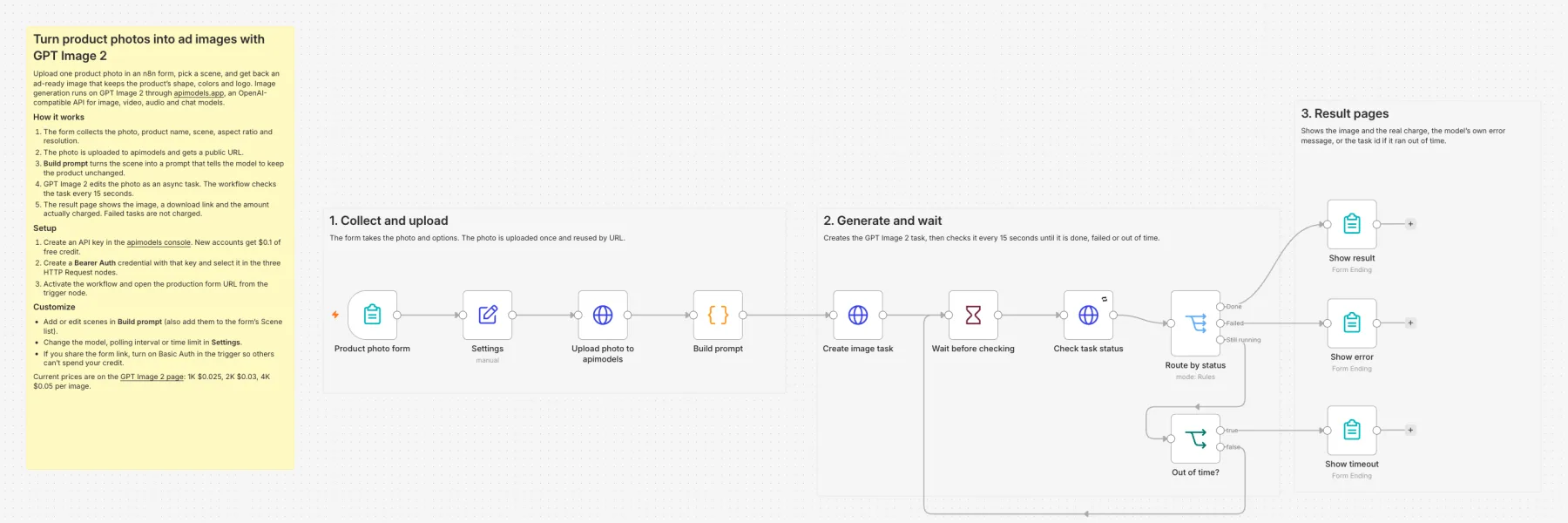
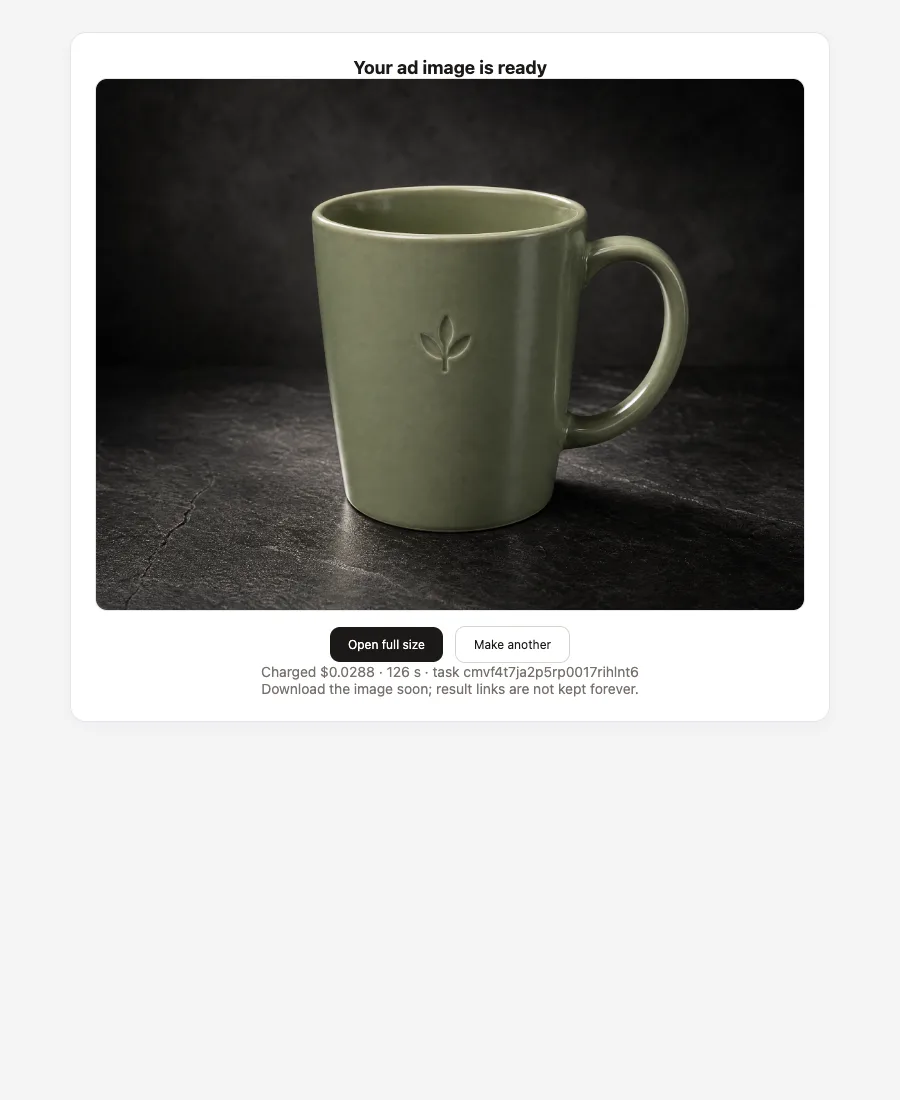
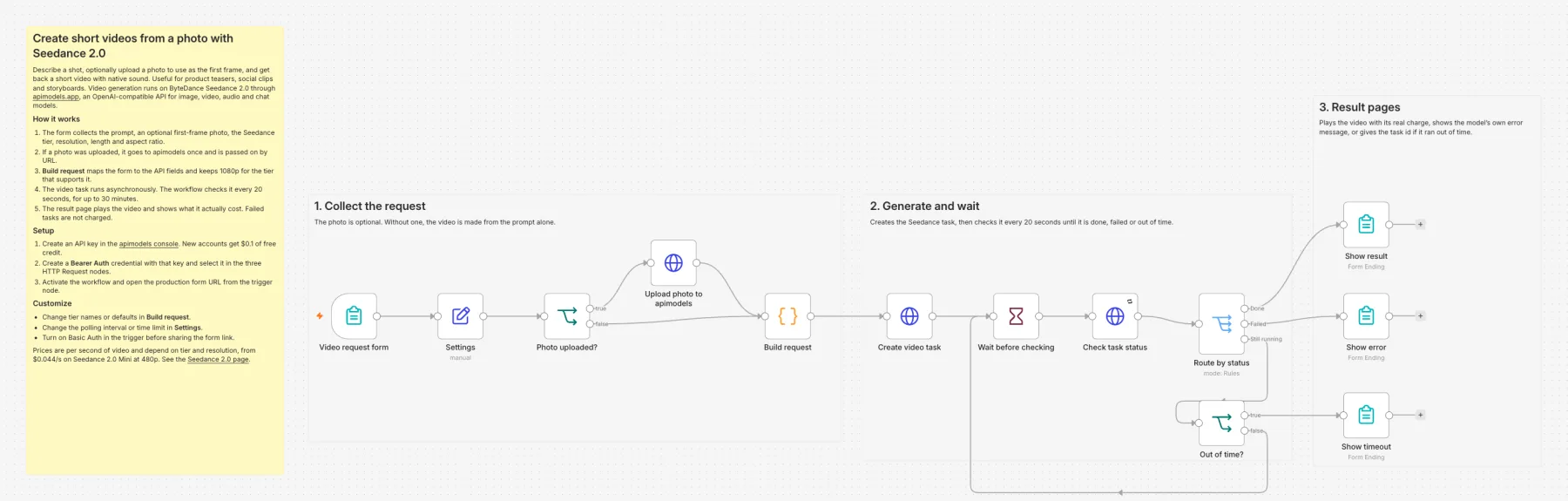
Photo to short video
Download JSONDescribe a shot, optionally upload a photo as the first frame, and get a 5–15 s video with native sound; pick one of three Seedance 2.0 tiers.
Models: Seedance 2.0 Mini / Fast / Standard · Typical run: 5 s Mini 480p about 2–3 min
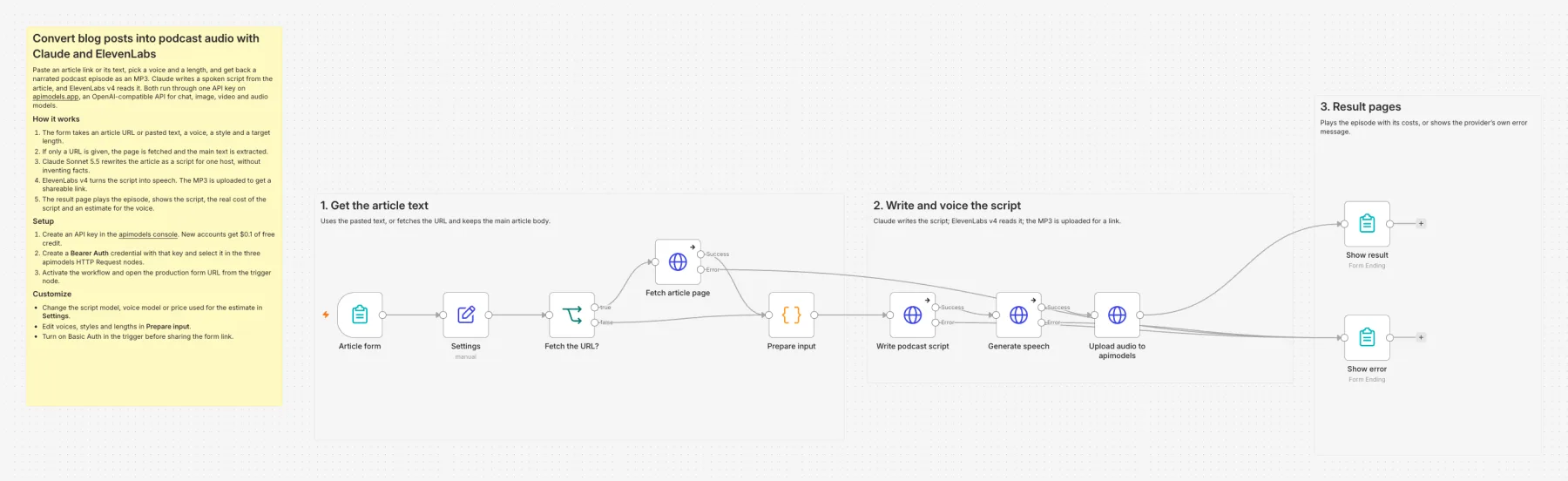
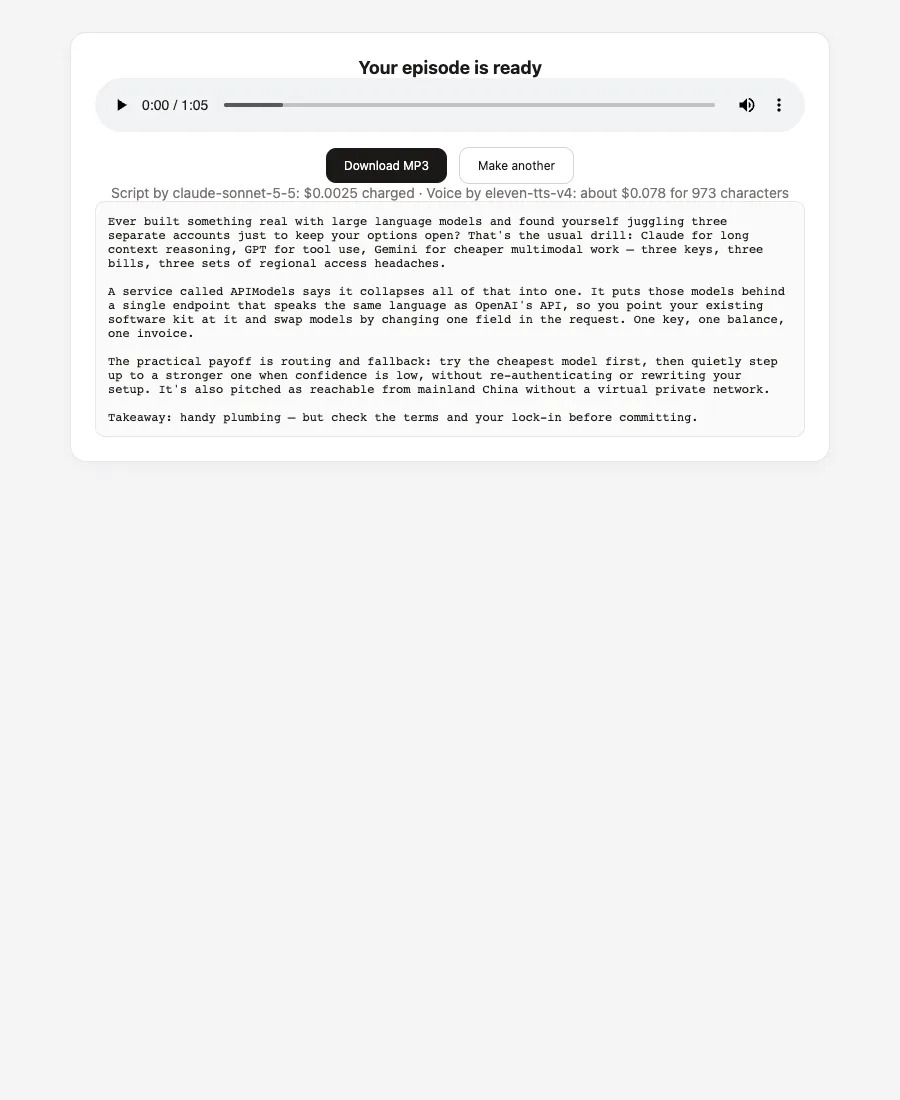
Blog post to podcast
Download JSONPaste an article link or text; Claude rewrites it as a spoken script and ElevenLabs v4 reads it into a shareable MP3.
Models: Claude Sonnet 5.5 + ElevenLabs v4 · Typical run: 1-minute episode about 40 s
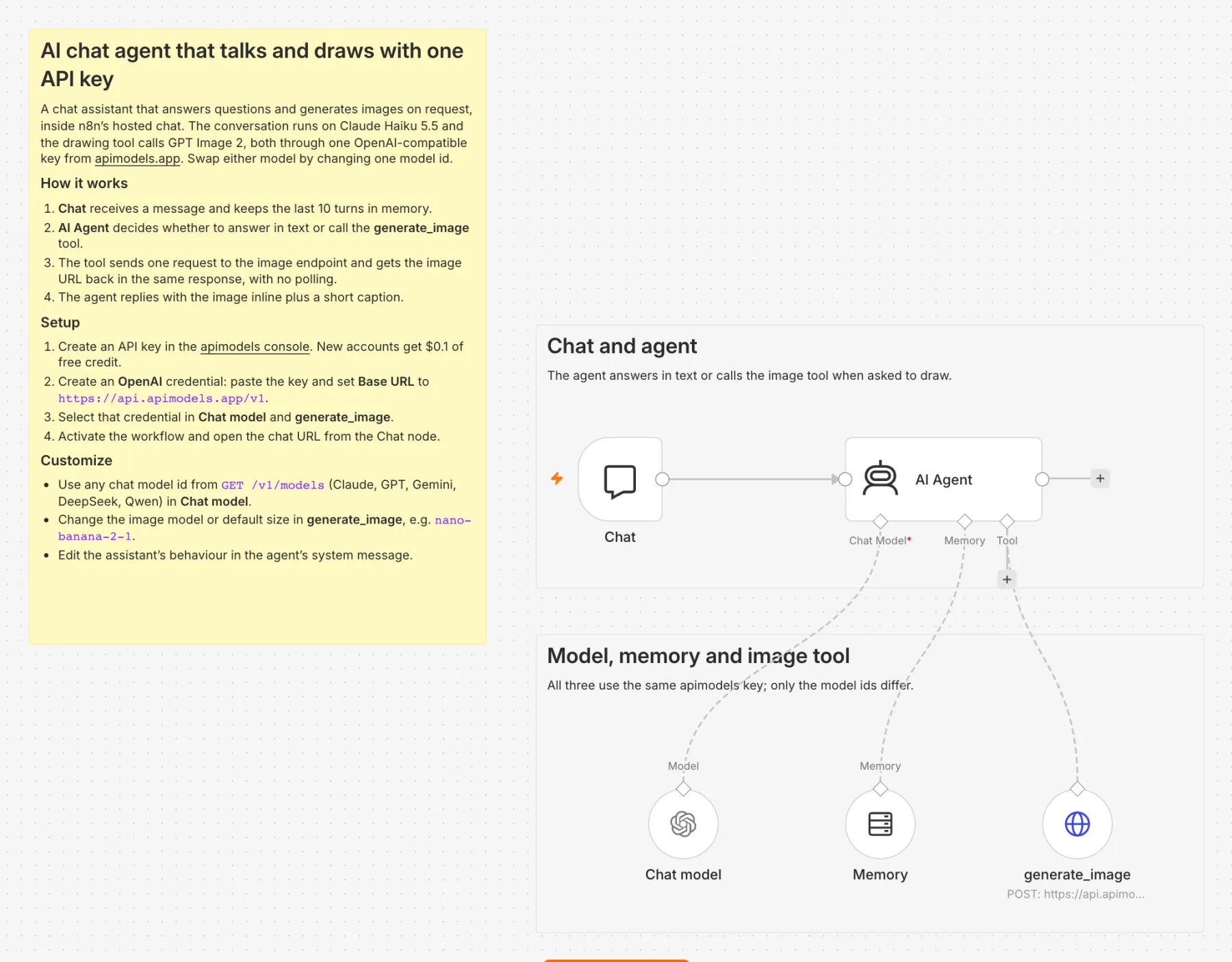
Chat agent with an image tool
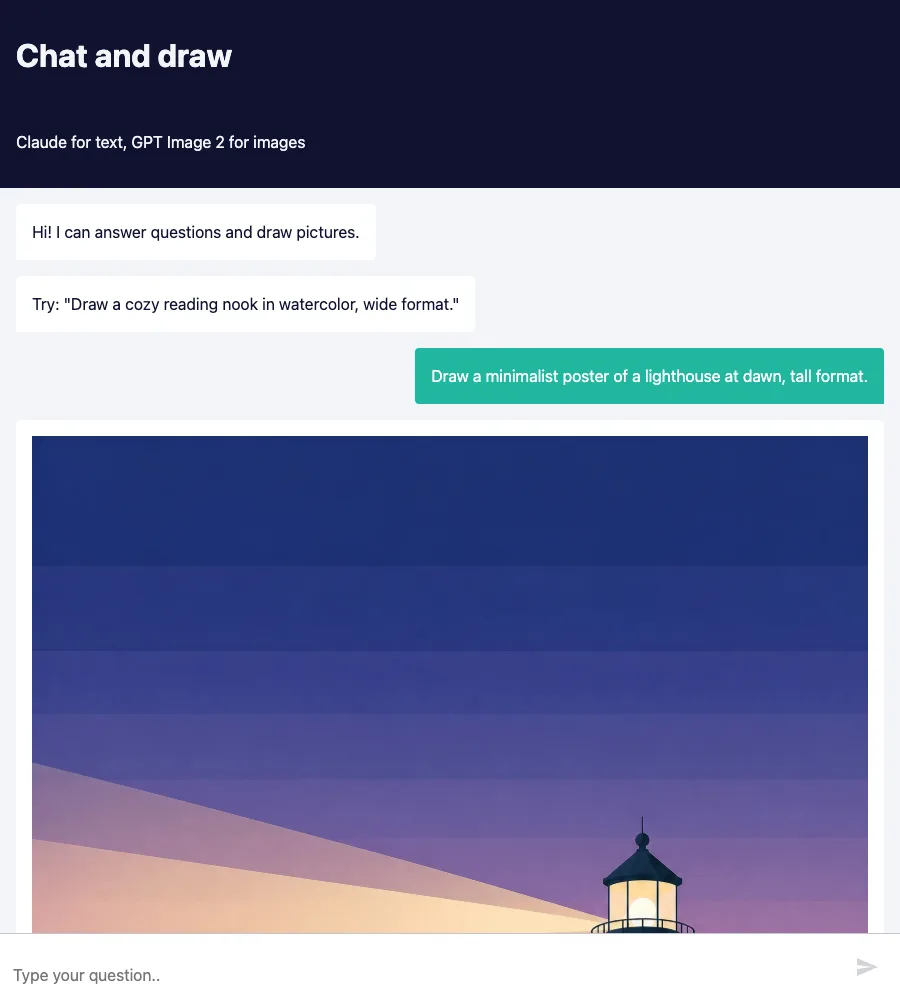
Download JSONIn n8n's hosted chat, an AI Agent answers questions and, when asked to draw, calls an image tool and puts the picture in its reply.
Models: Claude Haiku 5.5 + GPT Image 2 · Typical run: Image replies about 1–2 min
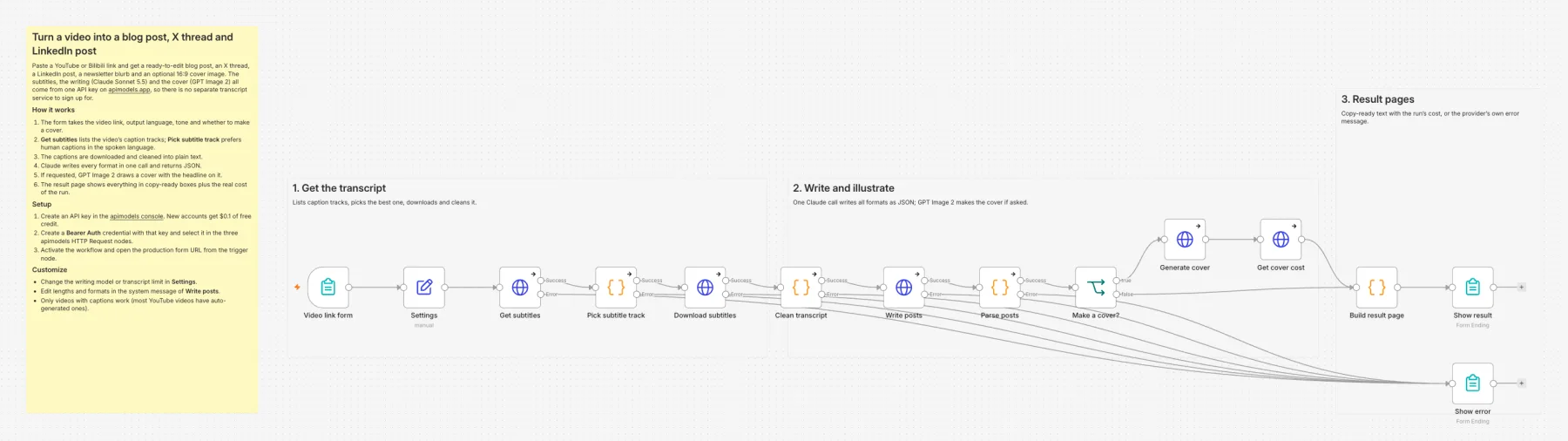
Video to blog post, X thread and LinkedIn post
Download JSONPaste a YouTube or Bilibili link to get a blog post, X thread, LinkedIn post and newsletter blurb written from the video's own subtitles, plus an optional 16:9 cover. Subtitles, writing and the cover use one key, with no separate transcript service.
Models: Claude Sonnet 5.5 + GPT Image 2 · Typical run: 19-minute video about 2.5 min, $0.063 with a cover
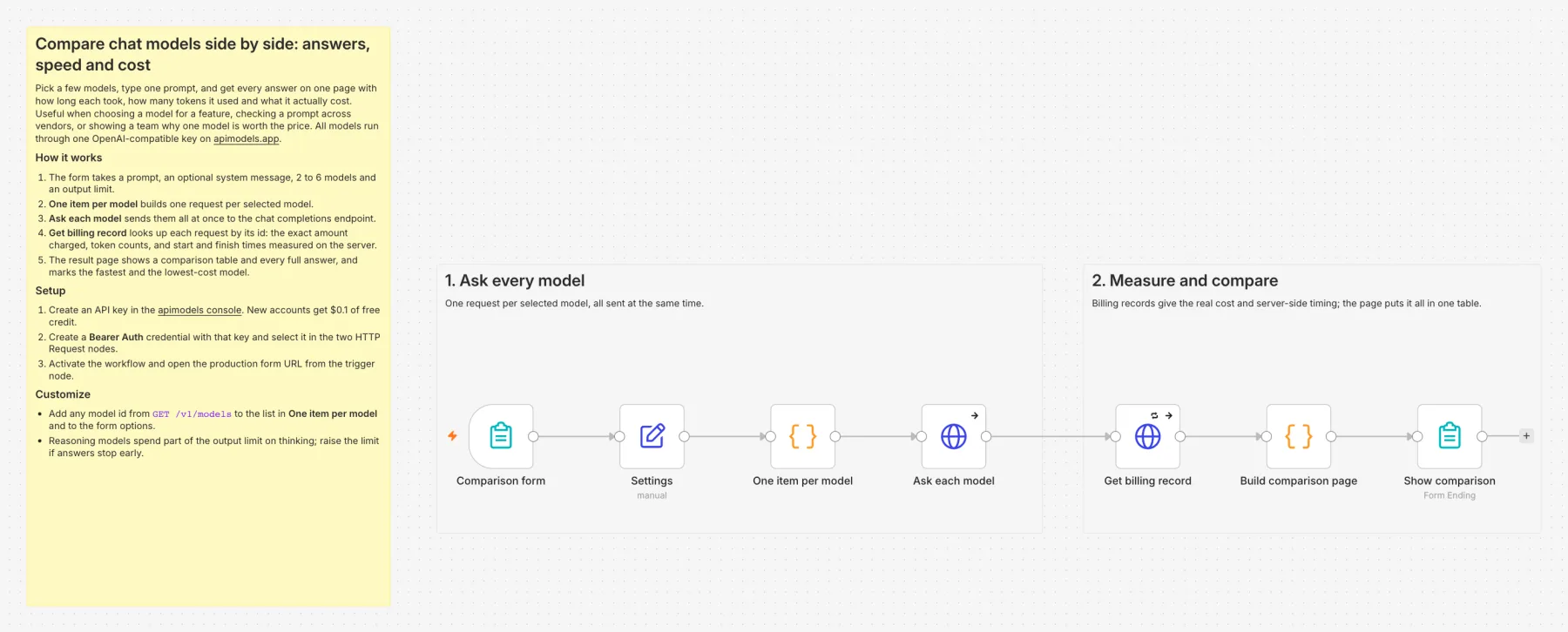
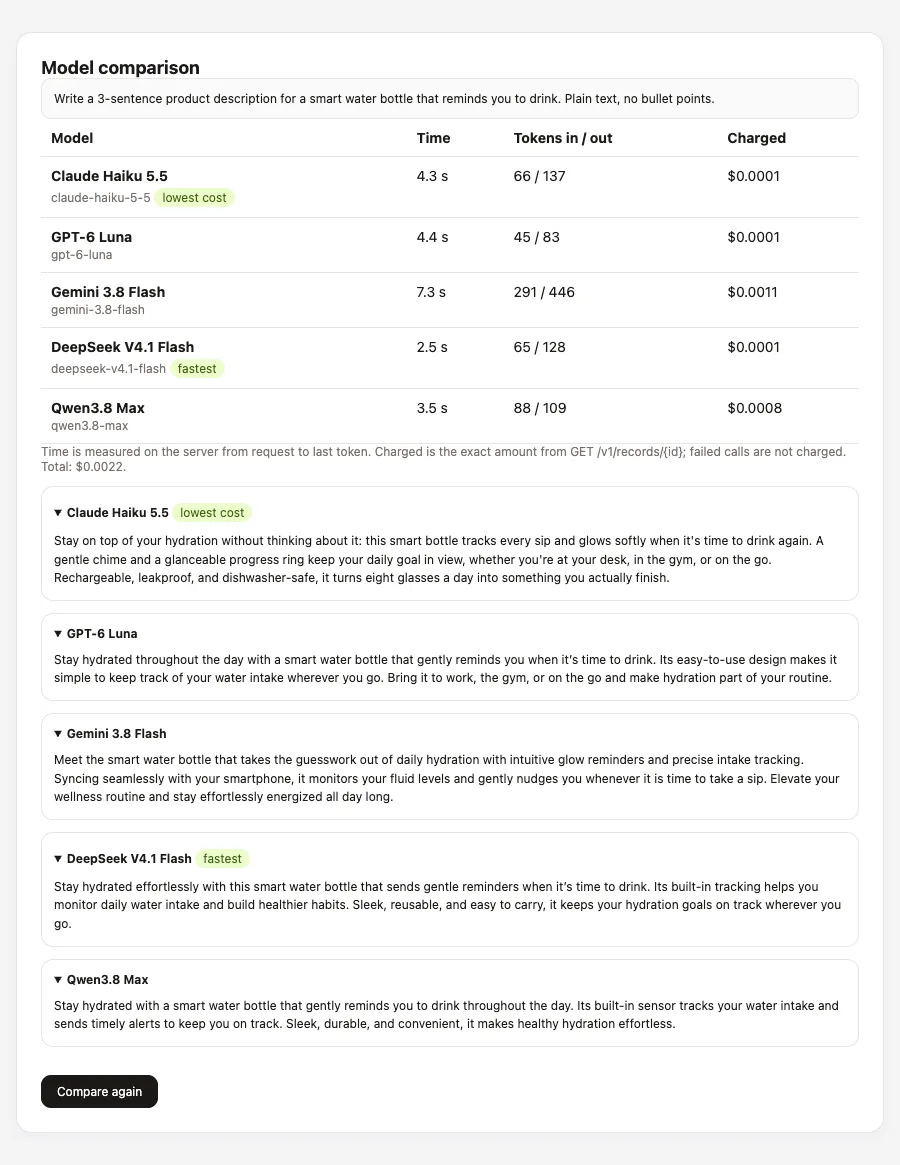
Compare chat models side by side
Download JSONSend one prompt to 2–6 models and see every answer on one page with each model's server-measured time, tokens and exact charge from the billing records endpoint; the fastest and lowest-cost models are marked.
Models: Claude, GPT, Gemini, DeepSeek, Qwen, Grok, GLM · Typical run: 5 models about 15 s, under $0.01 in total
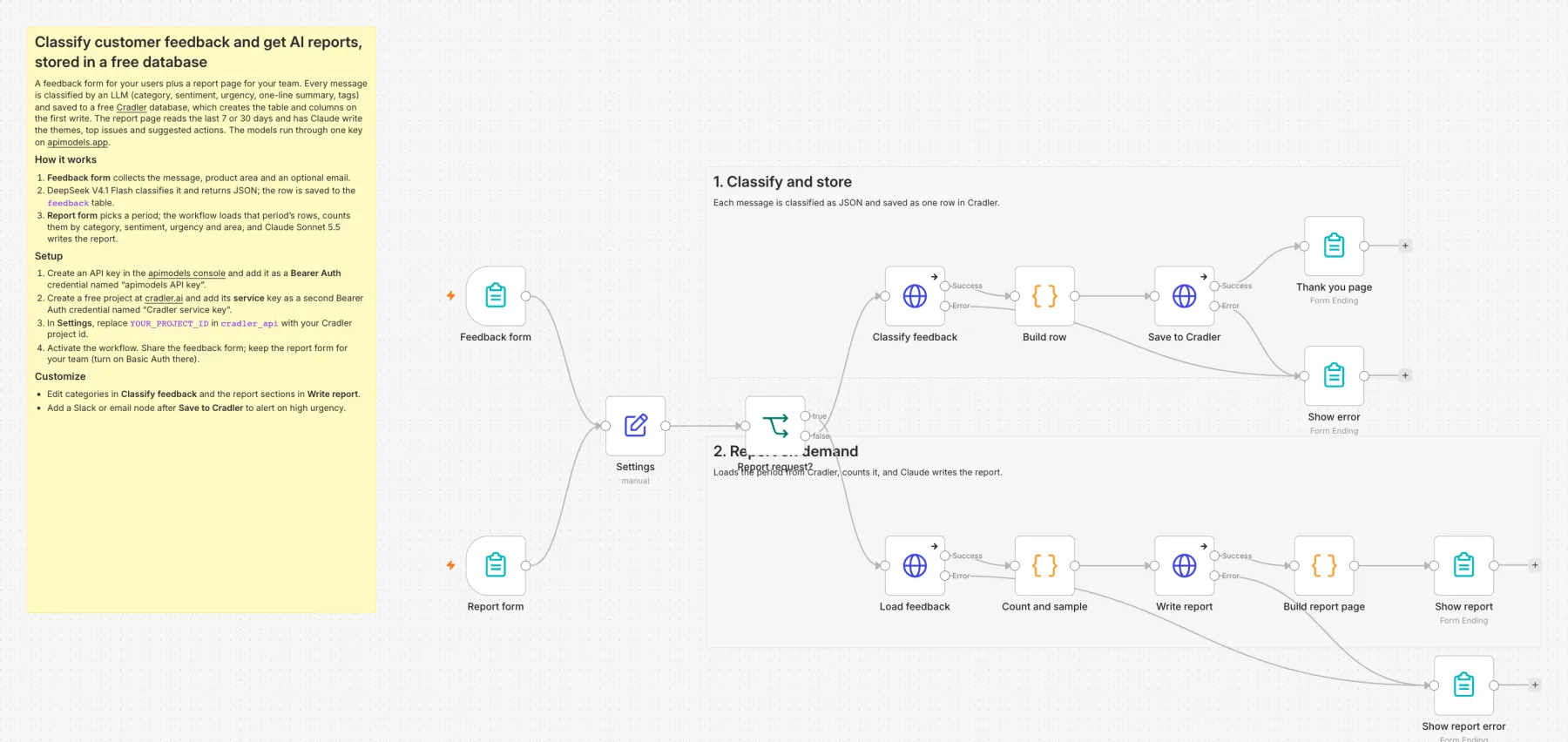
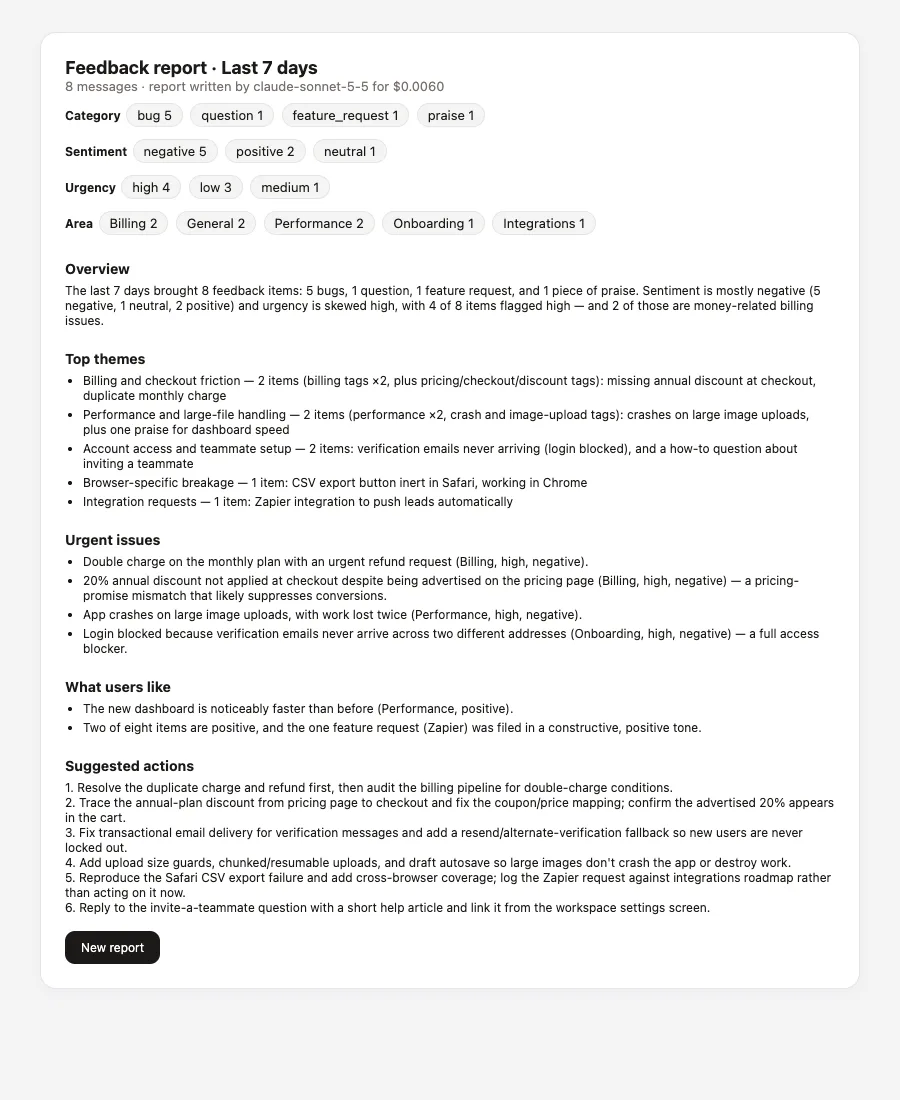
Customer feedback triage and reports
Download JSONEach message is classified by DeepSeek (category, sentiment, urgency, one-line summary, tags) and saved to a free Cradler database (built by the same team as apimodels; the table is created on the first write). The team opens a report page, picks 7 or 30 days, and Claude writes the themes, urgent issues and suggested actions.
Models: DeepSeek V4.1 Flash + Claude Sonnet 5.5 + Cradler · Typical run: About $0.0001 per message; a weekly report about 25 s and $0.006
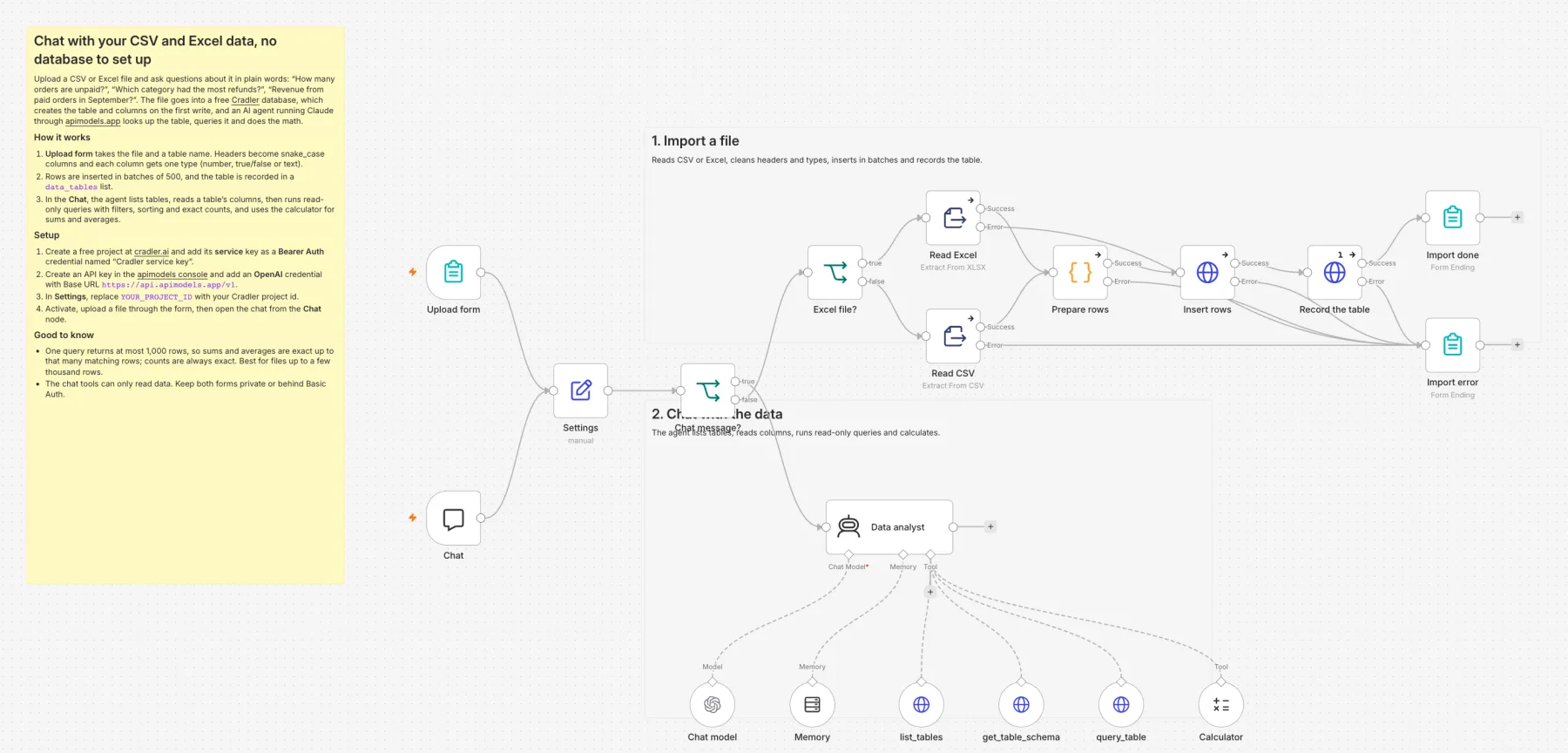
Chat with your CSV and Excel data
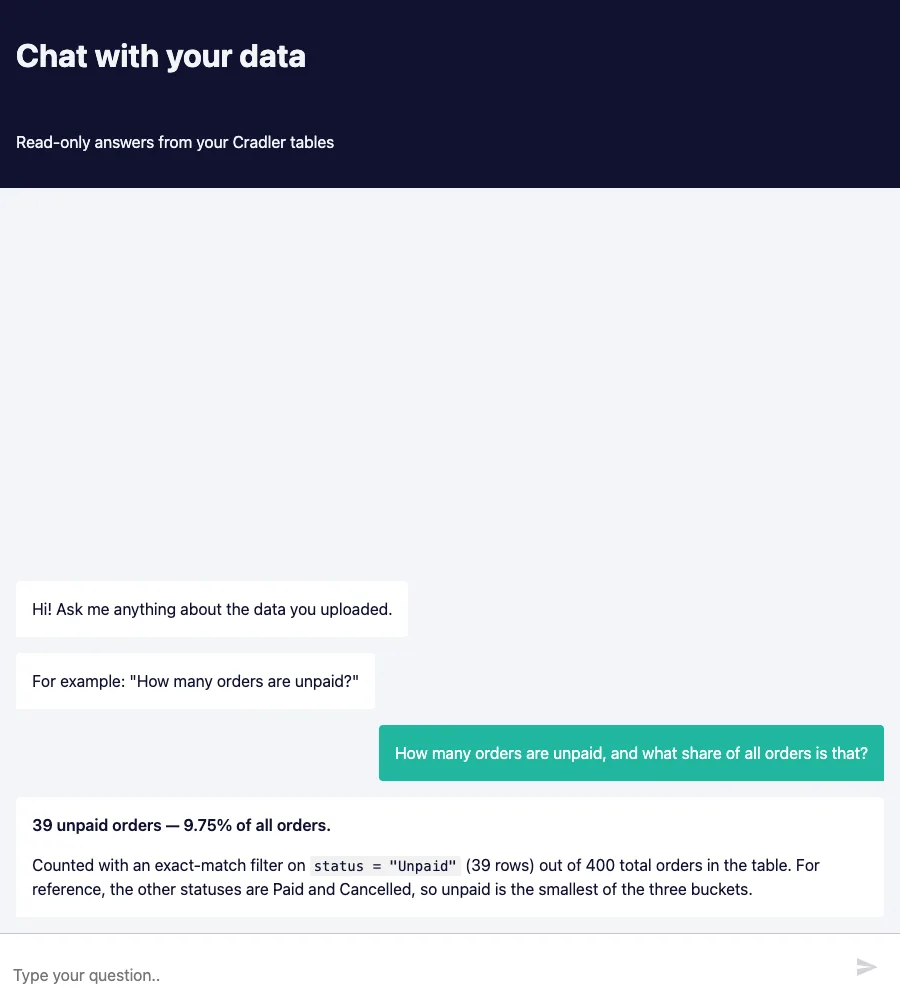
Download JSONUpload a CSV or Excel file into a free Cradler database (headers become clean column names and each column gets one type), then ask questions in n8n's hosted chat. The agent lists the tables, reads the columns, queries with filters and uses a calculator for sums and averages. The chat tools are read-only.
Models: Claude Sonnet 5.5 + Cradler · Typical run: 400-row file imported in 9 s; all 4 test questions answered correctly, 20–95 s each
How billing works and how to check it
- Each call is billed at the price on its model page; failed generations are not charged, and status checks and uploads are free.
- When an image or video task finishes,
data.creditsin the status response is the USD actually charged; the templates show it on the result page. - Non-streaming chat responses carry
x-apimodels-cost(turn on Include Response Headers and Status in the HTTP Request options to read it). Any request can be looked up later with GET /v1/records/{id}. - Form links are public; turn on Basic Auth in the Form Trigger before sharing one so strangers cannot spend your balance.
FAQ
How do I use apimodels chat models in n8n?
Create an OpenAI credential in n8n, paste your apimodels API key, set Base URL to https://api.apimodels.app/v1 and leave Organization ID empty. Attach an OpenAI Chat Model node to your AI Agent or LLM chain, select the credential and enter the model by ID, for example claude-sonnet-5-5, gpt-5.5 or deepseek-v4-flash. For non-GPT models such as Claude, Gemini, DeepSeek or Qwen, turn off "Use Responses API" in the node so it calls /v1/chat/completions.
Why does n8n say a Claude model is "not available on /v1/responses"?
Newer versions of the OpenAI Chat Model node send requests to the Responses API by default, and apimodels serves Claude models only on /v1/chat/completions and /v1/messages. Open the OpenAI Chat Model node, turn off "Use Responses API" and run again. GPT models work with the toggle on or off.
How do I generate images or video with apimodels in n8n?
Use HTTP Request nodes with a Bearer Auth credential holding your apimodels key. POST the job to /v1/images/generations or /v1/video/generations and read data.taskId, then loop a Wait node (15 to 20 seconds) and a GET on the same endpoint with ?task_id= until data.state is completed or failed. On completion, data.resultUrls has the file links and data.credits the USD charged. Upload local or form files first with a multipart POST to /v1/files and pass data.publicUrl as the reference image.
Are there ready-made n8n templates for apimodels?
Yes, six free templates at github.com/apimodels/n8n-templates, each run end to end on n8n 2.43.8: product photo to ad image with GPT Image 2, photo to short video with Seedance 2.0, blog post to podcast with Claude Sonnet 5.5 and ElevenLabs v4, a chat agent that answers with Claude Haiku 5.5 and draws with GPT Image 2, YouTube or Bilibili video to blog post, X thread and LinkedIn post, a side-by-side comparison of chat models with time, tokens and exact cost, customer feedback triage with AI reports, and chat with your CSV or Excel data stored in a free Cradler database. They use only core nodes; download the JSON and choose Import from File in n8n.
How much does it cost to run these n8n workflows?
You pay only for the model calls, at the prices on each model page, and failed generations are not charged. GPT Image 2 is $0.025 / $0.03 / $0.05 per image at 1K / 2K / 4K, Seedance 2.0 starts at $0.044 per second (Mini, 480p), and ElevenLabs v4 is $0.08 per 1,000 characters. Status checks and file uploads are free, and new accounts get $0.1 of credit to try.